Best Apps to Track and Split Group Trip Expenses (2026)

Key Highlights
- 1
- 2
- 3
+4 more in the takeaways below
It's the last morning of the villa trip. Six of you, one kitchen table, and a group chat that's gone very quiet. Someone fronted the house deposit. Someone else covered the boat day, two big dinners, and a grocery run nobody can fully reconstruct. Everyone vaguely remembers paying for "something." Now you're all squinting at your phones, doing mental math, hoping you don't come off as the person who cares too much about forty euros.
That moment is avoidable. The fix is picking the right tool before the first shared payment. This is a head-to-head look at the best apps to split group trip expenses in 2026 - what each one does, what it quietly charges for, and which one fits your kind of group. TripProf, the app this blog belongs to, is one of them.
For a quick weekend where nobody wants to install anything, Splid or Kittysplit win because people join with no account. For the biggest network and US bank-transfer rails, it's Splitwise (though currency conversion and receipt scanning sit behind its paid tier). For a one-and-done European split with zero cost, Tricount is now 100% free. And if the expenses are just one part of a real group trip - itinerary, travel documents, expenses, and memories, all shared in one place - TripProf keeps the money in the same app as everything else, splits it in any currency, logs every change so the whole group can see who did what, and shares the final tally by PDF or email. Skip TripIt and Polarsteps for money: TripIt only keeps a manual cost total, and Polarsteps has no spending feature at all.
What "splitting" actually means before you pick an app
Most people think they want an expense splitter. What they actually want is to stop being the group's unpaid accountant. Those are different problems. The right app depends on six things, and getting one of them wrong is how a group ends up with three half-finished spreadsheets and a passive-aggressive Venmo request.
Here's the checklist worth running through before anyone installs anything. It takes two minutes and saves the whole trip a lot of friction.
- Multiple currencies: does the app convert as you go, or do you do the FX math yourself?
- Split types: equal only, or also exact amounts, percentages, shares, and more than one payer?
- No-signup join vs accounts: can casual friends enter their own costs without making an account?
- Receipt capture: scan-and-fill, photo-attach only, or nothing?
- Export and sharing: can you send everyone the final tally as a PDF or email, or is the data trapped in the app?
- Free or paid: what's genuinely free, and what costs money once the trip gets real?
One more question that splits the whole market in half: do you just want a who-owes-whom calculator, or do you want the money to live inside the actual trip you're planning? Dedicated splitters do the first thing brilliantly and nothing else. All-in-one trip apps do the second. Knowing which camp you're in tells you most of what you need to know. If the fairness side is your real worry, our companion piece on how to split trip costs fairly with friends covers the human part that no app solves for you.
The best apps to split group trip expenses in 2026, at a glance
Before the individual reviews, here's the cross-app picture. Every cell below was checked against each app's own site or store listing in June 2026. Where a feature couldn't be confirmed on an official source, it's left out rather than guessed - a few apps keep their help pages locked, so absence here means "not advertised," not "doesn't exist."
| App | Splits | Multi-currency | Export | Join with no account | Best for |
|---|---|---|---|---|---|
| TripProf | All types Free | Yes | PDF + email | No (organizer-led) | A whole trip, not just the bill |
| Splitwise | All types | Yes Pro | CSV | No | Biggest network, US payments |
| Tricount | Equal / parts / custom | Yes Free | Via email only | View only | A free one-off European split |
| Settle Up | Weights, multi-payer | Yes | CSV | View only | Editable exchange rates |
| Splid | Unequal, by item | Yes Free | PDF + Excel | Yes Yes | No-signup weekend trips |
| Kittysplit | Equal, exact, shares | Yes Paid | Excel | Yes Yes | No app, no account, in a browser |
| Wanderlog | Yes | Yes | Not advertised | Partial | Planning plus light splitting |
| TripIt | No No split | Manual only | No | N/A | Itineraries, not money |
| Polarsteps | No No money feature | No | No | N/A | A travel journal, not a tracker |
The pattern that jumps out: free multi-currency and free export rarely appear together. Splid and Tricount give you currency for free; Splitwise and Kittysplit charge for it. Tricount removed its built-in export. Read the table as a shortlist generator, then check the section for whichever two or three apps survive your own checklist.

TripProf: one shared app for the whole group trip
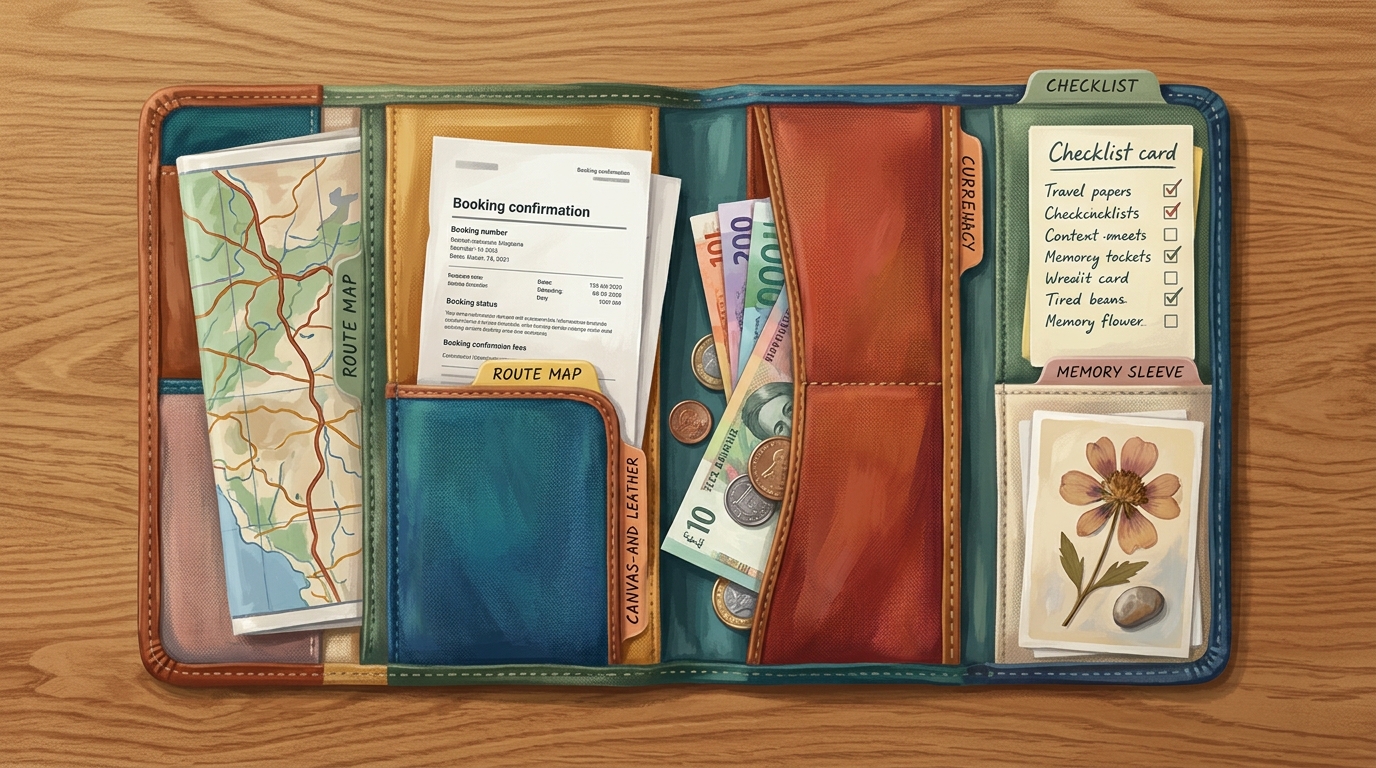
Here's what most splitters miss: on a group trip, the money is never the only moving part. There's the itinerary everyone keeps editing, the booking PDFs and passports someone always needs to find, the daily plan people bicker over, and the photos you all want afterward. TripProf is the one app where all of that lives together - itinerary, travel documents, expenses, and memories - shared with the whole group. No juggling a planner, a separate expense app, an email thread for documents, and a group chat that has lost everything by day three.
The money side is a genuinely full splitter. Log any shared cost and split it equally, by exact amounts, by percentage, by shares, or across more than one payer, with no expense cap. Multi-currency is built in: enter an expense in whatever currency you paid, the rate is frozen at that moment, and balances settle in your home currency, with both a simple who-owes-whom view and the exact pairwise breakdown. When the trip wraps, you share the final tally by PDF or email so everyone has the same receipt, no chasing required.
Then there's the part that quietly keeps groups civil: full transparency. Every expense is logged with who added it, who changed it, and when, so there's one clear shared history instead of a he-said-she-said. The whole group works off the same numbers, not four private spreadsheets that don't agree. When real money is moving between friends, that visible, shared record is what keeps the trust intact - and very few apps actually give you it.
So it's built for people planning a real trip, not settling a single dinner. If you're already building an itinerary and storing booking PDFs, keeping the expenses in the same shared place is the whole point. For a concrete example of what a shared itinerary looks like before the costs even start, see our 4 days in London with friends itinerary, budgeted by pace so a group knows the price range going in. TripProf runs on iOS, Android, web, and iPad. To see how it sits next to the wider field, our roundup of the best group travel planning apps in 2026 puts it in context.
Splitwise: the default everyone already has
Splitwise is the name most groups reach for first, and the network effect is real - odds are someone in your group already has an account, which removes the "please install this" friction. It splits expenses equally or unequally by percentages, shares, or exact amounts, runs on iOS, Android, and web, and keeps a running who-owes-whom ledger that's genuinely clean to read.
The catch is how much of the good stuff sits behind Splitwise Pro. Currency conversion is paid: the Pro page advertises that it can "convert all your bills to any currency you'd like, using today's foreign exchange rates" - meaning on the free tier, multi-currency trips lean on you. Receipt scanning ("take a picture of your receipt, and Splitwise will automatically scan its contents") is Pro. So is connecting a card to import transactions, which is also US-only. The free tier even carries a daily limit on how many expenses you can add before Pro's "unlimited expenses" kicks in.
Splitwise is one of the few apps that can actually move money, not just record it - but only in the US, through third-party providers and its own Pay feature linked to a US checking account. Everywhere else, it records who paid and you settle up yourselves.
Pick Splitwise when your group is mostly in one currency, half of them already use it, and you value the biggest, most familiar ecosystem over free extras. Pro pricing runs through App Store tiers rather than one headline number, so check the in-app price before assuming. Sources: splitwise.com/pro, as of June 2026.
Tricount: now completely free, with one real gap
Tricount, owned by the bank bunq, made the most reader-friendly move of any app on this list: it dropped its paid tier and is now 100% free with no subscription and no limit on the number of expenses or groups. It splits equally, by parts, or by custom amounts, and converts multiple currencies for free. For a one-off European group trip where you just want a fair tally at the end, that's hard to argue with.
Tricount's built-in CSV and PDF export is gone. Getting your data out now means emailing bunq support, not tapping a button - a real annoyance for the organizer who wants a clean spreadsheet to close the books.
People can also view a tricount through a shared link without an account, though full no-account participation isn't something the app advertises. It's confirmed on iOS and Android; a standalone web app isn't something they promote.
Choose Tricount when "free, fair, and done" beats "free, fair, and exportable." It's the cleanest no-cost option for a single trip where nobody needs the underlying data afterward. Source: tricount.com, as of June 2026.
Settle Up: editable exchange rates for the detail-minded
Settle Up is the splitter for groups that want control over the math. It handles even splits, unequal weights or shares, and multiple payers on a single expense, and its multi-currency support stands out for letting you edit the exchange rate per expense in real time - useful when the rate your card actually charged differs from the day's mid-market figure. It runs on iOS, Android, and web.
On money movement, set expectations correctly. Settle Up simplifies debts (you can toggle that off) but it is not a payment processor; the only built-in settle option is a peer-to-peer Lightning Network address, not PayPal, cards, or bank transfer. Free covers unlimited transactions and CSV export; Premium adds Excel export and stored receipt photos (storage only, no scan-and-fill) at $3.99 a month or $19.99 a year, with one-time Group Premium tiers also available. A share link lets people view balances in a browser without downloading the app.
Reach for Settle Up when you're the type who wants the conversion rate to match reality to the cent. Source: settleup.app, as of June 2026.

Splid: the no-signup champion for weekend trips
Splid solves the single most annoying part of group splitting: getting everyone to participate. Its headline feature is that "there's no sign-up required" - you create a group, share it, and friends enter their own expenses without making an account or remembering a password. For a weekend away with people who will never open the app again, that's the whole game.
It's strong on the basics too. Splid converts "more than 150 currencies" automatically and for free, handles unequal splits, multiple payees, and by-item entry, and exports summaries as PDF or Excel. The base app is free, with optional in-app purchases like "Splid Plus." The honest limits: there's no receipt scanning, and there's no web version - it lives on iOS and Android only, so a desktop-first organizer is out of luck.
Five friends, a long weekend, three currencies if you crossed a border, and zero appetite for accounts. Splid gets everyone entering their own costs in under a minute and converts the currencies for free. For that exact scenario, nothing here beats it.
Source: splid.app, as of June 2026.

Kittysplit: split a bill in a browser, no app, no account
Kittysplit is the one you can use without installing anything. It's web-first (with iOS and Android apps added in 2025) and its whole pitch is "no registration, no password, totally free." You create a "Kitty," send the link, and everyone adds expenses straight in the browser. For someone who refuses to download another app, it's the easiest sell on this list.
It splits equally, by exact amount, or by shares and weights, though notably not by percentage. Multi-currency works but sits behind the paid "Super Kitty" upgrade - a one-time charge per Kitty (around 3 EUR on the web, $2.99 as an in-app purchase), not a per-user subscription. Export is to Excel, and there are no built-in payment rails: you mark debts as settled manually. Receipt photos can be attached on the paid upgrade, but there's no scanning.
Kittysplit and Splid are the two genuine no-account options here. The difference: Kittysplit shines in a browser on a laptop and charges for currency; Splid is mobile-only and gives currency away. Source: kittysplit.com, as of June 2026.

Wanderlog: a real planner that also splits
Wanderlog is a full trip planner - itinerary, places, maps, reservations - that also includes expense tracking and splitting, so it's the closest competitor to TripProf's "money inside the trip" model. Its own marketing puts it plainly: "Keep track of your budget and split the cost between your tripmates." You can log a cost in a foreign currency and see a home-currency total, and it records who paid and what everyone owes. It runs on iOS, Android, and web, with a free tier that includes the expense features.
Be careful what you assume beyond that. Wanderlog's specific split types, whether it scans receipts, and whether you can export expenses are not confirmed on its official pages, so don't count on them until you've checked in-app. Its Pro plan (around $5.99 a month) adds things like Google Maps export and Gmail linking - it's a planning upgrade, not an expense upgrade.
Wanderlog makes sense if you want one app for planning and light splitting and you're happy to verify the expense details yourself. For multi-city coordination specifically, our guide to planning a multi-city trip with family and friends covers the logistics side. Source: wanderlog.com, as of June 2026.
The ones that look like contenders but aren't: TripIt, Polarsteps, and spreadsheets
Two well-loved travel apps get suggested for expense splitting and shouldn't be. Naming them honestly saves you from installing the wrong tool and discovering the gap on day three. A plain spreadsheet, meanwhile, is the baseline every app is competing against.
TripIt is a genuinely good itinerary organizer - it turns confirmation emails into a tidy master trip plan. But it does not split group expenses. Its only money feature is "Trip Cost," a manual-entry, web-only running total of your plan costs, with currency entered by hand as an amount plus a three-letter code and no auto-conversion. No splitting, no receipt scanning, no export. TripIt Pro ($48.99 a year) adds flight alerts and trip tools, not group-splitting features. Use it to organize bookings, then split the money elsewhere. Source: tripit.com, as of June 2026.
Polarsteps is a beautiful travel journal and GPS route tracker - it records where you went, stores your photos and stories, and turns the trip into a map or a printed book. It has no money feature of any kind: no expense tracking, no budget, no cost log, no splitting. Its features are Plan, Track, and Relive, and money simply isn't among them. If splitting costs is your goal, Polarsteps is the wrong tool - lovely for memories, useless for the bill. Source: polarsteps.com, as of June 2026.
The spreadsheet baseline. A shared Google Sheet is free, infinitely flexible, and everyone already knows how to use it. It's also a manual slog: no automatic currency conversion, no who-owes-whom math, no receipts, and one person stuck maintaining it while it quietly fills with errors. It's a fine fallback for two people and one currency. Past that, an app earns its keep fast.

So which one should you actually pick?
Match the app to the trip, not to a feature list. Here's the short version by scenario, pulling together everything above.
- Weekend with friends, no accounts: Splid (free currency) or Kittysplit (browser, no app)
- One-off European trip, totally free: Tricount
- US group that wants to actually transfer money: Splitwise
- You want editable exchange rates to the cent: Settle Up
- A whole group trip in one shared app (itinerary, documents, expenses, memories): TripProf
- You want a logged, shared record the group can trust: TripProf
- Planning plus splitting in one app: Wanderlog or TripProf
- Multi-currency international trip on a budget: Splid or Tricount (both free currency)
The deciding question is still the one from the top: a calculator, or a home for the whole trip? If the only thing that hurts is the end-of-trip math, install a dedicated splitter and move on. If you're already juggling an itinerary, booking PDFs, and a checklist, putting the expenses in the same place stops the fourth app from existing. While you're sorting the money side, it's also worth getting your cards right - our breakdown of Revolut, Wise, and bank cards abroad covers the fees that quietly inflate every shared bill before you've even split it.
Frequently Asked Questions
What's the best free app to split group trip expenses?
For a totally free split, Tricount is now 100% free with no subscription and no expense limit, and Splid is free including 150+ currency auto-conversion with no sign-up required. The trade-offs: Tricount removed its built-in export, and Splid has no web version. Both handle the core who-owes-whom job at no cost.
Which expense app handles multiple currencies for free?
Splid and Tricount both convert multiple currencies on their free tiers, and TripProf includes per-expense multi-currency free with the rate frozen at entry. Watch out for the opposite: Splitwise and Kittysplit both put currency conversion behind a paid upgrade, so a "free" install can still cost you on an international trip.
Can you split costs without everyone making an account?
Yes, with Splid or Kittysplit. Splid requires no sign-up at all, and Kittysplit runs on "no registration, no password" in a browser. Tricount and Settle Up let people view balances through a share link without an account, but full participation there is less clear. Most other apps need accounts so that every change is tied to a person.
Does any app actually transfer the money, not just track it?
Mostly no. Splitwise is the exception, and only in the US, where it can move money through third-party providers and a linked US checking account. Settle Up surfaces a peer-to-peer Lightning address. Every other app on this list records and simplifies who owes whom, then leaves the actual payment to you.
Is Splitwise or Tricount better for a group trip?
Tricount is better if you want everything free, since it dropped its paid tier and converts currencies at no cost - but its export now requires emailing support. Splitwise is better for the biggest network, in-app US payments, and richer split types, as long as you accept that currency conversion and receipt scanning are paid extras.
What makes TripProf different from a standalone expense splitter?
The split lives inside the whole trip. Your itinerary, travel documents, expenses, and memories sit in one shared app instead of four, so the group isn't juggling a planner, a splitter, a document thread, and a group chat. You split in any currency, every expense change is logged so everyone can see who did what, and you share the final tally by PDF or email.
Do travel journal apps like Polarsteps track spending?
No. Polarsteps is a route tracker and travel journal built around Plan, Track, and Relive - it has no expense, budget, or splitting feature at all. TripIt is similar for money: it only keeps a manual, web-only cost total and does not split anything. For spending, use a dedicated splitter or an all-in-one trip app instead.
Key Takeaways
- Pick by scenario, not features: no-account weekend trips point to Splid or Kittysplit; a free one-off European split points to Tricount; a US group that wants to move money points to Splitwise.
- Free multi-currency and free export rarely come together - Splid and Tricount give free currency, Splitwise and Kittysplit charge for it, and Tricount dropped its built-in export.
- Almost no app actually transfers money; only Splitwise (US) has real rails. Everyone else records and simplifies, then you settle up yourselves.
- TripProf is the all-in-one pick for group trips: itinerary, travel documents, expenses, and memories in one shared app (the full walkthrough shows how the split sits inside the rest of the trip), so you're not juggling four tools and three group chats. Split in any currency, share the tally by PDF or email, and every expense change is logged so the whole group can see who did what.
- TripIt and Polarsteps are not expense tools. TripIt keeps a manual cost total only; Polarsteps has no money feature at all.
- A spreadsheet is a fine baseline for two people and one currency, and a chore for anything bigger.
- Decide the real job first - a who-owes-whom calculator, or a home for the whole trip - and the right app picks itself.
Sources
- TripProf pricing and features: tripprof.com/en/pricing (accessed June 2026)
- Splitwise Pro (currency conversion, receipt scanning, unlimited expenses): splitwise.com/pro (accessed June 2026)
- Splitwise main site (split types, platforms): splitwise.com (accessed June 2026)
- Splitwise on Google Play (store listing): play.google.com (accessed June 2026)
- Tricount (100% free, multi-currency, split types): tricount.com (accessed June 2026)
- Tricount on Google Play (store listing): play.google.com (accessed June 2026)
- Settle Up (splits, currency, export, Premium price): settleup.app (accessed June 2026)
- Splid (no sign-up, 150+ currencies, PDF/Excel export, free): splid.app/english (accessed June 2026)
- Kittysplit (no registration, splits, paid currency upgrade): kittysplit.com (accessed June 2026)
- Wanderlog (expense tracking and splitting, planner features): wanderlog.com (accessed June 2026)
- TripIt (itinerary organizer, no expense splitting): tripit.com (accessed June 2026)
- Polarsteps (Plan / Track / Relive, no money feature): polarsteps.com (accessed June 2026)
- Polarsteps Plus (what the paid tier adds, no money feature): polarsteps.com/plus (accessed June 2026)
Last updated: August 28, 2026
Keep Reading
More travel tips and guides picked for you

What a Friendsgiving trip actually costs, and how to split it fairly
Eight friends, one cabin, one long weekend before Thanksgiving: here's what a real Friendsgiving getaway costs per person, and a simple way to split it before anyone starts keeping score.

The Group Trip Questionnaire: 16 Questions to Ask Before Anyone Books
Most group trips break on four answers: flexible, easygoing, whatever works, and around $2k. Here are 16 questions that make all four impossible to give, what each answer is really for, and a copy-paste template to send before anyone books.

How Many States Have You Visited? One Retiree's Real Answer (And How to Find Yours)
A 58-year-old retiree paints his USA map for the first time and finds a very different number than he guessed. The real YouGov stats, the honest limits, and how to track your own states visited checklist.