De beste apps om groepsreiskosten bij te houden en te verdelen (2026)

Belangrijkste punten
- 1
- 2
- 3
+4 meer in de samenvatting onderaan
Het is de laatste ochtend van de villa-reis. Met z'n zessen aan een keukentafel, en een groepsapp die angstvallig stil is geworden. Iemand heeft de borg voor het huis voorgeschoten. Iemand anders betaalde de boottocht, twee uitgebreide diners en een supermarktbezoek dat niemand meer precies kan reconstrueren. Iedereen herinnert zich vaag dat ze voor "iets" hebben betaald. Nu zitten jullie allemaal op je telefoon te turen, hoofdrekenend, hopend dat je niet overkomt als de persoon die zich te druk maakt om veertig euro.
Dat moment is te vermijden. De oplossing is om de juiste tool te kiezen voordat de eerste gezamenlijke betaling plaatsvindt. Dit is een vergelijking van de beste apps om uitgaven van een groepsreis te splitsen in 2026 - wat ze doen, waar ze stiekem geld voor vragen en welke het beste bij jouw groep past. TripProf, de app waar deze blog bij hoort, is er daar een van.
Voor een kort weekend waarbij niemand iets wil installeren, winnen Splid of Kittysplit omdat mensen kunnen deelnemen zonder account. Voor het grootste netwerk en Amerikaanse bankoverschrijvingen is er Splitwise (al zitten valuta-omrekening en het scannen van bonnen achter een betaald abonnement). Voor een eenmalige Europese reis waarbij je gratis wilt splitsen, is Tricount nu 100% gratis. En als de uitgaven slechts een onderdeel zijn van een echte groepsreis - reisplan, reisdocumenten, uitgaven en herinneringen, allemaal op één plek gedeeld - dan houdt TripProf het geld in dezelfde app als de rest, splitst het in elke valuta, logt elke wijziging zodat de hele groep kan zien wie wat heeft gedaan, en deelt het eindtotaal via pdf of e-mail. Sla TripIt en Polarsteps over voor geldzaken: TripIt houdt alleen een handmatig totaal bij en Polarsteps heeft helemaal geen functie voor uitgaven.
Wat "splitsen" eigenlijk betekent voordat je een app kiest
De meeste mensen denken dat ze een app nodig hebben om uitgaven te splitsen. Wat ze eigenlijk willen, is stoppen met de onbetaalde boekhouder van de groep zijn. Dat zijn verschillende problemen. De juiste app hangt af van zes factoren, en als je er daar één van mist, eindigt een groep met drie half afgemaakte spreadsheets en een passief-agressief betaalverzoek.
Hier is de checklist die je moet doorlopen voordat iemand iets installeert. Het kost twee minuten en bespaart de hele reis een hoop gedoe.
- Meerdere valuta's: rekent de app automatisch om, of moet je zelf de wisselkoersen berekenen?
- Soorten splitsingen: alleen gelijk, of ook exacte bedragen, percentages, aandelen en meer dan één betaler?
- Deelnemen zonder account: kunnen vrienden hun eigen uitgaven invoeren zonder een account aan te maken?
- Bonnen scannen: scannen-en-invullen, alleen foto's bijvoegen, of niets?
- Exporteren en delen: kun je iedereen het eindtotaal sturen als pdf of e-mail, of zitten de gegevens gevangen in de app?
- Gratis of betaald: wat is echt gratis, en wat kost geld zodra de reis serieus wordt?
Nog één vraag die de hele markt in tweeën splitst: wil je alleen een rekenmachine die uitrekent wie wie wat schuldig is, of wil je dat het geld onderdeel is van de reis die je aan het plannen bent? Gespecialiseerde split-apps doen het eerste briljant en niets anders. Alles-in-één reis-apps doen het tweede. Weten in welk kamp je zit, vertelt je bijna alles wat je moet weten. Als eerlijkheid je grootste zorg is, behandelt ons artikel over hoe je reiskosten eerlijk splitst met vrienden het menselijke aspect dat geen enkele app voor je oplost.
De beste apps om uitgaven van een groepsreis te splitsen in 2026, in één oogopslag
Voor de individuele reviews volgt hier het overzicht. Elke cel hieronder is in juni 2026 gecontroleerd aan de hand van de eigen website of store-pagina van de app. Waar een functie niet kon worden bevestigd op een officiële bron, is deze weggelaten in plaats van gegokt - sommige apps houden hun helppagina's afgeschermd, dus afwezigheid hier betekent "niet geadverteerd", niet "bestaat niet".
| App | Splitsingen | Meerdere valuta's | Exporteren | Deelnemen zonder account | Beste voor |
|---|---|---|---|---|---|
| TripProf | Alle types Gratis | Ja | PDF + e-mail | Nee (door organisator) | Een hele reis, niet alleen de rekening |
| Splitwise | Alle types | Ja Pro | CSV | Nee | Grootste netwerk, Amerikaanse betalingen |
| Tricount | Gelijk / delen / aangepast | Ja Gratis | Alleen via e-mail | Alleen bekijken | Een gratis eenmalige Europese split |
| Settle Up | Gewichten, meerdere betalers | Ja | CSV | Alleen bekijken | Aanpasbare wisselkoersen |
| Splid | Ongelijk, per item | Ja Gratis | PDF + Excel | Ja Ja | Weekendtrips zonder account |
| Kittysplit | Gelijk, exact, aandelen | Ja Betaald | Excel | Ja Ja | Geen app, geen account, in browser |
| Wanderlog | Ja | Ja | Niet geadverteerd | Gedeeltelijk | Plannen plus licht splitsen |
| TripIt | Nee Geen split | Alleen handmatig | Nee | N.v.t. | Reisplannen, geen geld |
| Polarsteps | Nee Geen geld-functie | Nee | Nee | N.v.t. | Een reisdagboek, geen tracker |
Het patroon dat opvalt: gratis valuta-omrekening en gratis exporteren gaan zelden samen. Splid en Tricount geven je valuta gratis; Splitwise en Kittysplit vragen er geld voor. Tricount heeft zijn ingebouwde export verwijderd. Lees de tabel als een shortlist-generator en bekijk daarna de sectie voor de twee of drie apps die jouw eigen checklist overleven.

TripProf: één gedeelde app voor de hele groepsreis
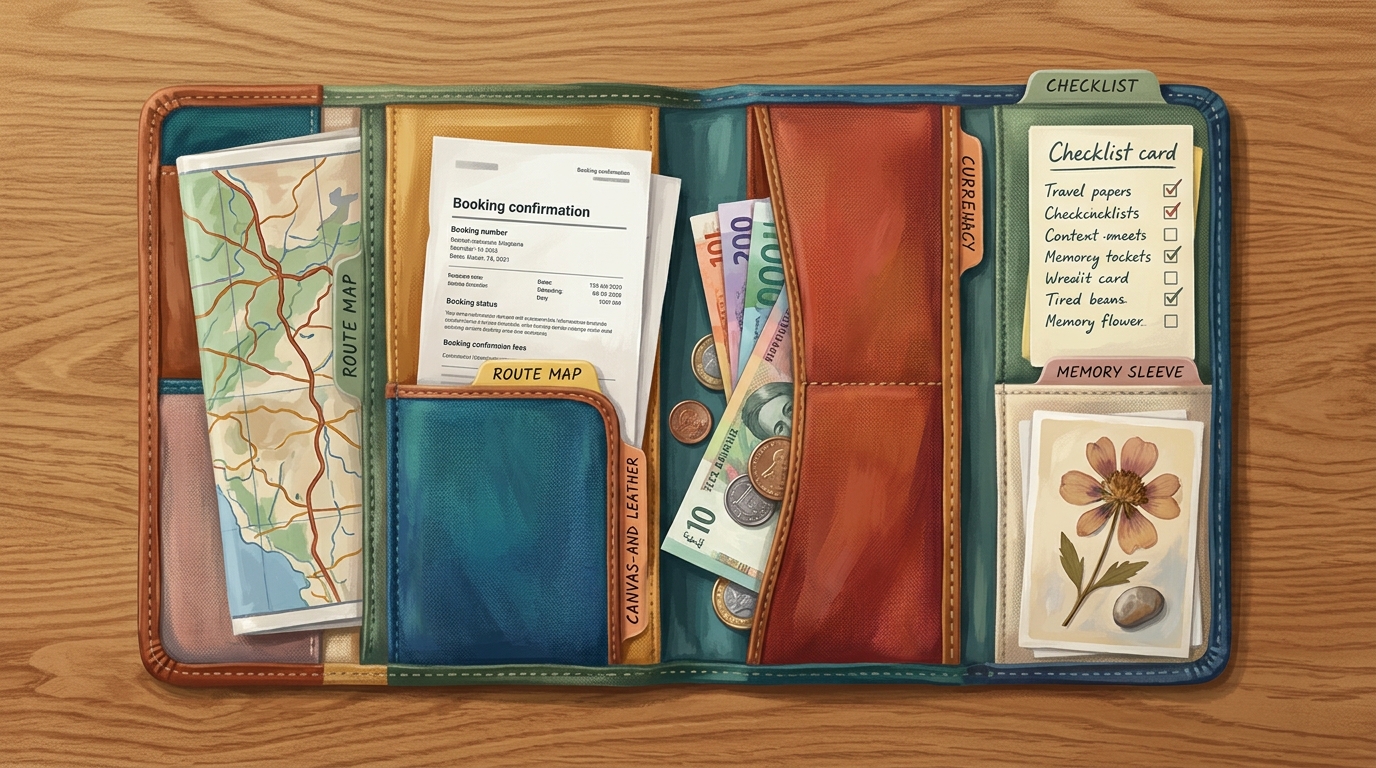
Dit is wat de meeste split-apps missen: tijdens een groepsreis is het geld nooit het enige dat speelt. Er is het reisplan dat iedereen blijft aanpassen, de boekings-pdf's en paspoorten die iemand altijd moet vinden, het dagprogramma waar mensen over kibbelen en de foto's die jullie achteraf allemaal willen hebben. TripProf is de enige app waar dat allemaal samenkomt - reisplan, reisdocumenten, uitgaven en herinneringen - gedeeld met de hele groep. Geen gedoe met een planner, een aparte uitgaven-app, een e-mailreeks voor documenten en een groepsapp die na drie dagen alles kwijt is.
Het financiële gedeelte is een volwaardige split-tool. Log elke gedeelde uitgave en splits deze gelijk, op basis van exacte bedragen, percentages, aandelen of over meer dan één betaler, zonder limiet. Meerdere valuta's zijn ingebouwd: voer een uitgave in in de valuta waarin je hebt betaald, de koers wordt op dat moment vastgezet en saldi worden verrekend in je eigen valuta, met zowel een simpel overzicht van wie-wat-schuldig-is als een exacte specificatie. Wanneer de reis voorbij is, deel je het eindtotaal via pdf of e-mail zodat iedereen hetzelfde overzicht heeft, zonder erachteraan te hoeven zitten.
Dan is er nog het onderdeel dat groepen stilletjes beschaafd houdt: volledige transparantie. Elke uitgave wordt gelogd met wie het heeft toegevoegd, wie het heeft gewijzigd en wanneer, zodat er één duidelijke gedeelde geschiedenis is in plaats van "hij zei, zij zei". De hele groep werkt met dezelfde cijfers, niet met vier privé-spreadsheets die niet overeenkomen. Wanneer er echt geld tussen vrienden beweegt, is dat zichtbare, gedeelde overzicht wat het vertrouwen intact houdt - en heel weinig apps bieden dat echt.
Het is dus gebouwd voor mensen die een echte reis plannen, niet voor het afrekenen van één diner. Als je al een reisplan maakt en boekings-pdf's opslaat, is het logisch om de uitgaven op dezelfde gedeelde plek te houden. TripProf werkt op iOS, Android, web en iPad. Om te zien hoe het zich verhoudt tot de rest, plaatst ons overzicht van de beste apps voor het plannen van groepsreizen in 2026 het in context.
Splitwise: de standaard die iedereen al heeft
Splitwise is de naam waar de meeste groepen als eerste naar grijpen, en het netwerkeffect is echt - de kans is groot dat iemand in je groep al een account heeft, wat het "installeer dit alsjeblieft"-gedoe wegneemt. Het split uitgaven gelijk of ongelijk via percentages, aandelen of exacte bedragen, werkt op iOS, Android en web, en houdt een lopend overzicht bij van wie-wat-schuldig-is dat erg overzichtelijk is.
Het addertje onder het gras is hoeveel van de goede functies achter Splitwise Pro zitten. Valuta-omrekening is betaald: de Pro-pagina adverteert dat het "al je rekeningen kan omrekenen naar elke gewenste valuta, met de huidige wisselkoersen" - wat betekent dat je bij de gratis versie voor reizen met meerdere valuta's zelf aan de slag moet. Bonnen scannen ("maak een foto van je bon en Splitwise scant automatisch de inhoud") is Pro. Dat geldt ook voor het koppelen van een kaart om transacties te importeren, wat bovendien alleen in de VS werkt. De gratis versie heeft zelfs een dagelijkse limiet op het aantal uitgaven dat je kunt toevoegen voordat de "onbeperkte uitgaven" van Pro nodig zijn.
Splitwise is een van de weinige apps die daadwerkelijk geld kan verplaatsen, niet alleen registreren - maar alleen in de VS, via externe aanbieders en de eigen Pay-functie gekoppeld aan een Amerikaanse betaalrekening. Overal elders registreert het wie heeft betaald en reken je zelf af.
Kies Splitwise wanneer je groep grotendeels in dezelfde valuta betaalt, de helft het al gebruikt en je het grootste, meest vertrouwde ecosysteem belangrijker vindt dan gratis extra's. Pro-prijzen lopen via App Store-niveaus in plaats van één vast bedrag, dus controleer de prijs in de app voordat je ervan uitgaat. Bronnen: splitwise.com/pro, per juni 2026.
Tricount: nu volledig gratis, met één echt minpunt
Tricount, eigendom van de bank bunq, deed de meest gebruiksvriendelijke zet van alle apps op deze lijst: het schrapte de betaalde versie en is nu 100% gratis zonder abonnement en zonder limiet op het aantal uitgaven of groepen. Het split gelijk, per deel of via aangepaste bedragen, en rekent meerdere valuta's gratis om. Voor een eenmalige Europese groepsreis waarbij je aan het eind gewoon een eerlijk overzicht wilt, is daar weinig tegenin te brengen.
Tricount's ingebouwde CSV- en pdf-export is verdwenen. Je gegevens nu exporteren betekent de klantenservice van bunq mailen, niet op een knop drukken - een echte ergernis voor de organisator die een overzichtelijke spreadsheet wil om de boeken te sluiten.
Mensen kunnen ook een tricount bekijken via een gedeelde link zonder account, hoewel volledige deelname zonder account niet iets is waar de app mee adverteert. Het is bevestigd op iOS en Android; een losse web-app is niet iets waar ze mee adverteren.
Kies Tricount wanneer "gratis, eerlijk en klaar" beter is dan "gratis, eerlijk en exporteerbaar". Het is de schoonste kosteloze optie voor een enkele reis waarbij niemand achteraf de onderliggende data nodig heeft. Bron: tricount.com, per juni 2026.
Settle Up: aanpasbare wisselkoersen voor de detail-georiënteerde
Settle Up is de split-app voor groepen die controle willen over de berekeningen. Het verwerkt gelijke splitsingen, ongelijke gewichten of aandelen en meerdere betalers voor één uitgave. De ondersteuning voor meerdere valuta's valt op omdat je de wisselkoers per uitgave in real-time kunt aanpassen - handig wanneer de koers die je kaart daadwerkelijk heeft berekend afwijkt van de dagkoers. Het werkt op iOS, Android en web.
Wat betreft het verplaatsen van geld: stel je verwachtingen bij. Settle Up vereenvoudigt schulden (je kunt dit uitschakelen), maar het is geen betalingsverwerker; de enige ingebouwde optie om af te rekenen is een peer-to-peer Lightning Network-adres, geen PayPal, kaarten of bankoverschrijving. Gratis omvat onbeperkte transacties en CSV-export; Premium voegt Excel-export en opgeslagen bonfoto's toe (alleen opslag, geen scan-en-vul) voor $3,99 per maand of $19,99 per jaar, met ook eenmalige Groeps-Premium-opties beschikbaar. Via een deellink kunnen mensen saldi in een browser bekijken zonder de app te downloaden.
Kies voor Settle Up als je het type bent dat wil dat de wisselkoers tot op de cent nauwkeurig overeenkomt met de werkelijkheid. Bron: settleup.app, per juni 2026.

Splid: de kampioen zonder aanmelding voor weekendtrips
Splid lost het meest irritante onderdeel van groeps-splitsingen op: iedereen laten meedoen. De belangrijkste functie is dat "er geen aanmelding vereist is" - je maakt een groep aan, deelt deze, en vrienden voeren hun eigen uitgaven in zonder een account aan te maken of een wachtwoord te onthouden. Voor een weekendje weg met mensen die de app nooit meer zullen openen, is dat de hele essentie.
Het is ook sterk in de basis. Splid rekent automatisch en gratis "meer dan 150 valuta's" om, verwerkt ongelijke splitsingen, meerdere ontvangers en invoer per item, en exporteert overzichten als pdf of Excel. De basis-app is gratis, met optionele in-app aankopen zoals "Splid Plus". De eerlijke beperkingen: er is geen bon-scanner en er is geen webversie - het leeft alleen op iOS en Android, dus een organisator die liever op een desktop werkt, heeft pech.
Vijf vrienden, een lang weekend, drie valuta's als je een grens overstak en nul zin in accounts. Splid zorgt dat iedereen binnen een minuut zijn eigen kosten invoert en rekent de valuta's gratis om. Voor dat specifieke scenario wint niets het hiervan.
Bron: splid.app, per juni 2026.

Kittysplit: een rekening splitsen in een browser, geen app, geen account
Kittysplit is degene die je kunt gebruiken zonder iets te installeren. Het is web-first (met iOS- en Android-apps toegevoegd in 2025) en de hele insteek is "geen registratie, geen wachtwoord, volledig gratis". Je maakt een "Kitty" aan, stuurt de link en iedereen voegt uitgaven direct in de browser toe. Voor iemand die weigert nog een app te downloaden, is dit de makkelijkste keuze op deze lijst.
Het split gelijk, per exact bedrag of via aandelen en gewichten, hoewel opvallend genoeg niet per percentage. Meerdere valuta's werken wel, maar zitten achter de betaalde "Super Kitty"-upgrade - een eenmalige betaling per Kitty (ongeveer 3 EUR op het web, $2,99 als in-app aankoop), geen abonnement per gebruiker. Exporteren gaat naar Excel en er zijn geen ingebouwde betaalmethoden: je markeert schulden handmatig als voldaan. Bonfoto's kunnen worden toegevoegd bij de betaalde upgrade, maar er is geen scanfunctie.
Kittysplit en Splid zijn de twee echte opties zonder account hier. Het verschil: Kittysplit schittert in een browser op een laptop en vraagt geld voor valuta; Splid is alleen mobiel en geeft valuta gratis weg. Bron: kittysplit.com, per juni 2026.

Wanderlog: een echte planner die ook splitst
Wanderlog is een volledige reisplanner - reisplan, locaties, kaarten, reserveringen - die ook uitgaven bijhoudt en splitst, dus het is de dichtstbijzijnde concurrent van het "geld binnen de reis"-model van TripProf. De eigen marketing zegt het simpel: "Houd je budget bij en split de kosten tussen je reisgenoten." Je kunt een uitgave in een vreemde valuta loggen en een totaal in je eigen valuta zien, en het registreert wie heeft betaald en wat iedereen schuldig is. Het werkt op iOS, Android en web, met een gratis versie die de uitgavenfuncties bevat.
Wees voorzichtig met wat je daarnaast aanneemt. Wanderlog's specifieke split-types, of het bonnen scant en of je uitgaven kunt exporteren, zijn niet bevestigd op de officiële pagina's, dus reken er niet op totdat je het in de app hebt gecontroleerd. Het Pro-abonnement (ongeveer $5,99 per maand) voegt zaken toe zoals Google Maps-export en Gmail-koppeling - het is een upgrade voor het plannen, geen upgrade voor uitgaven.
Wanderlog is logisch als je één app wilt voor plannen en licht splitsen en je het prima vindt om de details van de uitgaven zelf te verifiëren. Specifiek voor coördinatie van meerdere steden, behandelt onze gids voor het plannen van een reis naar meerdere steden met familie en vrienden de logistieke kant. Bron: wanderlog.com, per juni 2026.
De apps die eruitzien als kanshebbers maar het niet zijn: TripIt, Polarsteps en spreadsheets
Twee geliefde reis-apps worden vaak gesuggereerd voor het splitsen van uitgaven, maar dat zouden ze niet moeten zijn. Ze eerlijk benoemen bespaart je het installeren van de verkeerde tool en het ontdekken van het gebrek op dag drie. Een simpele spreadsheet is ondertussen de basis waar elke app tegen concurreert.
TripIt is een oprecht goede organisator voor reisplannen - het verandert bevestigingsmails in een overzichtelijk hoofdplan. Maar het split geen groeps-uitgaven. De enige geldfunctie is "Trip Cost", een handmatig in te vullen, alleen-web totaal van je planningskosten, waarbij valuta met de hand wordt ingevoerd als een bedrag plus een code van drie letters, zonder automatische omrekening. Geen splitsing, geen bon-scan, geen export. TripIt Pro ($48,99 per jaar) voegt vluchtmeldingen en reistools toe, geen functies voor groeps-splitsingen. Gebruik het om boekingen te organiseren, en split het geld dan ergens anders. Bron: tripit.com, per juni 2026.
Polarsteps is een prachtig reisdagboek en GPS-route-tracker - het registreert waar je bent geweest, slaat je foto's en verhalen op en verandert de reis in een kaart of een gedrukt boek. Het heeft geen enkele geldfunctie: geen uitgaven bijhouden, geen budget, geen kostenlogboek, geen splitsing. De functies zijn Plan, Track en Relive, en geld hoort daar simpelweg niet bij. Als het splitsen van kosten je doel is, is Polarsteps de verkeerde tool - heerlijk voor herinneringen, nutteloos voor de rekening. Bron: polarsteps.com, per juni 2026.
De spreadsheet-basis. Een gedeelde Google Sheet is gratis, oneindig flexibel en iedereen weet al hoe het werkt. Het is ook een handmatige klus: geen automatische valuta-omrekening, geen wie-wat-schuldig-is-wiskunde, geen bonnen, en één persoon die het moet onderhouden terwijl het stilletjes volloopt met fouten. Het is een prima back-up voor twee personen en één valuta. Daarbuiten verdient een app zich snel terug.

Dus welke moet je echt kiezen?
Kies de app op basis van de reis, niet op basis van een lijst met functies. Hier is de korte versie per scenario, alles van hierboven samengevat.
- Weekend met vrienden, geen accounts: Splid (gratis valuta) of Kittysplit (browser, geen app)
- Eenmalige Europese reis, volledig gratis: Tricount
- Amerikaanse groep die echt geld wil overmaken: Splitwise
- Je wilt aanpasbare wisselkoersen tot op de cent: Settle Up
- Een hele groepsreis in één gedeelde app (reisplan, documenten, uitgaven, herinneringen): TripProf
- Je wilt een gelogd, gedeeld overzicht waar de groep op kan vertrouwen: TripProf
- Plannen plus splitsen in één app: Wanderlog of TripProf
- Internationale reis met meerdere valuta's met een budget: Splid of Tricount (beide gratis valuta)
De beslissende vraag is nog steeds die van het begin: een rekenmachine, of een thuis voor de hele reis? Als het enige dat pijn doet de wiskunde aan het einde van de reis is, installeer dan een gespecialiseerde split-app en ga verder. Als je al jongleert met een reisplan, boekings-pdf's en een checklist, voorkomt het op één plek houden van de uitgaven dat er een vierde app bij komt. Terwijl je de geldkant regelt, is het ook de moeite waard om je kaarten op orde te hebben - ons overzicht van Revolut, Wise en bankkaarten in het buitenland behandelt de kosten die elke gedeelde rekening stilletjes verhogen voordat je deze zelfs hebt gesplitst.
Veelgestelde vragen
Wat is de beste gratis app om uitgaven van een groepsreis te splitsen?
Voor een volledig gratis split is Tricount nu 100% gratis zonder abonnement en zonder limiet op uitgaven, en Splid is gratis inclusief automatische omrekening van 150+ valuta's zonder dat aanmelding vereist is. De afwegingen: Tricount heeft zijn ingebouwde export verwijderd en Splid heeft geen webversie. Beide doen het kernwerk van wie-wat-schuldig-is kosteloos.
Welke uitgaven-app verwerkt meerdere valuta's gratis?
Splid en Tricount rekenen beide meerdere valuta's om in hun gratis versies, en TripProf bevat per uitgave gratis valuta-omrekening waarbij de koers bij invoer wordt vastgezet. Pas op voor het tegenovergestelde: Splitwise en Kittysplit plaatsen valuta-omrekening achter een betaalde upgrade, dus een "gratis" installatie kan je alsnog geld kosten op een internationale reis.
Kun je kosten splitsen zonder dat iedereen een account aanmaakt?
Ja, met Splid of Kittysplit. Splid vereist helemaal geen aanmelding en Kittysplit werkt via "geen registratie, geen wachtwoord" in een browser. Tricount en Settle Up laten mensen saldi bekijken via een deellink zonder account, maar volledige deelname is daar minder duidelijk. De meeste andere apps hebben accounts nodig zodat elke wijziging aan een persoon gekoppeld is.
Verplaatst een app daadwerkelijk het geld, of houdt het het alleen bij?
Grotendeels nee. Splitwise is de uitzondering, en alleen in de VS, waar het geld kan verplaatsen via externe aanbieders en een gekoppelde Amerikaanse betaalrekening. Settle Up toont een peer-to-peer Lightning-adres. Elke andere app op deze lijst registreert en vereenvoudigt wie wat schuldig is, en laat de daadwerkelijke betaling aan jou over.
Is Splitwise of Tricount beter voor een groepsreis?
Tricount is beter als je alles gratis wilt, aangezien het zijn betaalde versie heeft geschrapt en valuta's kosteloos omrekent - maar voor de export moet je nu de klantenservice mailen. Splitwise is beter voor het grootste netwerk, in-app Amerikaanse betalingen en rijkere split-types, zolang je accepteert dat valuta-omrekening en het scannen van bonnen betaalde extra's zijn.
Wat maakt TripProf anders dan een losse split-app?
De split leeft binnen de hele reis. Je reisplan, reisdocumenten, uitgaven en herinneringen staan in één gedeelde app in plaats van vier, zodat de groep niet hoeft te jongleren met een planner, een split-app, een documentenreeks en een groepsapp. Je split in elke valuta, elke wijziging in uitgaven wordt gelogd zodat iedereen kan zien wie wat heeft gedaan, en je deelt het eindtotaal via pdf of e-mail.
Houden reisdagboek-apps zoals Polarsteps uitgaven bij?
Nee. Polarsteps is een route-tracker en reisdagboek gebouwd rond Plan, Track en Relive - het heeft helemaal geen functie voor uitgaven, budget of splitsen. TripIt is vergelijkbaar voor geld: het houdt alleen een handmatig, alleen-web totaal bij en split niets. Gebruik voor uitgaven een gespecialiseerde split-app of een alles-in-één reis-app.
Belangrijkste punten
- Kies op basis van scenario, niet op basis van functies: weekendtrips zonder account wijzen naar Splid of Kittysplit; een gratis eenmalige Europese split wijst naar Tricount; een Amerikaanse groep die geld wil verplaatsen wijst naar Splitwise.
- Gratis valuta-omrekening en gratis exporteren gaan zelden samen - Splid en Tricount geven gratis valuta, Splitwise en Kittysplit vragen er geld voor, en Tricount heeft zijn ingebouwde export verwijderd.
- Bijna geen enkele app verplaatst daadwerkelijk geld; alleen Splitwise (VS) heeft echte betaalmethoden. Alle anderen registreren en vereenvoudigen, waarna je zelf afrekent.
- TripProf is de alles-in-één keuze voor groepsreizen: reisplan, reisdocumenten, uitgaven en herinneringen in één gedeelde app, zodat je niet met vier tools en drie groepsapps hoeft te jongleren. Split in elke valuta, deel het totaal via pdf of e-mail, en elke wijziging wordt gelogd zodat de hele groep kan zien wie wat heeft gedaan.
- TripIt en Polarsteps zijn geen tools voor uitgaven. TripIt houdt alleen een handmatig totaal bij; Polarsteps heeft helemaal geen geldfunctie.
- Een spreadsheet is een prima basis voor twee personen en één valuta, en een hele klus voor alles wat groter is.
- Bepaal eerst de echte taak - een rekenmachine voor wie-wat-schuldig-is, of een thuis voor de hele reis - en de juiste app kiest zichzelf.
Bronnen
- TripProf prijzen en functies: tripprof.com/nl/pricing (geraadpleegd juni 2026)
- Splitwise Pro (valuta-omrekening, bonnen scannen, onbeperkte uitgaven): splitwise.com/pro (geraadpleegd juni 2026)
- Splitwise hoofdwebsite (split-types, platforms): splitwise.com (geraadpleegd juni 2026)
- Splitwise op Google Play (store-pagina): play.google.com (geraadpleegd juni 2026)
- Tricount (100% gratis, meerdere valuta's, split-types): tricount.com (geraadpleegd juni 2026)
- Tricount op Google Play (store-pagina): play.google.com (geraadpleegd juni 2026)
- Settle Up (splitsingen, valuta, export, Premium-prijs): settleup.app (geraadpleegd juni 2026)
- Splid (geen aanmelding, 150+ valuta's, PDF/Excel-export, gratis): splid.app/english (geraadpleegd juni 2026)
- Kittysplit (geen registratie, splitsingen, betaalde valuta-upgrade): kittysplit.com (geraadpleegd juni 2026)
- Wanderlog (uitgaven bijhouden en splitsen, planner-functies): wanderlog.com (geraadpleegd juni 2026)
- TripIt (reisplan-organisator, geen uitgaven splitsen): tripit.com (geraadpleegd juni 2026)
- Polarsteps (Plan / Track / Relive, geen geldfunctie): polarsteps.com (geraadpleegd juni 2026)
- Polarsteps Plus (wat de betaalde versie toevoegt, geen geldfunctie): polarsteps.com/plus (geraadpleegd juni 2026)
Laatst bijgewerkt: 28 augustus 2026
Blijf lezen
Meer reistips en gidsen voor jou geselecteerd

Wat een Friendsgiving-reis daadwerkelijk kost en hoe je de kosten eerlijk verdeelt
Acht vrienden, één huisje, één lang weekend voor Thanksgiving: dit kost een echte Friendsgiving-trip per persoon, plus een slimme manier om de kosten te verdelen voordat het gedoe begint.

De groepsreis-vragenlijst: 16 vragen om te stellen voordat iemand boekt
De meeste groepsreizen lopen stuk op vier antwoorden: flexibel, maakt niet uit, goed, en rond de $2000. Dit zijn 16 vragen waarmee die antwoorden onmogelijk worden, wat ze echt betekenen, en een kant-en-klare sjabloon om te sturen voordat iemand boekt.

Hoeveel staten heb jij bezocht? Het eerlijke verhaal van een gepensioneerde (en hoe je jouw aantal vindt)
Een 58-jarige gepensioneerde kleurt zijn VS-kaart voor het eerst in en komt tot een heel ander getal dan verwacht. De echte YouGov-statistieken, de grenzen en hoe je jouw eigen bezochte staten bijhoudt.