How to Plan a Multi-City Trip With Family and Friends (Without the Group-Chat Chaos)

Key Highlights
- 1
- 2
- 3
+5 more in the takeaways below
Picture the group chat. Seventeen unread messages, three of them just a thumbs-up emoji, one person asking "wait, are we doing Lisbon before or after Porto?" for the second time, and your cousin announcing she's bringing a plus-one who can only join from day four. Nobody has booked anything. Somebody volunteered to "make a spreadsheet" two weeks ago. That's how most attempts to plan a multi-city trip with family and friends actually start - and it's usually where they stall.
Group-chat chaos kills multi-city group trips before they leave the runway: scattered plans, no agreed budget, and the "who's arriving when" guessing game. The fix is one shared place everyone can see, instead of seven inboxes and a dying spreadsheet. This playbook walks through sequencing the cities, mapping who joins which leg, splitting shared costs fairly, and keeping documents and checklists reachable, all inside TripProf. A reader who never installs the app still leaves with a working coordination system.
The real problem isn't the route, it's keeping a mixed group on one plan
A multi-city group trip rarely falls apart over the route. It falls apart over coordination: nobody knows the latest version of the plan, money expectations were never said out loud, and half the group is reading a different message thread than the other half. The cities are the easy part. Keeping eight people - two of them your in-laws and one a friend you see twice a year - pointed at the same plan is the hard part.
The data backs up how money-shaped this stress is. In an Experian survey of more than 700 adults who'd traveled overnight with friends in the past five years, only 1 in 4 said their friend group sets a budget upfront. Most people set off with no shared number at all. And the fallout is real: a separate Self Financial study of 1,001 US adults found 44.7% have distanced or cut off a friend over a money disagreement, and 52.1% have argued with friends about money.
These trips matter more than ever, which raises the stakes when they go sideways. An AAA and Bread Financial survey found 76% of people planning to travel in 2026 say their trips will center on life milestones: birthdays, weddings, anniversaries, reunions. Birthday celebrations led at 32%, family reunions ranked second at 30%, and friends' milestones came in at 29%. You're not coordinating a casual weekend. You're coordinating the trip where your grandmother turns 80 or your college group reunites after a decade.
And the old planning method is wearing thin. Globus put it bluntly in its 2025/2026 Wish List Survey of more than 25,000 North American travelers: "The era of 47 open browser tabs and crowdsourced vacation spreadsheets may be losing its shine." We built TripProf because we'd lived that exact mess. The founders are two trip organizers who got tired of juggling a dozen apps and a shared doc nobody updated. TripProf's whole reason to exist is to be the one place a trip lives, so the group stops chasing the latest version across seven inboxes. Getting those answers in the first place is a separate job, and it starts with the 16 questions to ask before anyone books.
One person quietly does everything, then resents it. The group chat stays busy but nothing gets decided, because a chat is built for messages, not plans. Decisions scroll out of view within an hour.
Get everyone out of the group chat and onto one shared plan
The single smartest move on a group trip is to stop planning in a chat and put the plan somewhere everyone can open and see the latest version. A chat is a stream of messages; a trip is a structure. In TripProf, the organizer creates the trip once and invites family and friends as viewers or editors, and everyone sees the same itinerary, expenses, checklists, documents, and memories in real time, meaning everyone always sees the latest shared content rather than scrolling back through a chat to reconstruct what was decided.
Here's the honest fine print, because we'd rather you know it now than feel misled later: full collaboration in TripProf unlocks once a Pro guide is generated for the trip. That's the point where you can bring the whole group in as viewers and editors. It's not in-app chat, it's not live cursors moving around the screen, and there's no voting feature. It's something more useful for coordination: one shared source of truth that updates for everyone, so the plan stops living in someone's head.
What that actually fixes is the version-control nightmare. When the route changes, the people who join change, or a hotel gets swapped, you change it in one place and the whole group sees it. No "did you see my message?" No screenshot of a screenshot. If you want a wider view of what to look for in a group travel planning app, the non-negotiable feature is exactly this: a single shared plan, not a thread.
| Coordination job | Group chat + a spreadsheet | One shared plan in TripProf |
|---|---|---|
| Latest version of the plan | Scroll back through messages to reconstruct what was decided | Everyone opens the same itinerary and sees the current version |
| City order and route | Argued in text, planned by vibes | Settled on a map with distance, duration, and transport per leg |
| Who joins which leg | Buried in old messages, easy to miss | Arrivals and departures sit on the right day as itinerary entries |
| Shared costs | Mental tabs and a forgotten spreadsheet | Split per expense and per participant; everyone sees who owes what |
| Documents at check-in | Forwarded screenshots across seven inboxes | Passports, tickets, and bookings in one shared, categorized place |
| Works without signal | Dead in a tunnel or with roaming off | Full plan available offline, free tier, edits sync when reconnected |
The pattern is the same in every row: the old way scatters the trip across tools nobody keeps current, while one shared plan keeps it in a single place the whole group can open. That's the entire job.
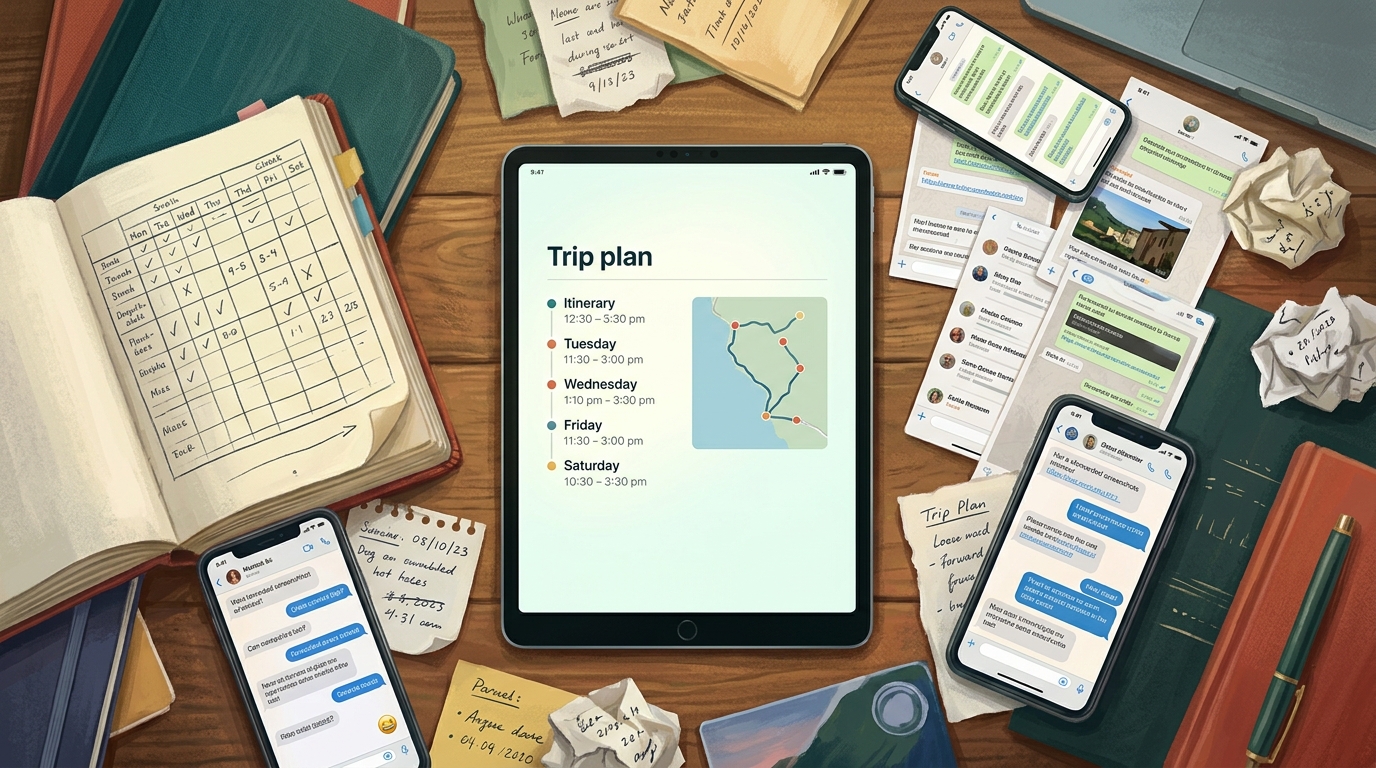
Make one person the organizer and decide who's an editor versus a viewer. Editors add and change things; viewers follow along. Fewer cooks on the editing side means fewer accidental overwrites, and grandparents who just want to see the plan get a clean, read-only view.
Lock the cities and the order before anyone books
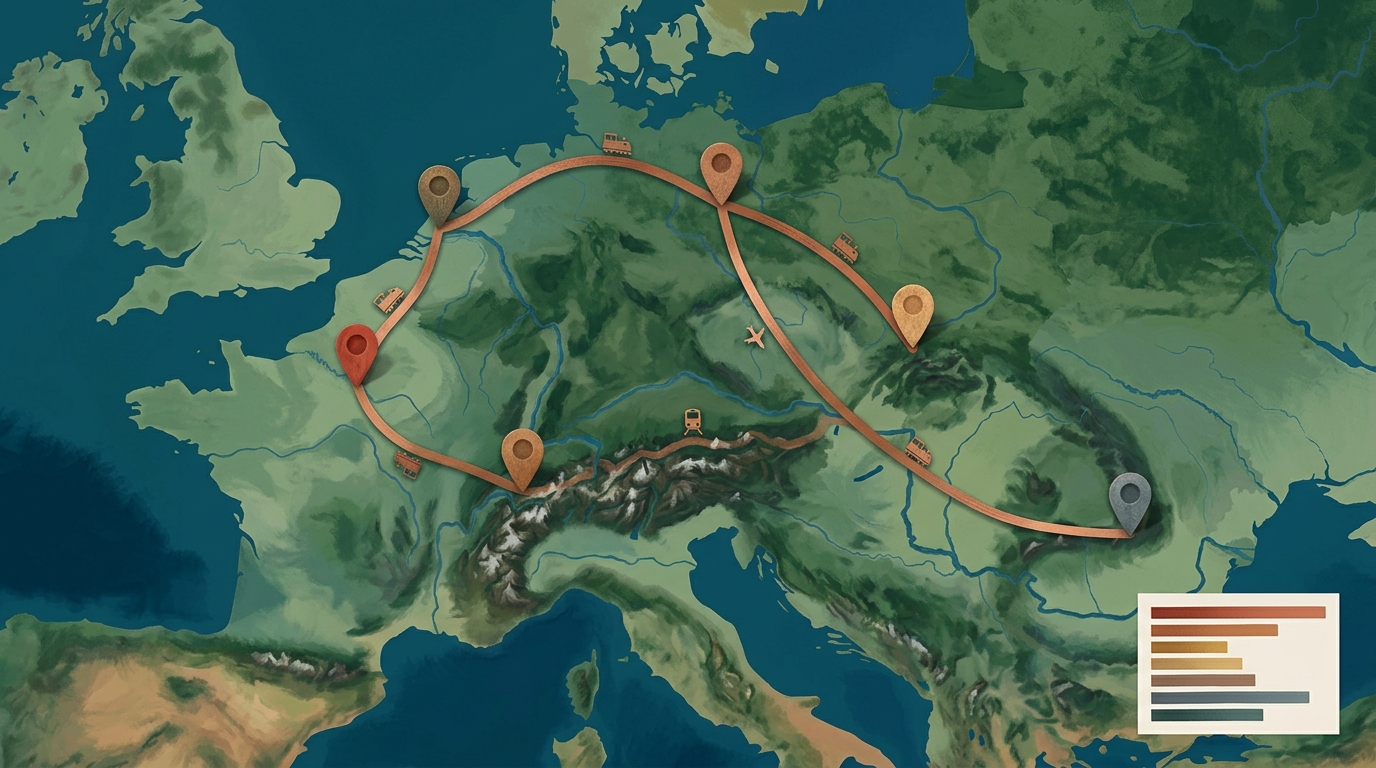
Before a single flight or train gets booked, the group needs to agree on which cities, in what order. Get this wrong and you've got someone backtracking three hours by train because the route was planned by vibes in a chat. TripProf's Route Overview puts all your destinations on one map with the travel route drawn between them, then breaks the trip into a segment list: every leg with its distance, duration, and mode of transport. You see the whole shape of the trip at a glance instead of imagining it.
This is where bad sequencing gets caught early. The Route Overview gives you trip statistics, total distance, hours of travel, number of stops, plus the longest and shortest legs, so the "Lisbon before or after Porto?" debate gets settled by looking at the actual map instead of arguing in text. When you add a city, remove one, or reorder the stops, the route recalculates automatically. No manual redrawing, no stale plan.
- Drop every candidate city in Add all the destinations the group has floated, even the maybes. Seeing them pinned together makes the geography obvious.
- Read the segment list Check each leg's distance, duration, and transport mode. A six-hour leg between two stops everyone assumed were close changes the whole plan.
- Reorder to cut backtracking Drag stops into a sensible sequence; the route redraws itself and the trip stats update so you can compare options.
- Sanity-check the totals If the trip stats show 40 hours of travel across five cities in a week, that's your signal to cut a stop.
How many cities is too many? That's the question every group underestimates. If you're not sure where the line is, our breakdown of how many cities is realistic for one trip is worth a read before you lock the route. For the deeper mechanics of how to sequence the cities and the route between them, especially across Europe, we go stop-by-stop in a separate guide. The point here: settle the route on a map the whole group can see, then book against it.
Map who's arriving when, leg by leg
On a multi-city group trip, almost nobody does the whole route. Your sister flies in for the first two cities, friends join in the middle, the grandparents meet everyone for the reunion dinner and leave early. The "who's arriving when" question is the one that quietly generates the most chaos, and a group chat is the worst possible place to track it. In TripProf, arrivals and departures live as itinerary entries on the right day, so the whole group can see who's in for which leg.
This connects to a real shift in how groups travel. The same AAA and Bread Financial survey found 40% of milestone travelers say these trips help them reconnect with people they haven't seen in a while, which is exactly why people join for the parts that matter to them and skip the rest. Multi-generational travel is climbing too: the 2025 U.S. Family Travel Survey of 1,596 parents and grandparents found 57% planning to travel with grandparents and children, and 48% planning trips with extended family like cousins, aunts, and uncles. More relatives, more legs, more arrival times to track.
Add a person's flight or train as an itinerary entry on the day they arrive, and a second entry on the day they leave. Now the day-by-day view doubles as a roster: open any day and you can see who's actually there. Documents can carry their weight here too. TripProf's Documents feature scans a PDF or boarding pass and can autofill flight details, and it visualizes flight routes and layovers, so an arrival isn't just a line of text, it's something the group can see plotted.
On the first day of each city, add a quick itinerary note listing who's joining and who's leaving that leg. It takes thirty seconds and it ends the "wait, is Tom with us in Seville?" confusion before it starts.
One honesty note, because the honesty bar is the whole point of this post: TripProf does not track flights live or search for flights. It captures arrivals and departures as itinerary entries, and it visualizes flight info you add through Documents. That's coordination, not a flight-tracking radar. For a group, knowing who's on which leg is what actually matters.
Split shared costs fairly when people join for different parts
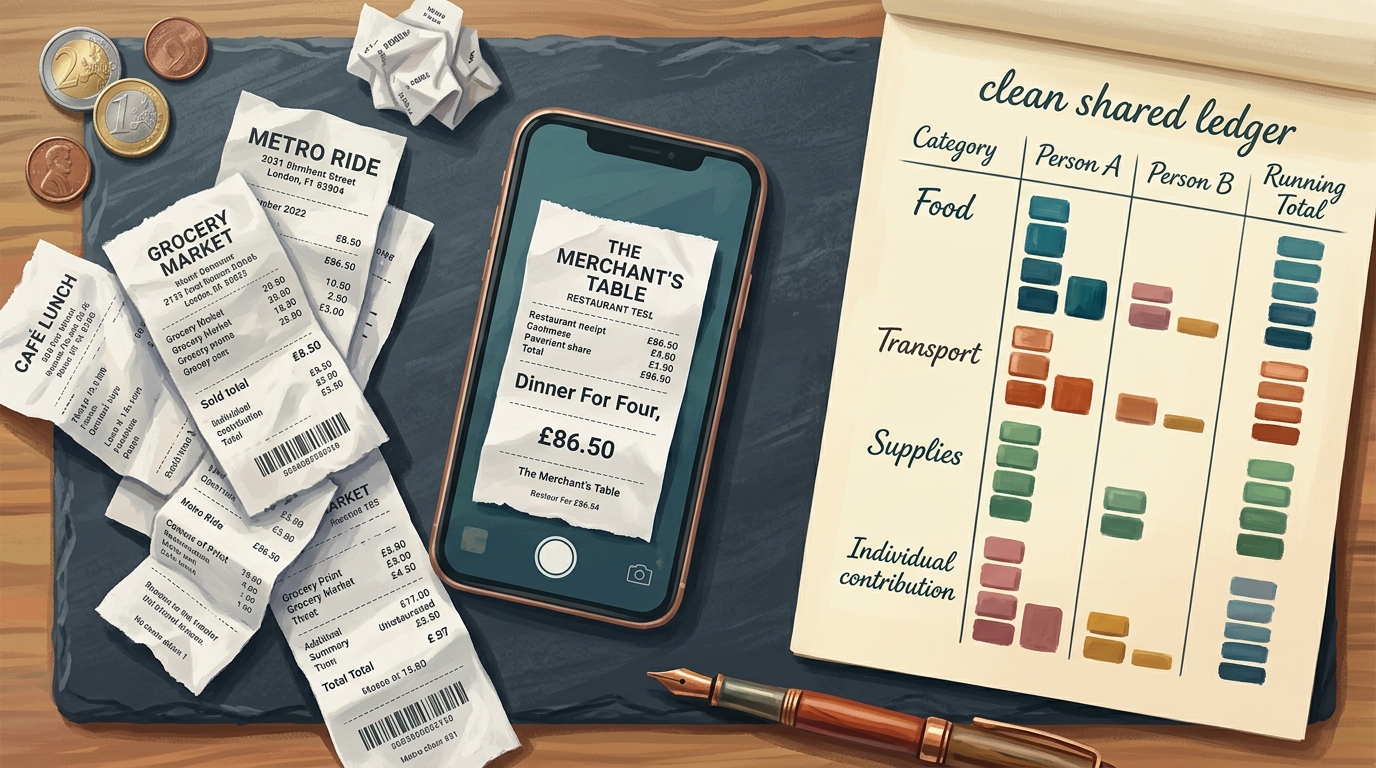
Here's where multi-city group trips get genuinely awkward: someone fronts the Airbnb deposit, three people split the rental car, the grandparents cover one big dinner, and a friend who only joined for two cities shouldn't owe for the four they missed. Tracking that in your head, or worse, in a chat, is how trips end with someone quietly playing debt collector. TripProf's Expenses lets you log costs in multiple currencies, split them between specific participants, and see who owes what across the whole trip.
The transparency gap is the real villain here. The AAA and Bread Financial survey found only 46% of people traveling in groups or couples are transparent about budgets and expenses with their travel partners. Fewer than half. And we already saw what that silence costs: in the Experian survey, over half of younger travelers reported a money disagreement while traveling with friends, and 1 in 5 had ended a friendship over a money issue. Most travelers also spend more than planned, with Gen Z and millennials most likely to go 50% or more over budget.
TripProf's expense splitting shows who owes what. It does not move money, settle balances, or send payments between people. Think of it as a clear, shared ledger everyone can see, not a payment app. The math is transparent; the actual transfer happens however your group already pays each other.

Because you split per expense and choose which participants are on each one, the friend who joined for two cities only gets attached to the costs from those two cities. The receipt scanning helps too: snap a photo and TripProf auto-populates the expense details, so logging that big group dinner takes seconds instead of becoming a forgotten "I'll add it later." Then the breakdowns by category, day, and participant turn a pile of receipts into a clear picture of who spent what, where.
Avoiding the post-trip money reckoning is half the reason groups dread shared budgets at all. For the full framework on dividing costs without resentment, we wrote a whole piece on a fair way to split costs without someone playing debt collector. The short version: agree on the rough budget before you go, log expenses as they happen, and let everyone see the running tally. Transparency upfront beats an awkward spreadsheet on the flight home.
Keep every document and checklist in one place the group can reach
Scattered documents are a multi-city group trip's silent failure mode. The hotel confirmation is in one person's email, the train tickets in another's, the rental car voucher buried in a third inbox, and nobody can find the reservation when the front desk asks. TripProf's Documents feature keeps passports, visas, tickets, insurance, and accommodation confirmations organized by category in one shared place, so the group isn't forwarding screenshots across seven inboxes at check-in.
Documents do more than sit there. You photograph a physical document or upload a PDF, and TripProf can scan it and autofill trip fields, like pulling flight details off a boarding pass. Because collaborators share access once the trip is set up, the person standing at the desk can pull up the booking even if someone else made it. That's the difference between a smooth check-in and a frantic "can you screenshot me the confirmation right now" text.
Checklists prevent the other classic group failure: everyone assumes someone else packed the universal adapter, the first-aid kit, the printed reunion-dinner reservation. TripProf generates a base checklist from your trip profile, the destination, duration, activities, and who's traveling, and you can start from templates and keep items grouped by category. One honest flag: assigning specific checklist items to specific travelers is a feature we're building, not one that's live yet, so for now treat the checklist as the group's shared master list rather than a per-person task board.
- Accommodation confirmations for every city, saved in Documents
- Train and flight tickets for each leg, uploaded and categorized
- Travel insurance documents for everyone who has them
- Passport and visa scans where relevant
- Shared packing checklist generated from the trip profile
- One agreed rough budget the whole group has seen
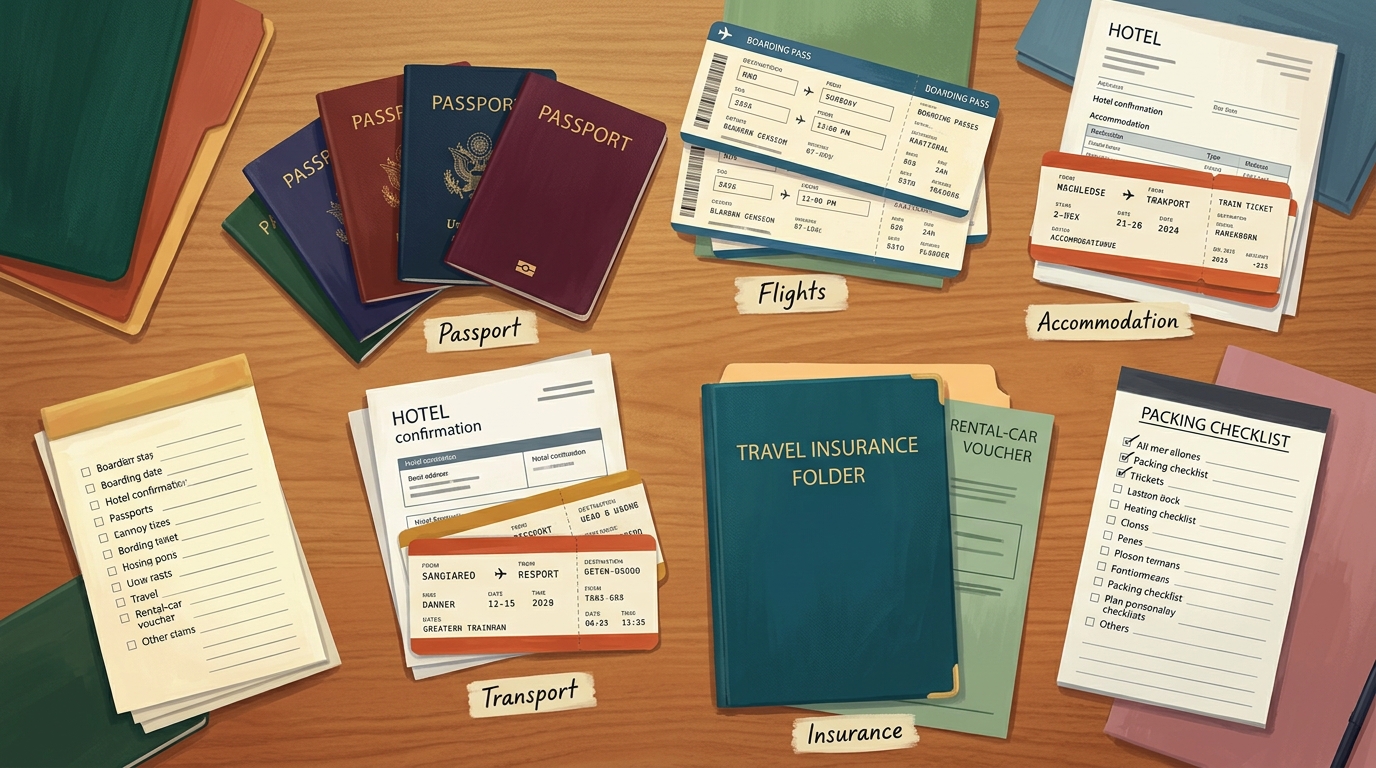
The unlock here is reachability. It doesn't matter who booked what if the whole group can open it. That's the founders' original frustration in a sentence: documents going missing across phones and inboxes was one of the "we should have known that before we left" moments TripProf was built to end.
Plan the days without the daily negotiation
Even with the route locked, every morning of a group trip can dissolve into the same negotiation: what are we doing today, and does everyone actually want to? TripProf's Itinerary gives each city a day-by-day plan you build in advance, with timeline and calendar views, so the group decides once instead of re-litigating breakfast. You add activities, reservations, and notes to specific days, and everyone can see the plan taking shape.
Mixed family-and-friends groups have genuinely mismatched travel styles, and that's normal. The Hilton 2026 Trends Report found 48% of Hilton team members are seeing more families travel with three or more generations, while its Ipsos poll of 14,009 adults across 14 countries found 33% of travelers plan group trips specifically to enjoy a shared passion, from music to fitness. That's a lot of different paces under one trip. The Wishlist handles it: add the things some people are considering but haven't committed to, keep them separate from the locked plan, and let the group sort the maybes without cluttering the agreed days.
Two features make the daily flow smoother. If nobody wants to build a day from scratch, TripProf can auto-generate a day or the whole trip from your preferences, you pick the date range, time window, pace, and activity categories, then review the suggestions and keep what fits. And every day's activities plot on a Map of the day with the walking or driving route between them, so the group isn't zigzagging across a city because the stops were added in a random order. Drag-and-drop lets you reorder activities within and across days as plans shift.

When someone really wants to see a specific museum but the group's lukewarm, it goes on the wishlist, not the locked itinerary. It stays visible without forcing a decision, and whoever's keen can peel off for it without derailing everyone's day.
Capture the memories together, and keep the plan working offline
The whole reason for a milestone group trip is the memories, and on a multi-city run those get scattered across everyone's camera rolls, never to be assembled. TripProf's Memories is a private, collaborative trip journal: every participant can add photos and notes tied to the trip timeline, and everyone on the trip can see them. It's not a public feed and it's not social media, it's your group's shared record, kept long after the trip ends.
This matters because reconnection is so often the actual goal. Family reunions and friends' milestones are two of the top reasons people travel in 2026, per the AAA and Bread Financial survey, and the point of those trips isn't the logistics, it's the people. A shared memory journal means the cousin who left after city two still sees the photos from city four. Free users can add a limited number of memories per trip; Pro users have no limit.
The other quietly essential piece for a multi-city group crossing borders: offline access. TripProf keeps your full guide, expenses, documents, and checklists available offline, and that's on the free tier, not paywalled. When your group is on a train between countries with no signal, or someone's roaming is off, the plan still opens. Edits made offline sync automatically once you're connected again. For a group strung across legs and borders, "the plan works even without WiFi" is the difference between calm and a scramble.
The best group-trip tool isn't the one with the most features. It's the one where the whole group can open the same plan, see the same numbers, and find the same documents, online or off.

Your family-and-friends multi-city checklist, in one app
Strip away the features and the playbook is simple: get the group out of the chat and onto one shared plan, settle the route on a map before anyone books, make every arrival and departure visible, split shared costs transparently, keep documents and checklists reachable, and plan the days once so mornings aren't a negotiation. Do those six things and a mixed family-and-friends multi-city trip stops feeling like herding cats.
That's the trip TripProf was built for: a planner, an expense tracker, a packing list, a document folder, and a shared journal, in one place instead of five. We're not a booking platform and we're not pretending to settle your group's money for you. We're the one app that holds the whole trip so the group can stop chasing the latest version and actually enjoy the reunion. Your entire trip, one app.
Frequently Asked Questions
How do you plan a multi-city trip with a group of family and friends?
Start by putting the whole plan in one shared place instead of a group chat. Agree on the cities and their order on a route map, decide a rough budget, and make every arrival visible. In TripProf, the organizer creates the trip and invites everyone as viewers or editors, so the group sees the same itinerary, expenses, and documents at once.
How do you keep everyone on the same page when planning a group trip?
Use a single source of truth that updates for everyone, not a message thread where decisions scroll out of view. TripProf shows all collaborators the latest itinerary, expenses, checklists, documents, and memories at once. Full collaboration unlocks once a Pro guide is generated for the trip.
How should a group split costs when people join for different parts of the trip?
Split each expense only among the people it actually applies to, so someone who joined for two cities isn't charged for legs they missed. TripProf's expense splitting lets you pick which participants are on each cost and shows who owes what. Note that it shows balances; it does not move money or settle payments between people.
What's the best way to track who's arriving and leaving when?
Add each person's arrival and departure as itinerary entries on the right days, so any day's view doubles as a roster of who's actually present. In TripProf you can also scan a boarding pass through Documents to autofill flight details and visualize the route. It captures and displays arrivals; it does not track flights live.
How do you decide the order of cities and the route?
Put all candidate destinations on a map and read the segment list, every leg with its distance, duration, and transport mode, then reorder to cut backtracking. TripProf's Route Overview draws the route, shows trip stats like total distance and travel hours, and recalculates automatically when you add, remove, or reorder a stop.
How do you stop one person from doing all the trip planning?
Share the plan and assign editor roles so more than one person can actually add and change things. The planning-martyr problem comes from a chat where only the organizer holds the structure in their head. With a shared plan in TripProf, editors contribute directly while viewers follow along, spreading the load instead of dumping it on one person.
How do you store and share trip documents and checklists with a whole group?
Keep them in one shared, categorized place the whole group can open, rather than scattered across inboxes. TripProf's Documents feature organizes passports, tickets, insurance, and bookings by type and can scan a PDF to autofill details. Smart checklists generate from your trip profile, and the group shares access so anyone can pull up a confirmation at check-in.
Key Takeaways
- The hard part of a multi-city group trip is coordination, not the route, only 1 in 4 friend groups even set a budget upfront, per Experian.
- Get the group out of the chat and onto one shared plan; in TripProf, full collaboration unlocks once a Pro guide is generated for the trip.
- Settle the cities and their order on a map first, TripProf's Route Overview shows every leg's distance, duration, and transport mode, and recalculates when you reorder stops. A screen-by-screen tour of the app covers it along with everything else.
- Make arrivals and departures visible as itinerary entries so any day doubles as a roster of who's on which leg.
- Split shared costs per expense and per participant; TripProf shows who owes what, but it does not move or settle money.
- Keep documents and checklists in one shared place everyone can reach, and lean on offline access, free in TripProf, for legs without signal.
- Plan the days once with the itinerary and wishlist so mixed travel styles don't turn every morning into a negotiation.
- Capture the trip in shared Memories so everyone, even people who joined for one leg, keeps the same record afterward.
Sources
- Experian: Survey on the financial stress of traveling with friends (more than 700 adults, June 2025): experian.com
- Self Financial: The Cost of Friendship (1,001 US adults, January 2025): self.inc
- AAA and Bread Financial: 76% of Travelers Planning Milestone Trips in 2026 (January 2026): newsroom.aaa.com
- Hilton 2026 Trends Report: The Expanded and Playful Family Vacation (Ipsos, 14,009 adults, 14 countries): stories.hilton.com
- Globus: 2025/2026 Wish List Survey of more than 25,000 North American travelers (March 2026): travelresearchonline.com
- 2025 U.S. Family Travel Survey, Family Travel Association and NYU SPS (1,596 parents and grandparents, summer 2025): sps.nyu.edu
Last updated: July 3, 2026
Keep Reading
More travel tips and guides picked for you

What a Friendsgiving trip actually costs, and how to split it fairly
Eight friends, one cabin, one long weekend before Thanksgiving: here's what a real Friendsgiving getaway costs per person, and a simple way to split it before anyone starts keeping score.

The Group Trip Questionnaire: 16 Questions to Ask Before Anyone Books
Most group trips break on four answers: flexible, easygoing, whatever works, and around $2k. Here are 16 questions that make all four impossible to give, what each answer is really for, and a copy-paste template to send before anyone books.

How Many States Have You Visited? One Retiree's Real Answer (And How to Find Yours)
A 58-year-old retiree paints his USA map for the first time and finds a very different number than he guessed. The real YouGov stats, the honest limits, and how to track your own states visited checklist.