The Best Group Trip Planning App in 2026 (Every Feature, Shown)

Key Highlights
- 1
- 2
- 3
+3 more in the takeaways below
Thanks for opening this. You came here to find the best group trip planning app, so here's our honest position: there isn't a single best one. Every app in this space does something the others don't, and we have real respect for the people building them. What we can tell you is that TripProf is built mainly for group trips, that it pulls a lot of those scattered things into one place, and that we work on it every day to be the best at that particular job. We travel a lot ourselves. This started as the thing we built for our own trips, and it grows on what the community tells us, which is how we separate what actually matters from what is merely nice to have.
What follows is more than a year of sleepless nights and work by our team, laid out in the open, so you can decide for yourself whether it's worth a try. No demo call. No trial gate. No sales drip. Just the product, screen by screen, exactly as it exists today.
One thing to know before the list, because it explains every decision below. TripProf is built on the assumption that a trip has more than one person in it. Not as a feature bolted on at the end, as the shape of the whole thing: every expense knows who paid and who owes, every document is visible to everyone on the trip, the checklist is one list rather than four, the itinerary updates for the group as it changes, and inviting people costs nothing. Most travelers run a planner, an expense splitter, a packing app, a shared doc and a group chat, and spend the trip copying between them. This is one place instead.
Two more things. First: this is not all of it. We ship changes most days, and a large share of what you'll see below started as a sentence somebody typed into our ideas board. Every request gets read, counted, and weighed against the rest.
Second, since you came here looking for the best group trip planning app: it would be cheap of us to argue for that title by running down the other apps. Every one of them has real strengths and real gaps, built by people doing the same job we are, and a tool that fits your group perfectly might be the wrong fit for the next group. So we won't name them, rank them, or set up a scoreboard we get to design. We'll show you what we've built, including the parts that are still rough, and you can judge. We are not yet the best app for every one of our users. We intend to be. That's a matter of time and work, not a claim.
TripProf is a group trip planning app for iPhone, Android, tablet, and the web, in 12 languages, with no ads and no marketing email. None of that helps until the group agrees on what the trip actually is, which is the job of a group trip planning questionnaire: 16 questions to send before anyone books. Creating trips, building a day-by-day itinerary on a map, tracking and splitting multi-currency expenses, packing checklists, documents, memories, and your lifetime travel map are all free. One credit, roughly a coffee and a croissant, unlocks the personalized destination guide for one trip, plus shared editing, auto-planning, the generated packing list, the trip's own email inbox and many more. Everything below is a real screenshot of the real app.
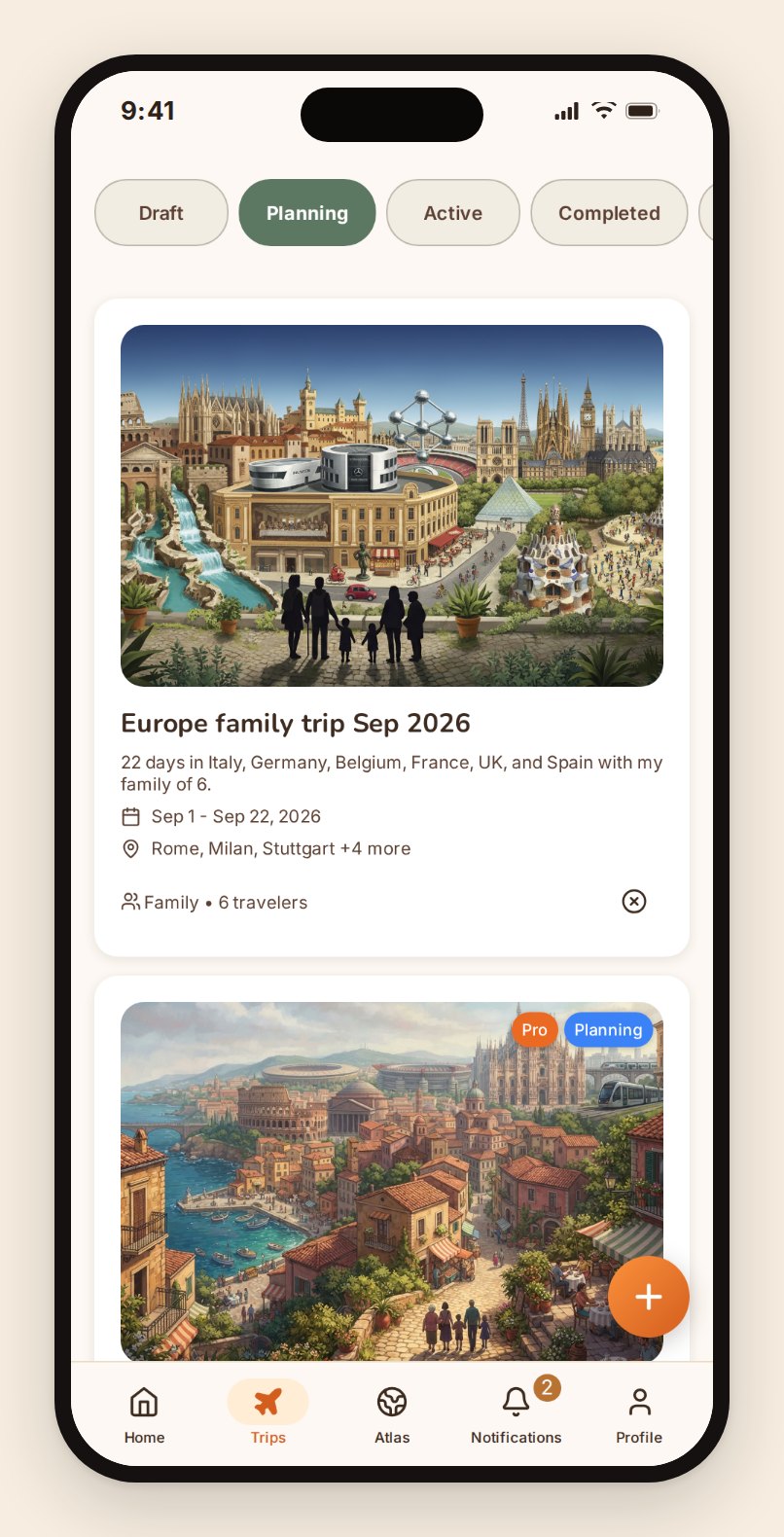
Everywhere you already are: iPhone, Android, tablet, web
A group trip fails at the weakest device in the group. One person is on an old Android, one refuses to install anything, one is on a work laptop all day. If the tool only runs on half of those, the other half ends up in the group chat, and you're back to copying things by hand.
So TripProf runs on all of them: iOS and Android as native apps, iPad and Android tablets with layouts built for the bigger screen, and the full product in a browser with nothing to install. Same account, same trip, same data. The person who won't install an app opens a link and gets the whole thing.
The interface is the same product on each, not a stripped-down mobile version and a "real" desktop one. It uses each platform's own building blocks rather than one look painted over both, so sheets slide the way they do everywhere else on your phone, it follows your system light or dark setting, and it respects the text size you set at the OS level. What you see in these screenshots is the phone layout, because that's where most of a trip actually gets planned: in bed, on a train, in the twenty minutes before a meeting.
In your language. Twelve of them.
TripProf is fully translated into English, German, Spanish, French, Portuguese, Italian, Dutch, Swedish, Norwegian, Danish, Polish and Russian. Not just the buttons. The destination guides, the packing suggestions, the category names, the error messages, the emails.
Here's the honest part. Those translations start machine-translated and then get reviewed, and at this scale some of them still read a little stiff, or pick the wrong word for a specific context. We know. We fix them in batches as they get reported and as we re-read them ourselves, and the quality is measurably better than it was six months ago. If you find a line that reads wrong in your language, tell us and it gets fixed. That's a faster loop than waiting for a perfect launch that never comes.
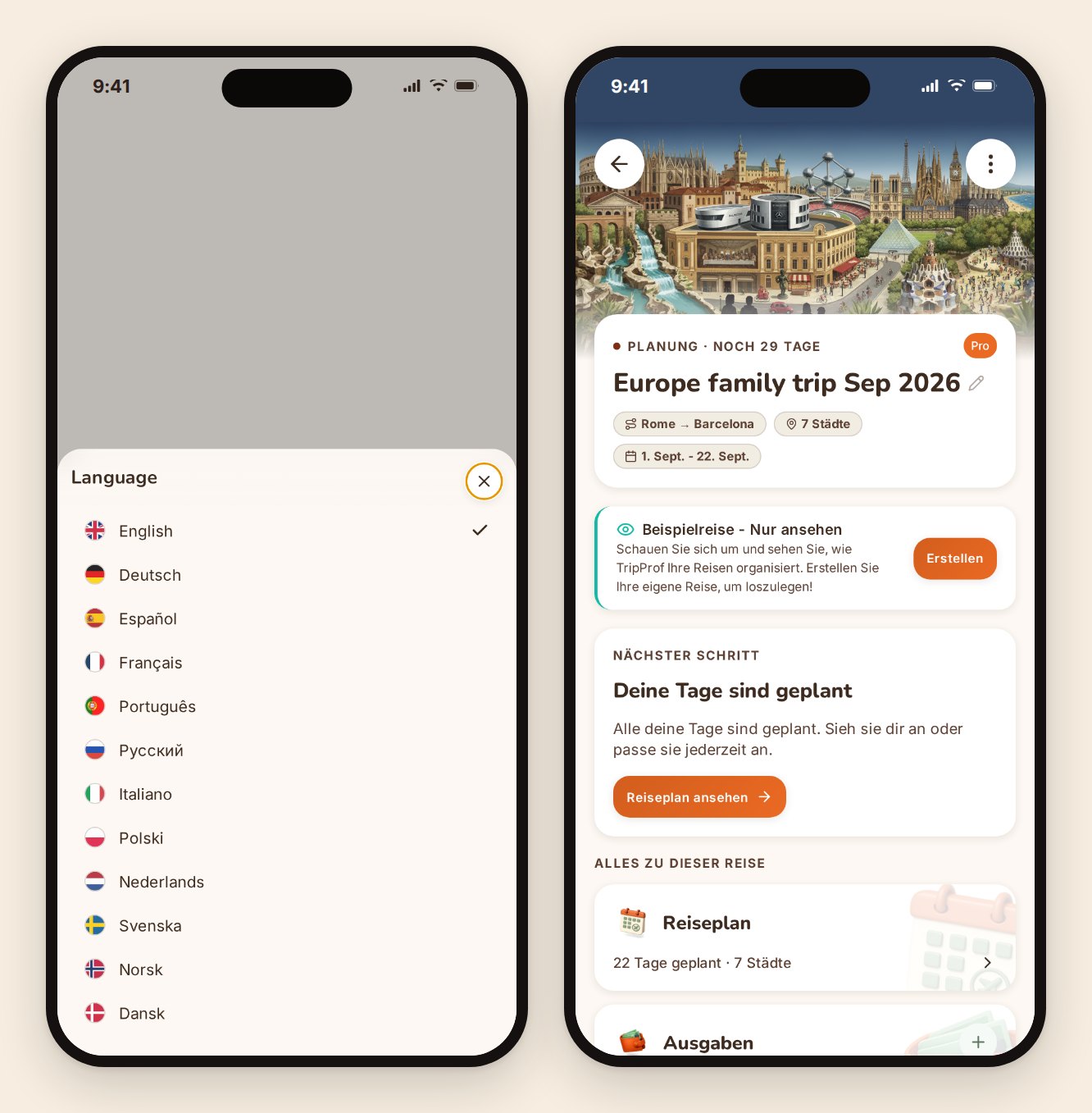
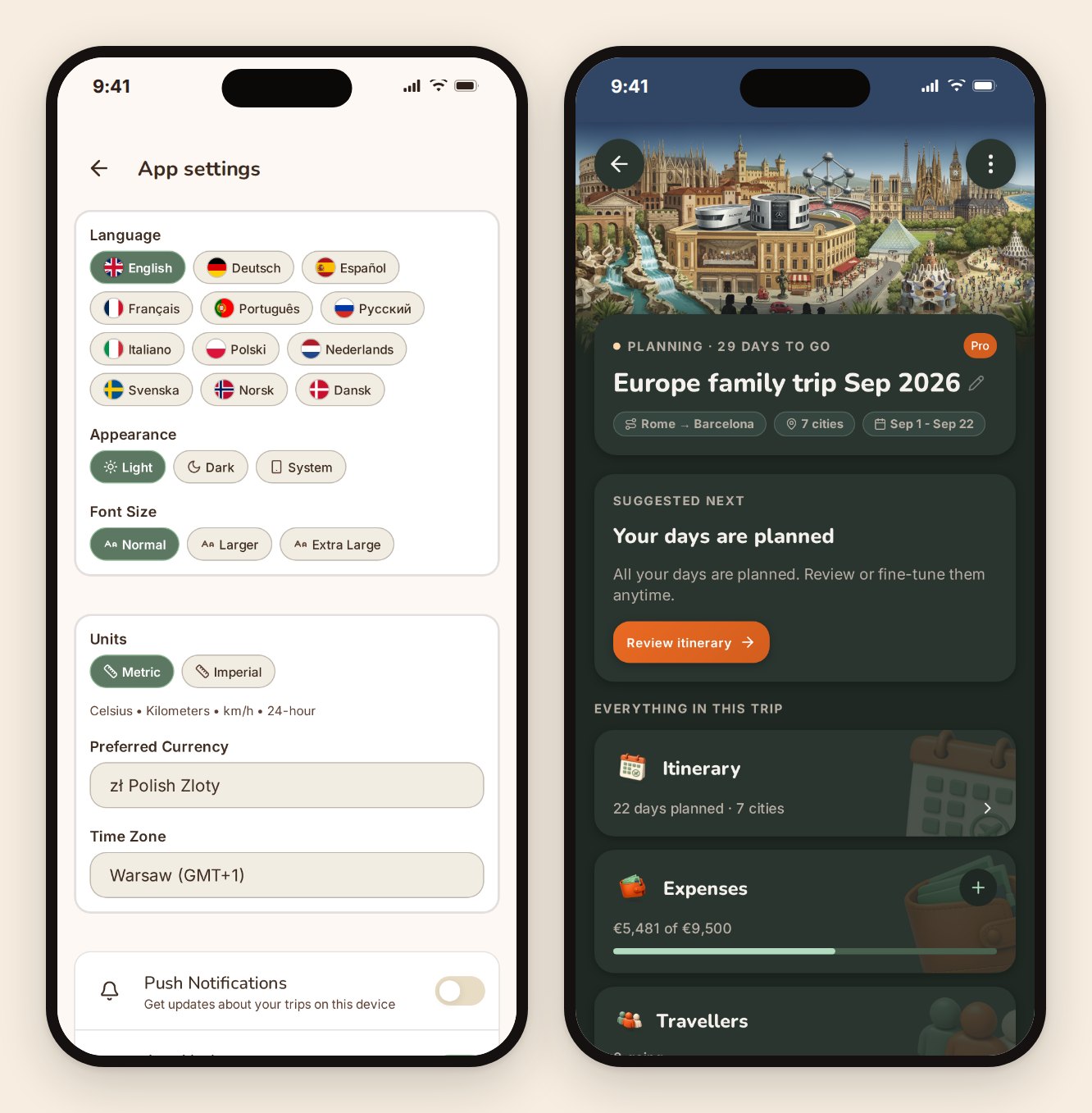
Your app, your way
Light or dark, set by you or followed from your phone. Text size that actually scales the whole interface rather than clipping it, because a trip organizer is often the person in the group who needs larger type and shouldn't have to squint through the one screen everyone depends on.
Small thing. It matters at 11pm in a hotel room.
No ads. No marketing email. No data selling.
There are no ads in TripProf, and there never will be. We don't sell user data. We don't run a "growth" email program, so signing up doesn't start a sequence you have to unsubscribe from later. You'll hear from us for things that concern your account and your trip, and that's it.
We make money one way: when someone finds TripProf useful enough to buy a credit or a subscription. That's a deliberately narrow business model, and it's the reason we can say the sentence above without an asterisk.
Free travel apps have to earn somewhere. Usually that's advertising, affiliate booking commissions, or the data itself. Each of those quietly shapes what the app recommends to you. Ours doesn't, because there's nothing to shape it toward.
Free, and where the paid line actually sits
Creating and running trips is free. Not trial-free. Free.
You can create unlimited trips, add every destination and date, build the full day-by-day itinerary, log and split every expense in any currency, settle up at the end, run packing checklists, store documents, post memories (a limited number per trip), and build your lifetime travel map without paying anything or entering a card.
What costs money is the personalized destination guide, and the trip-level features that come with generating one. One credit covers one trip. Credits never expire, and there's no per-person fee, so inviting eight friends to a trip costs exactly the same as inviting none.
| What you get | Price | Works out at |
|---|---|---|
| Single guide (1 credit) | EUR 3.99 / USD 3.99 | 3.99 per trip |
| Starter pack (3 credits) | EUR 9.99 / USD 9.99 | 3.33 per trip |
| Explorer pack (5 credits) | EUR 13.99 / USD 13.99 | 2.80 per trip |
| Pro monthly (3 credits a month) | EUR 7.99 / USD 7.99 | 2.66 per trip |
| Pro yearly (36 credits a year) | EUR 54.99 / USD 54.99 | 1.53 per trip |
Treat the table as a snapshot, not a promise. Pricing changes over time, and the pricing page is always the current version. It also differs by platform: buying on the web is one number, buying inside the iOS or Android app is another, because Apple and Google take a cut of every in-app purchase and apply their own local tax and price equalization on top. Same product either way, and credits you buy anywhere work everywhere.
No fake countdowns, no "your credits expire in 24 hours", no price that quietly changes on the payment screen. If you buy five credits and use one this year and four in three years, that's fine.
One trip. Many cities. Many dates.
Most trips that go wrong on paper go wrong here, at the start, because the tool assumed one city and one hotel and one set of dates.
A TripProf trip is a list of destinations, each with its own arrival and departure. Rome for four nights, then Milan for two, then a night on a train, then Barcelona. Add a city in the middle later and everything downstream shifts with it: the day numbering, the route, the guide sections, the map.
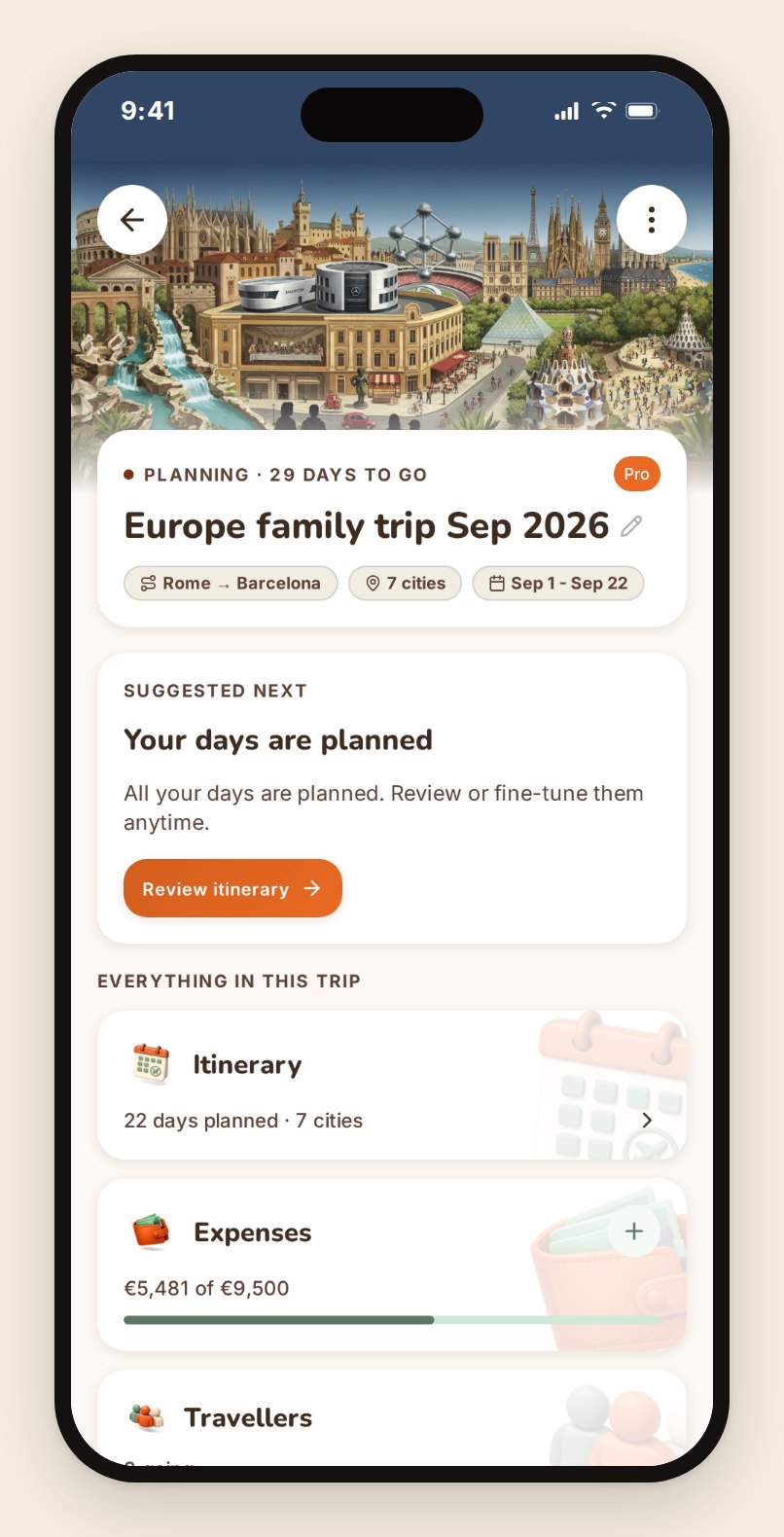
Each trip also gets its own cover, drawn from the places you're actually going. It sounds cosmetic. It isn't: once you have six trips in the app, "the one with the Atomium and the Sagrada Família on it" is how you find the right one in half a second.
The trip dashboard is the home base. It shows where you are in planning, what's worth doing next, and a live count of everything the trip contains: days planned, spend against budget, travelers going, memories captured, checklist packed. Handing the trip to a co-organizer takes one screen, not a phone call.
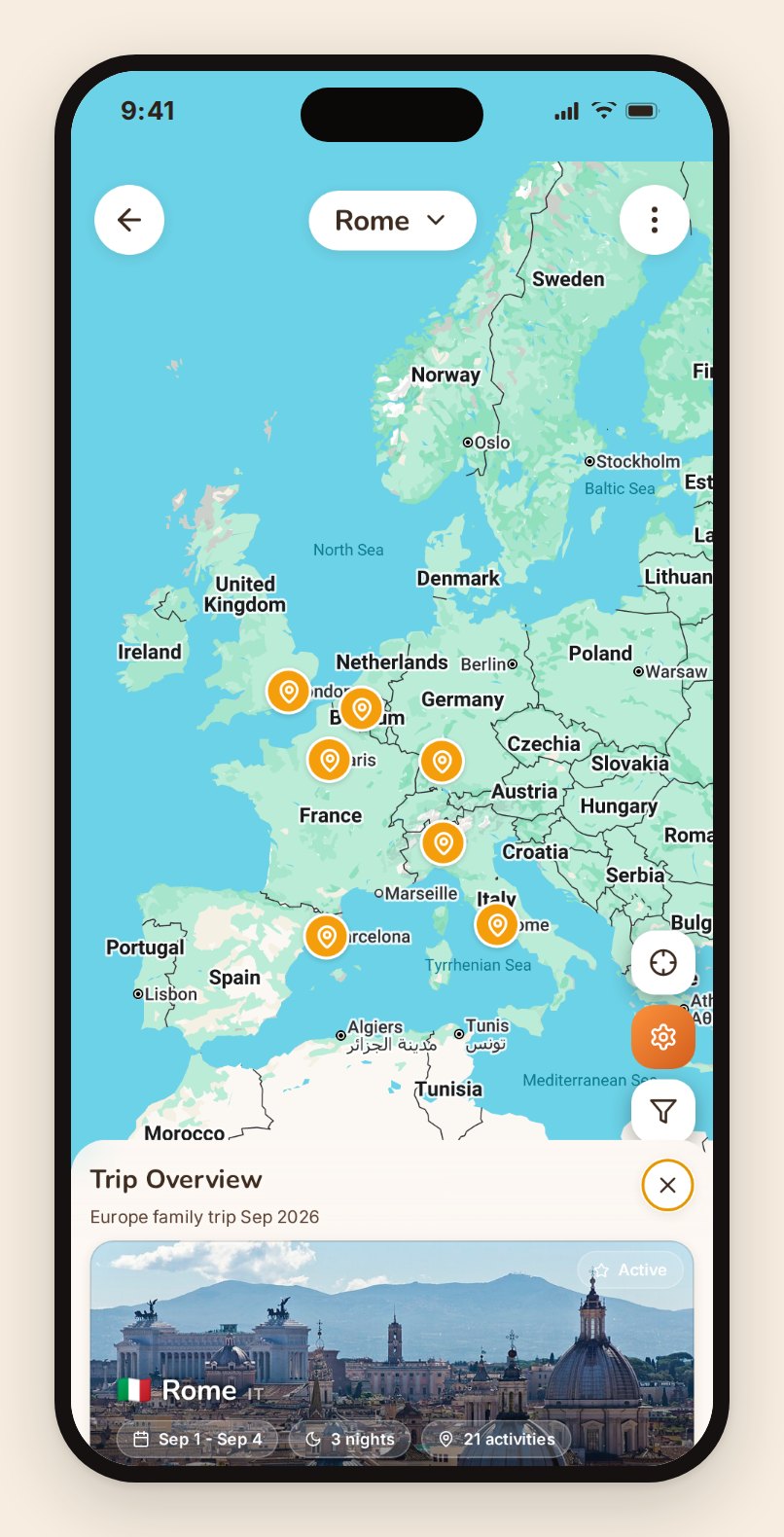
The whole route, on one map
Before the days get planned, there's a simpler question: does this route make sense at all? Seven cities in twenty-two days looks reasonable in a spreadsheet and brutal on a map.
Route overview draws the entire trip end to end, every leg with its distance, duration, and mode, plus the totals and the longest and shortest hops. It recalculates whenever you add, remove, or reorder a destination. It's the screen that talks people out of one city, which is usually the most valuable thing a planning tool can do.
If you're weighing that exact question, we wrote a separate piece on how many cities is too many for one trip.
The itinerary: build it on a map, or let TripProf draft it
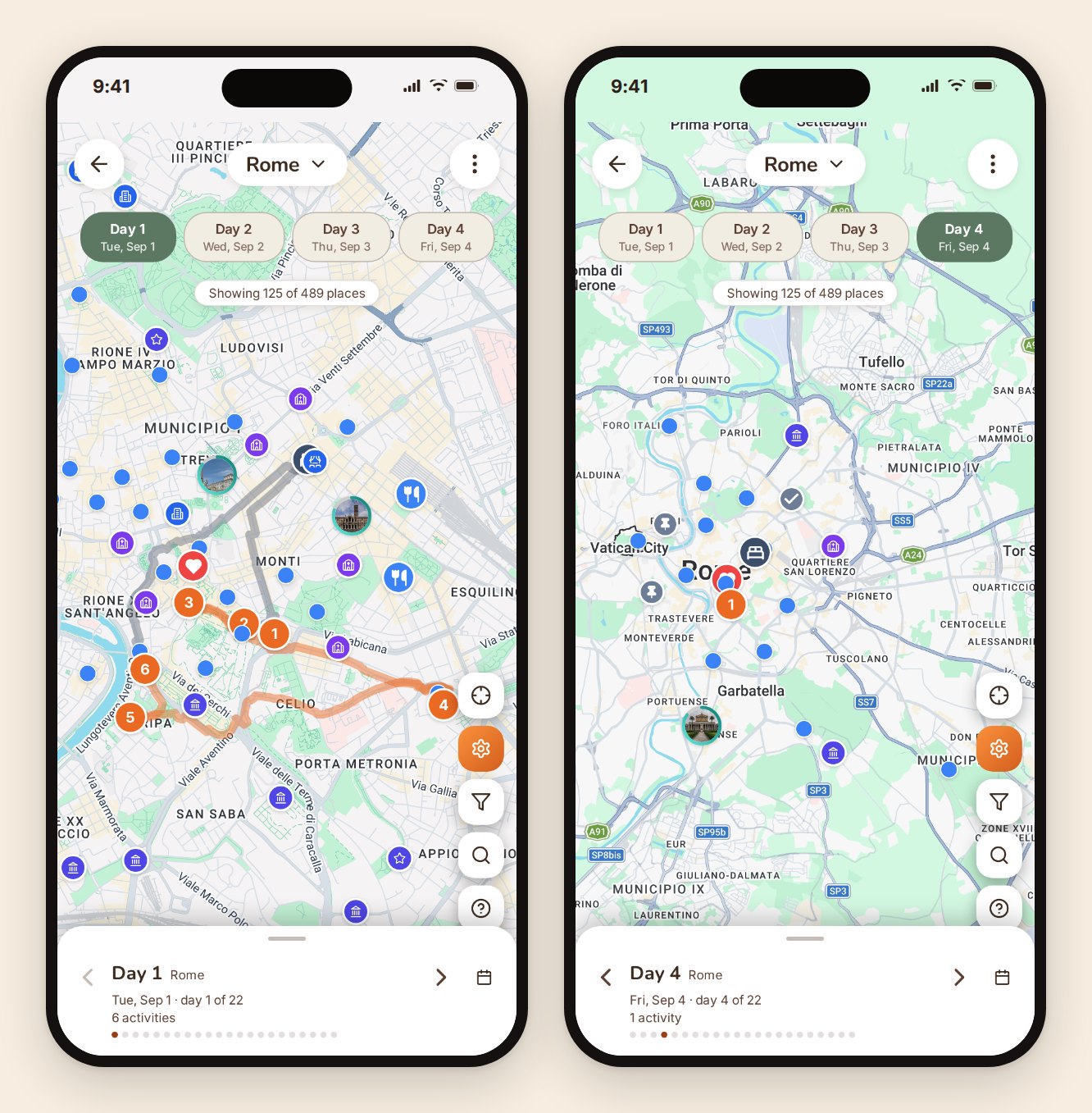
The itinerary is a map on top and a day-by-day timeline underneath, and they're the same thing seen two ways. Tap a day, the map shows that day. Drag an activity to another day, the map redraws.
You can build it by hand, place by place. Or you can hand TripProf the parameters and let it draft. You pick the date range, the hours you actually want to be out, the pace (relaxed, moderate, or packed), and which kinds of things you're interested in. It reads the trip: your destinations, your dates, your preferences, and the profiles of the people travelling with you, including the ones with a dietary requirement or a mobility limit or a five-year-old.
Then it drafts, and you keep what you like. Nothing lands in your itinerary because a machine decided it should. Long trips get drafted in chunks so you're not staring at a spinner for a whole trip's worth of days.
Real places, with real detail
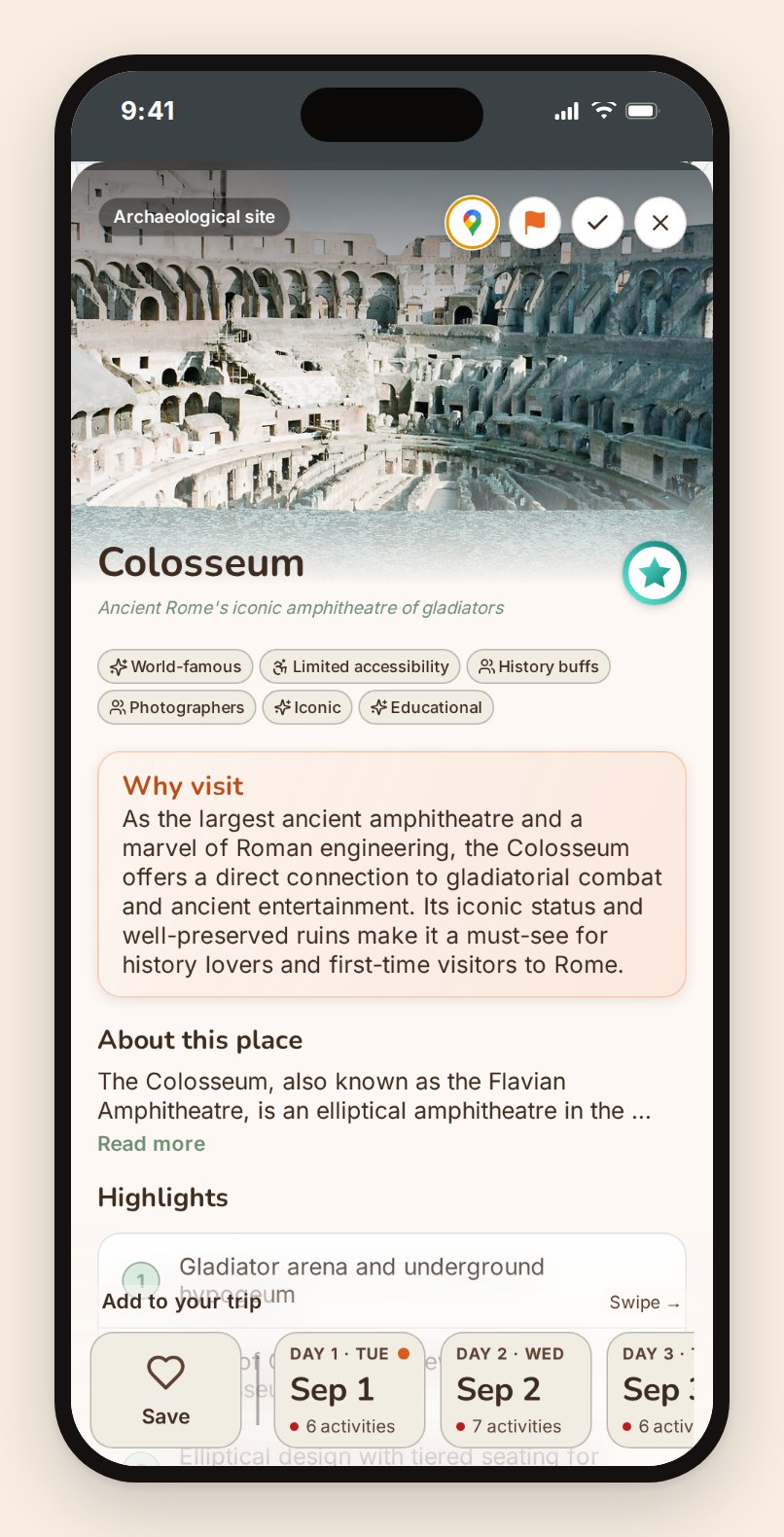
Every suggested place is a real, mapped location with an address and coordinates, drawn from structured world-heritage data and enriched with photos and descriptions. Not a paragraph of invented atmosphere with a name in it.
Each destination gets a carousel of its most-visited places. Tap one and you get the detail: what it is, why people go, where it sits relative to everything else you have planned that day. Add it to a specific day in one tap.
Routes that know where you're sleeping
A day's route is only useful if it starts and ends where you actually are. TripProf plots each day's activities in order and draws the walking or driving route between them, anchored to the place you're staying that night rather than to the geographic middle of the city.
The wishlist, for everything you haven't committed to
Half of trip planning is things somebody suggested that nobody has decided on. Those go on the wishlist: saved to the trip, visible to everyone, attached to no particular day. When a day opens up, the wishlist is where you look. When it doesn't, nothing was ever cluttering your schedule.
Take it with you: calendar, PDF, spreadsheet
The itinerary exports to Google Calendar or Apple Calendar as a live subscription, so a change in the app shows up in the calendar the whole group already checks. It also exports as a PDF, which is what you want the night before when you'd rather print one page than hand your phone around, and as a CSV that opens straight in Excel or Google Sheets for the person in the group who insists on a spreadsheet. Let them. It's their love language.
Money: multi-currency expenses that actually settle
This is the part of a group trip that ends friendships, and the part most planning apps hand off to a second app.
TripProf's expenses live inside the trip. Same trip, same people, same currencies, no re-entering who's on it.
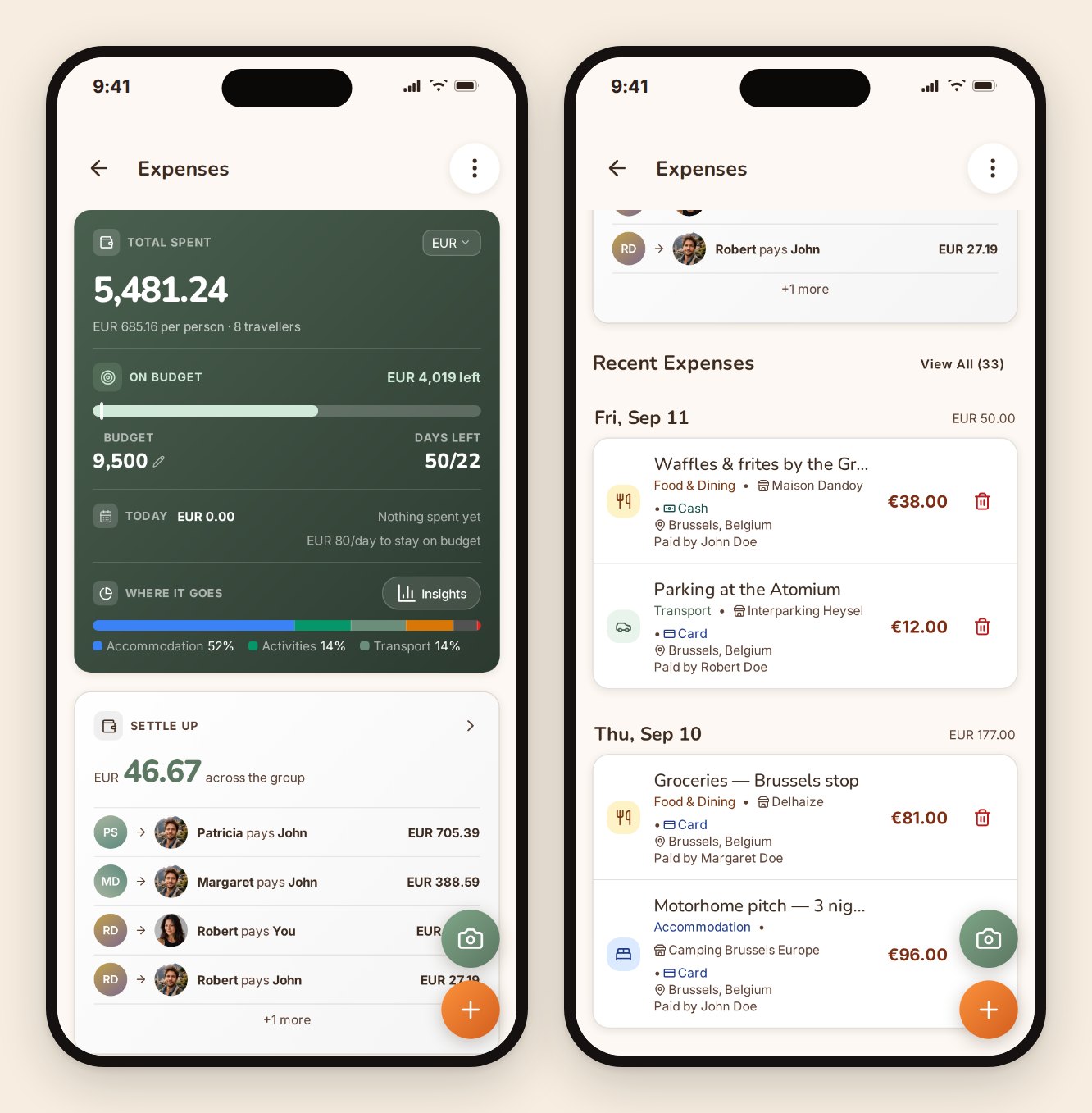
Logging one takes seconds
Point the camera at a receipt or an invoice and TripProf reads it: amount, currency, merchant, date, category. Check it, save it. Several receipts at once works too, which is the realistic case after a day where nobody logged anything.
You can also just type it. Twelve seconds, standing up, before the waiter comes back.
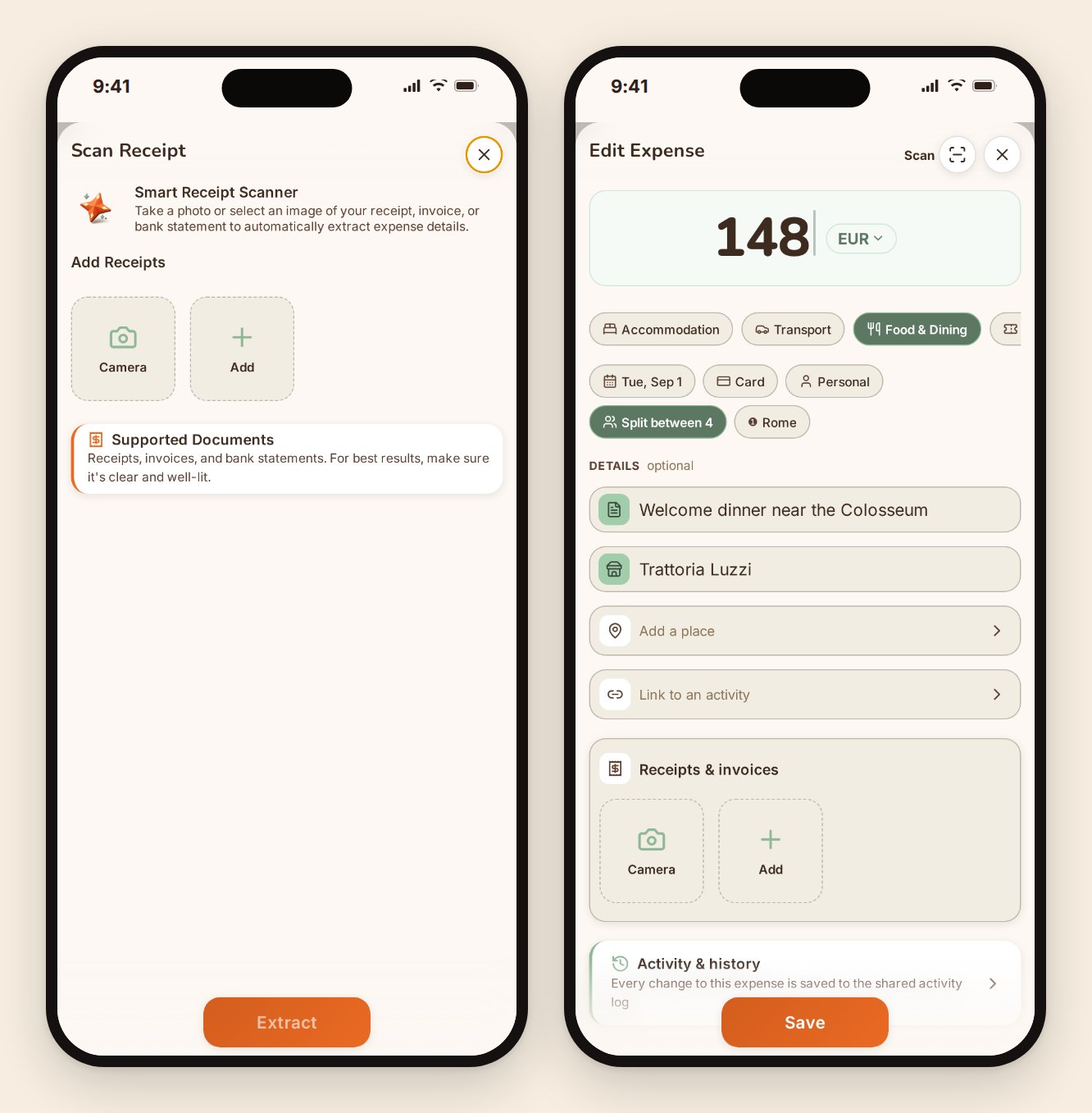
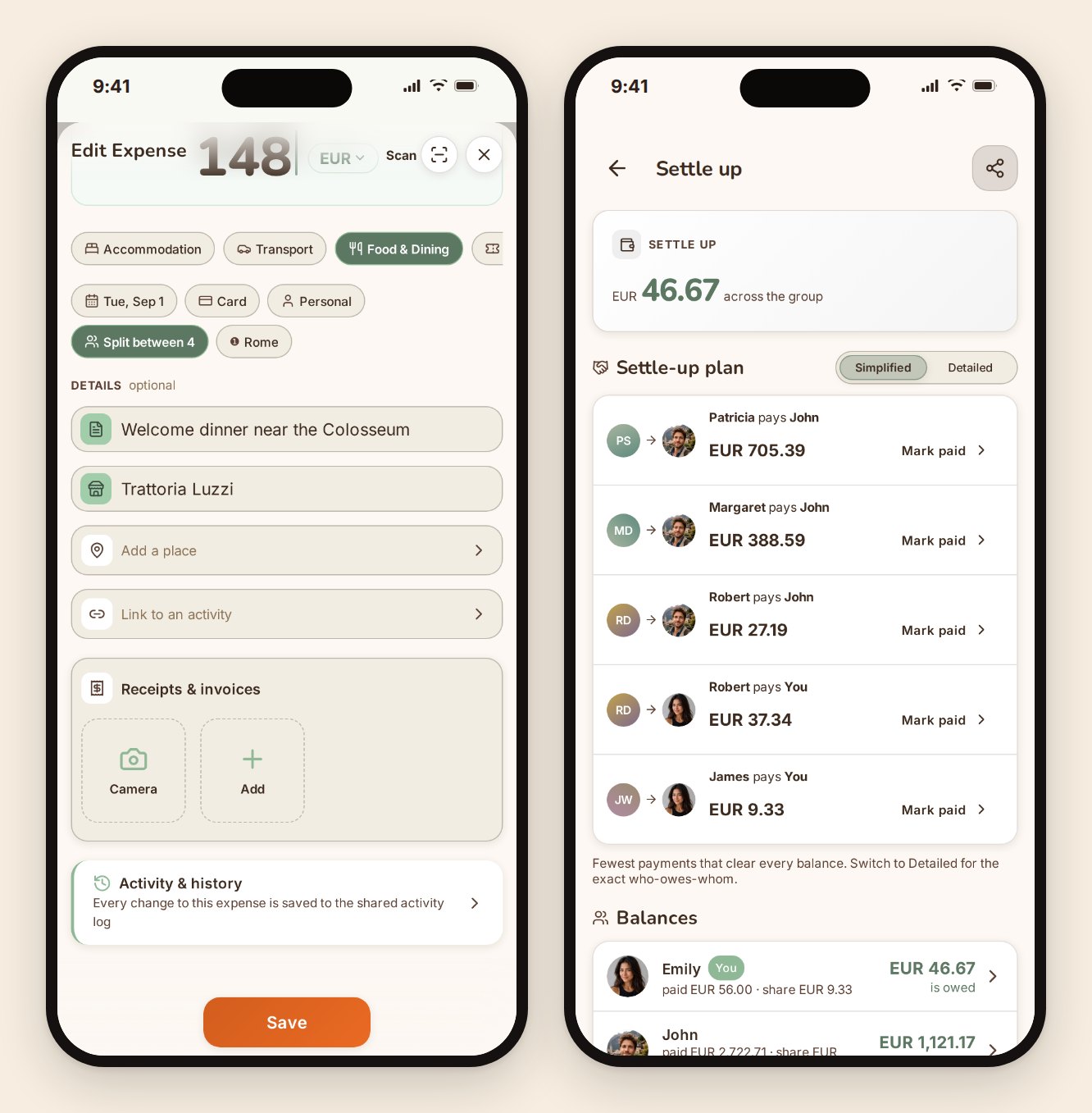
Who paid, and how it splits
Every expense records who actually paid and how it divides. Split it evenly, split it between a subset of the group, or set exact amounts when three of you shared a taxi and the fourth walked. Personal expenses stay personal and never enter the group maths.
Set a budget for the trip and it tracks against it as you go, with the day count and the daily pace you'd need to hold. The breakdown by destination comes from what you actually spent, further down in insights.
The settlement, across every currency you paid in
Here's where multi-currency stops being a checkbox and starts being the whole point. You paid for the hotel in euros. Someone paid for the Eurotunnel crossing in pounds. Someone else covered dinner in Barcelona.
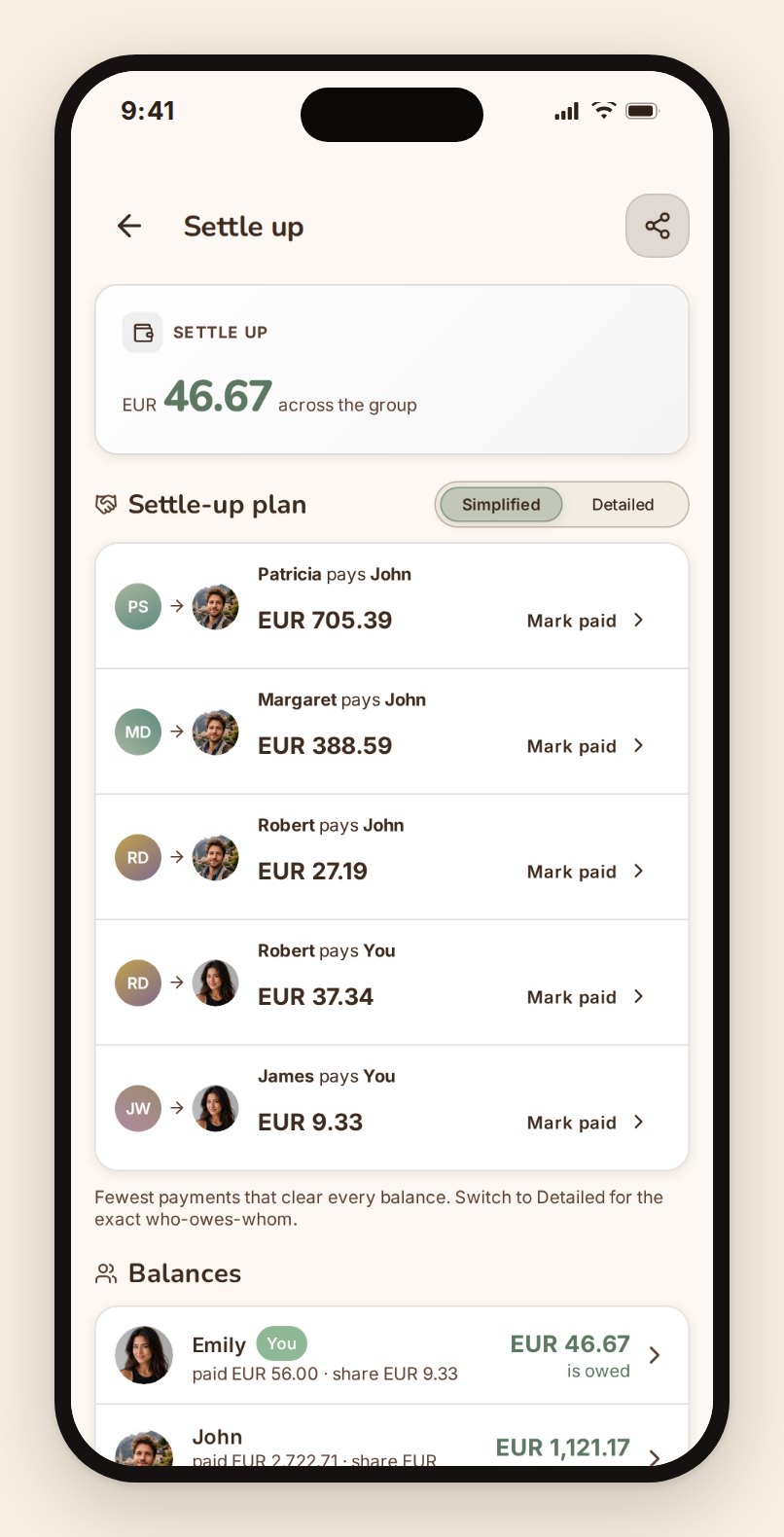
At the end, TripProf consolidates every one of those into the trip's own currency, using the rate from the day each expense was logged rather than whatever the rate happens to be on settlement day, so nobody's share moves while you're arguing about it. Then it gives you the minimum set of payments that squares the group: who pays whom, how much. Not "here is a table of 35 transactions, good luck". The answer.
You can flip between that simplified plan and the exact pairwise one, if your group would rather everyone paid back the person they actually owe. And you can read every figure through a different currency without changing what anyone owes, which is what you want when four of you think in euros and one thinks in pounds.
You can settle with one person at a time and record payments as they happen, so the balance is honest right up to the last transfer.
If you want the general version of this argument rather than the product version, we wrote how to split trip costs fairly with friends, which is about the conversation, not the app.
Where the money actually went
Insights breaks the trip down by category, by day, by destination, and by person. Not because a chart is fun, but because "we spent how much on taxis?" is a question you want answered before the next trip, not after.
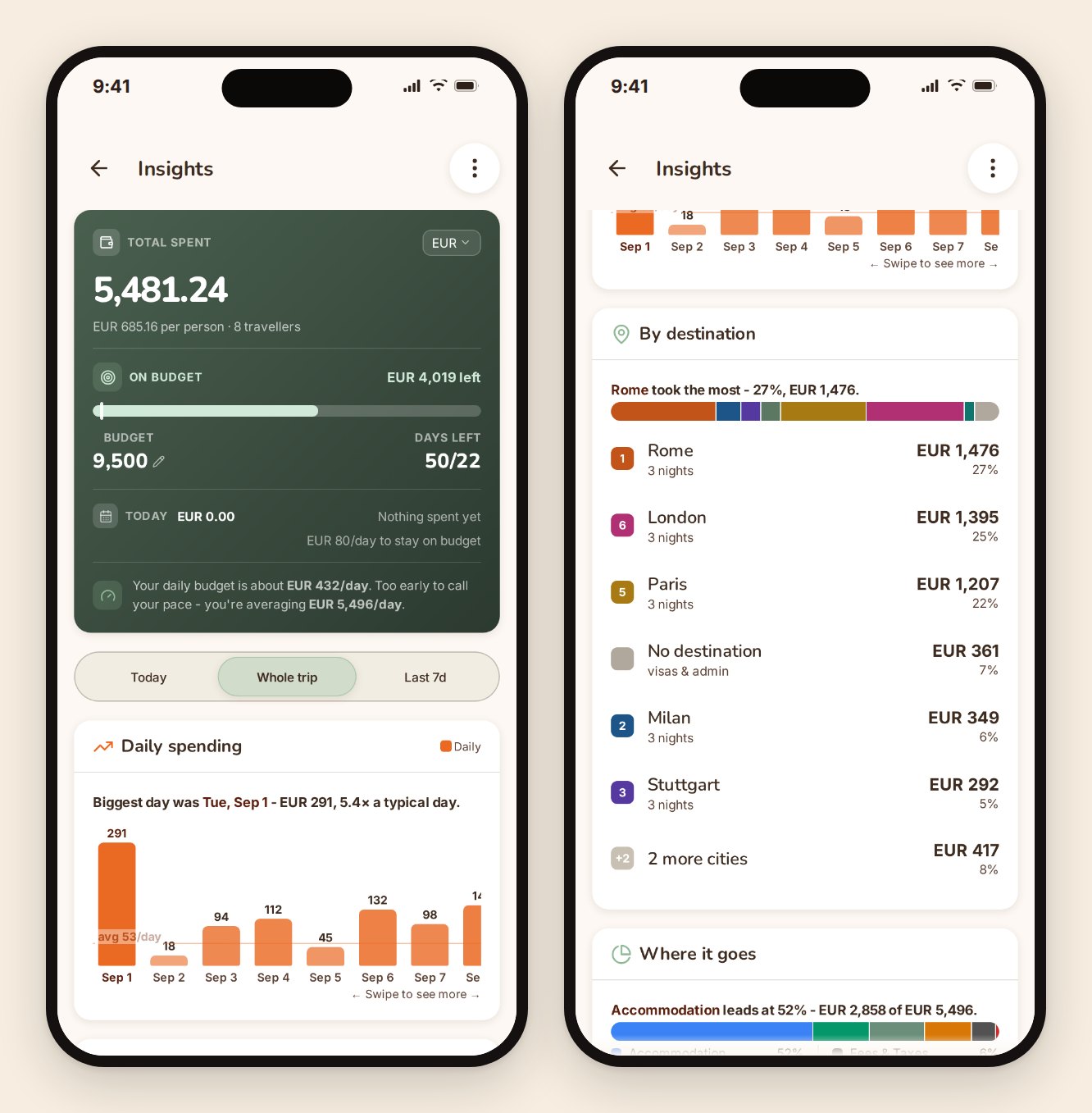
Expenses export to PDF and CSV, and you can share a summary straight out of the app to whoever needs it.
An activity log, so nothing is mysterious
Shared money needs shared visibility. Every change to the trip is logged with who made it and when. Someone edited an amount, someone deleted a duplicate, someone changed a split. It's all there, plainly, which turns a potential argument into a five-second look.
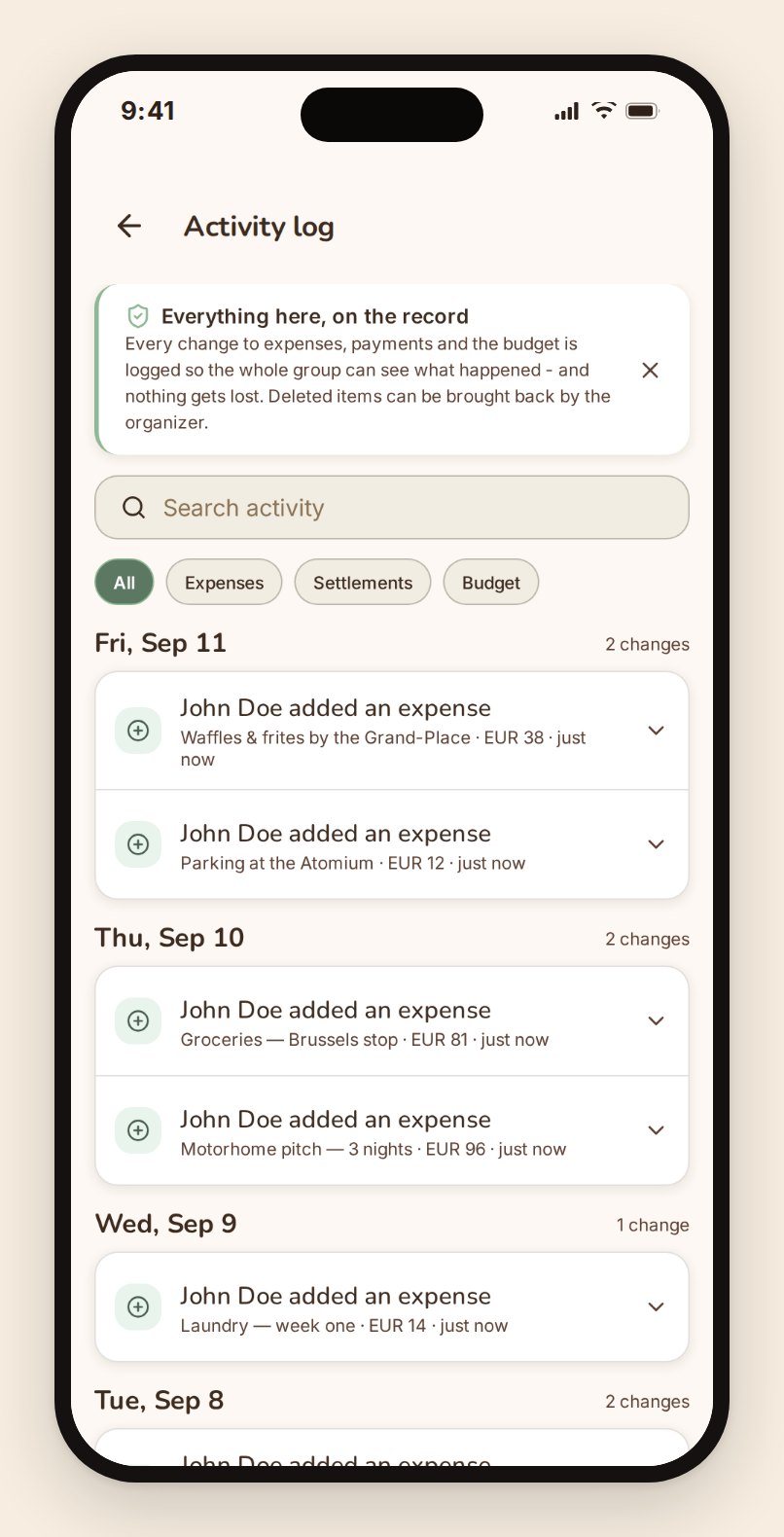
Your co-travelers: one link, everybody in
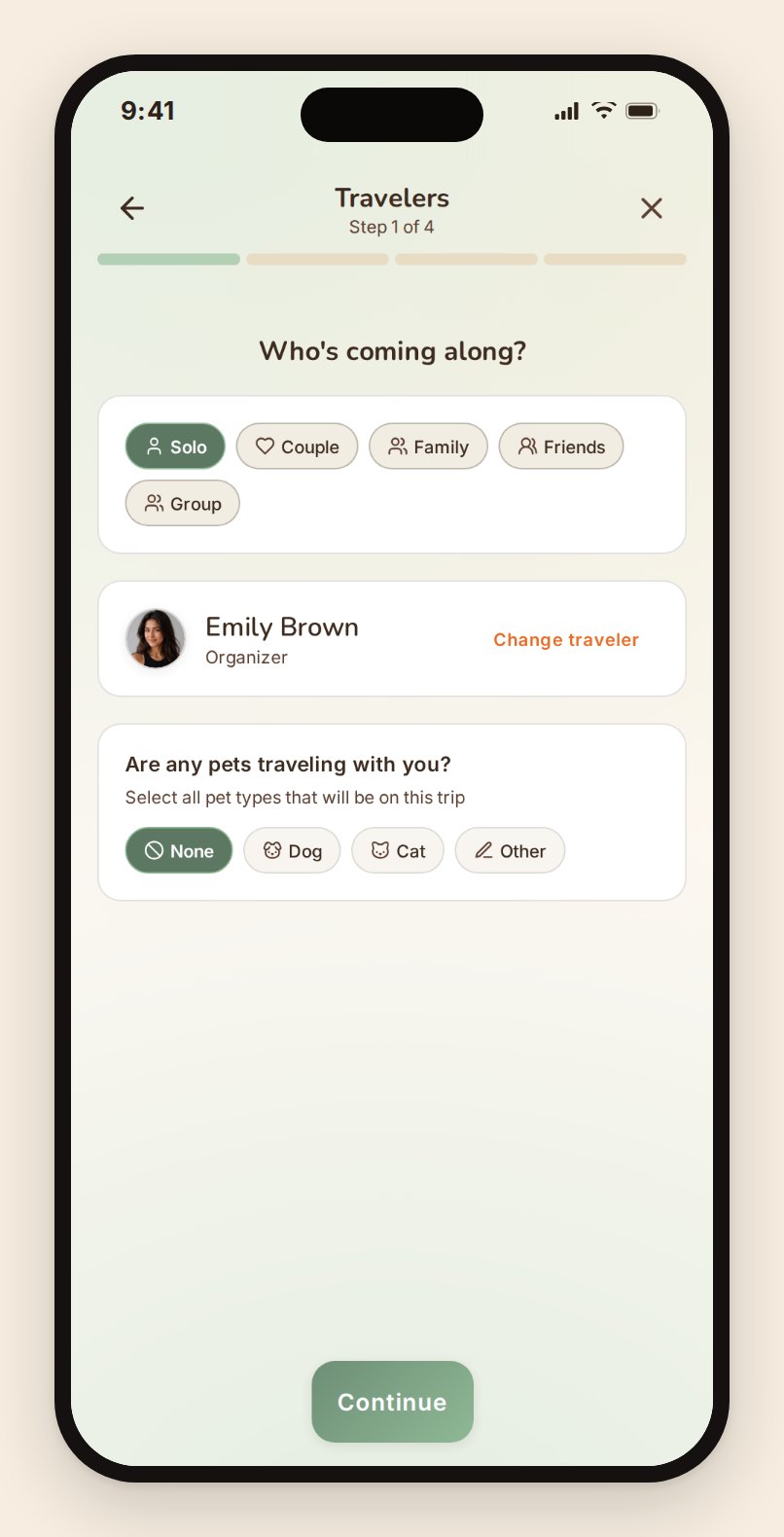
Share a link. That's the whole flow.
Send it through whatever channel your group already uses. Whoever opens it joins as a viewer and can see everything: the itinerary, the guide, the documents, the expenses, the checklist, the memories. As organizer you promote anyone to editor from the travelers screen, and a viewer who wants to help can ask for editor access rather than messaging you about it. Editors change trip content and manage the travelers they added themselves. Roles change back just as easily, and you can see exactly who has access at any point.
There's no per-seat charge, ever. A trip with nine people costs what a trip with one costs. What editing does need is an unlocked trip: on a free trip the people you invite can read everything but not change it, and unlocking the trip with one credit switches editing on for the whole group at once. One person pays. Nobody else is asked for anything.
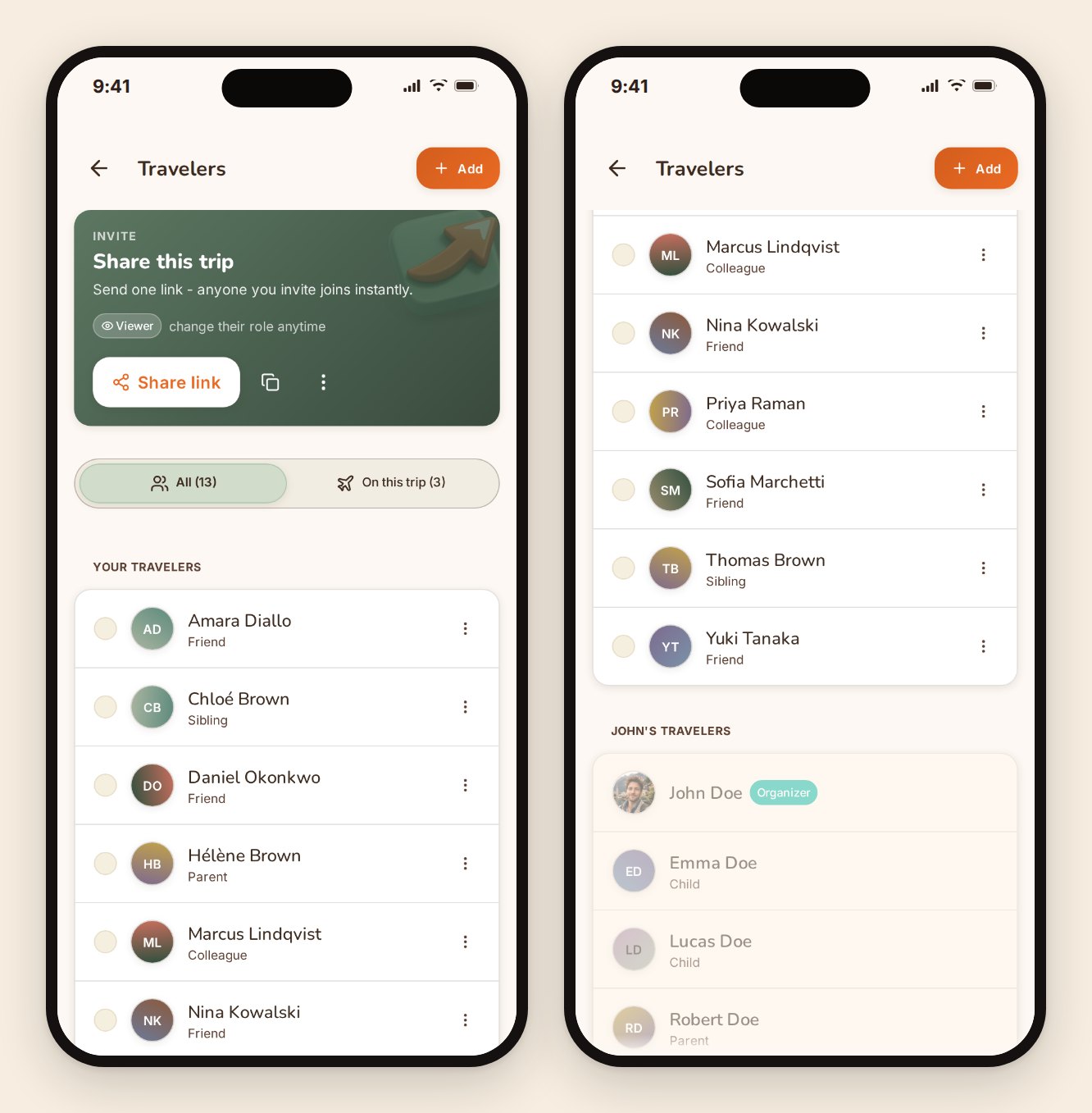
Everyone sees the same trip in real time. When somebody adds the museum tickets, they're just there, for everyone, without a "did you get my message?" round trip. We wrote more about that specific failure mode in planning a multi-city trip with family and friends.
Memories: a private feed for this trip only
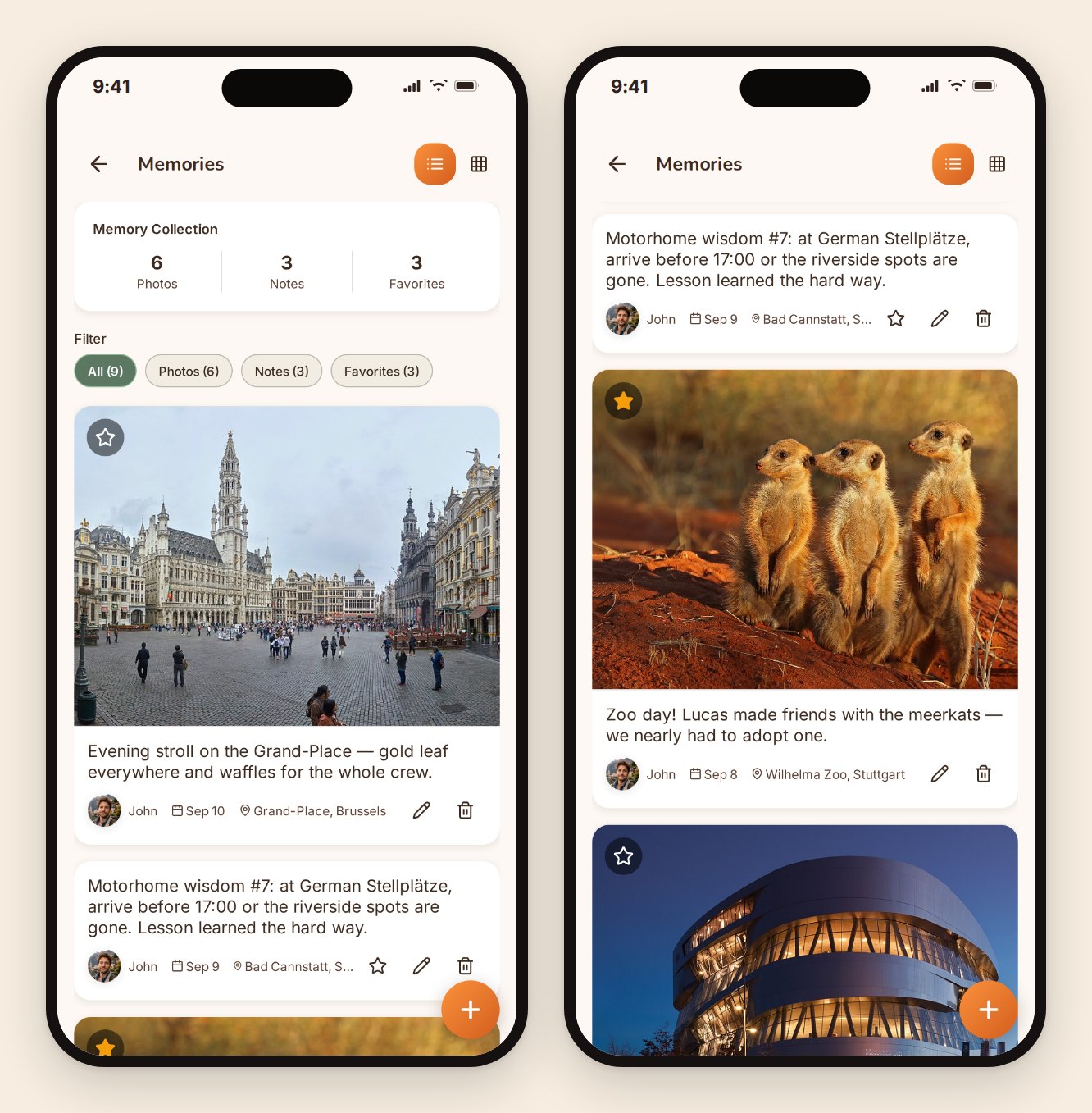
Photos and notes, posted to the trip, visible to the people on the trip. That's it. It isn't public, it isn't a profile, there are no followers, and nothing is recommended to strangers.
It reads like a feed because that's a format everybody already knows how to use. It behaves nothing like one. Anyone on the trip can post, everyone on the trip can see it, and it stays after the trip ends, which is when it turns out to be worth having.
The packing checklist that knows what kind of trip this is
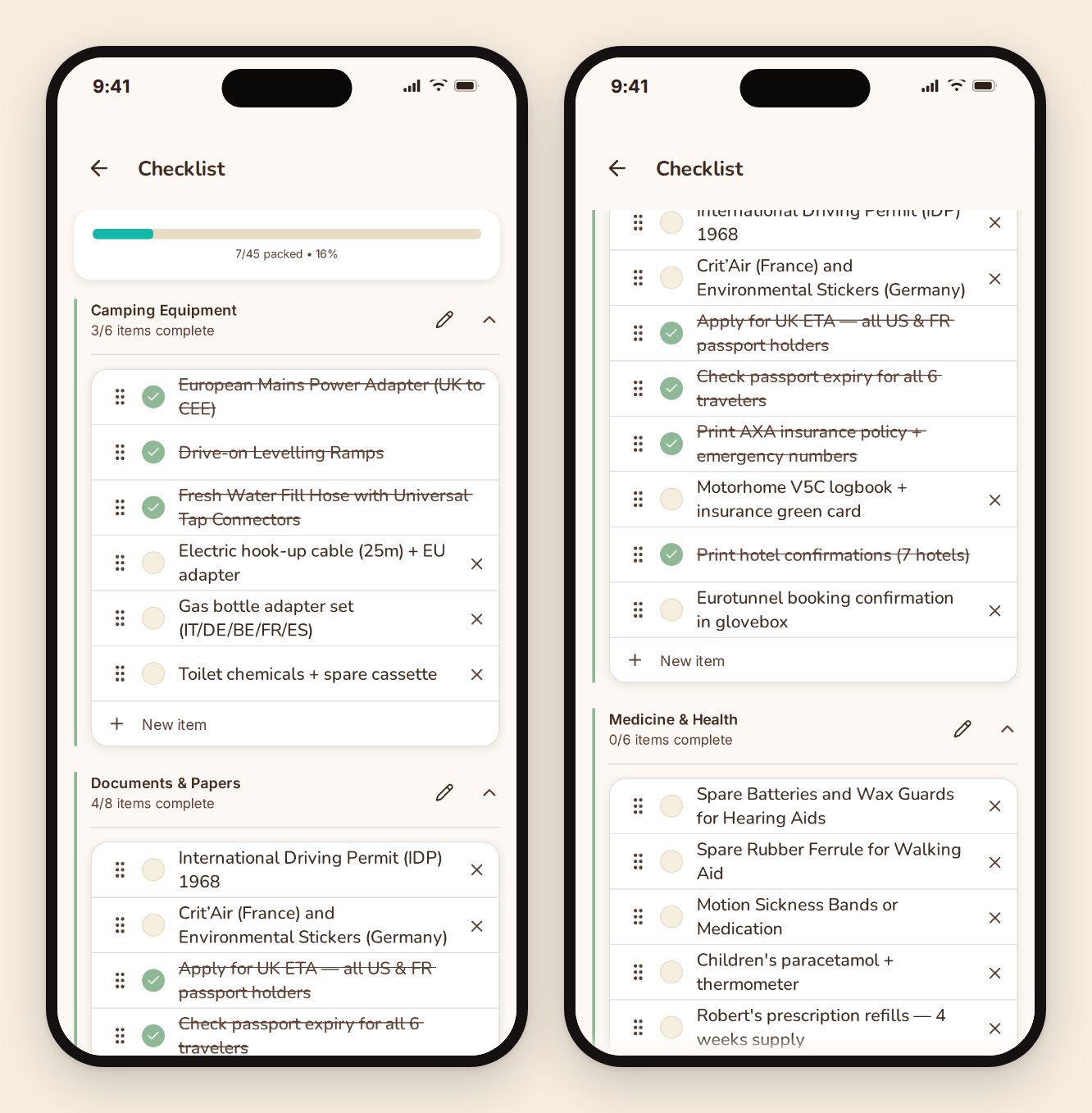
A generic packing list is a list of things you already knew. TripProf builds one from the trip in front of it: where you're going, what month, how long, what you've planned to do, and who's coming. A September trip through northern Europe with a five-year-old and a hiking day generates a different list than a week in Barcelona.
Items come grouped by category, you edit freely, and you can start from a template if you'd rather. Everyone on the trip sees the same list, so the sunscreen gets packed once instead of four times or zero times.
The travel guide: the part a local would tell you
This is the piece a credit pays for, and the piece we've spent the most time on.
For each destination on your trip, TripProf writes a structured guide of 60+ tips, grouped into categories and personalized to your trip and to the people on it. On the seven-city trip in these screenshots that runs to several hundred, covering everything from entry requirements and pharmacy hours to what a coffee actually costs on that street this year.
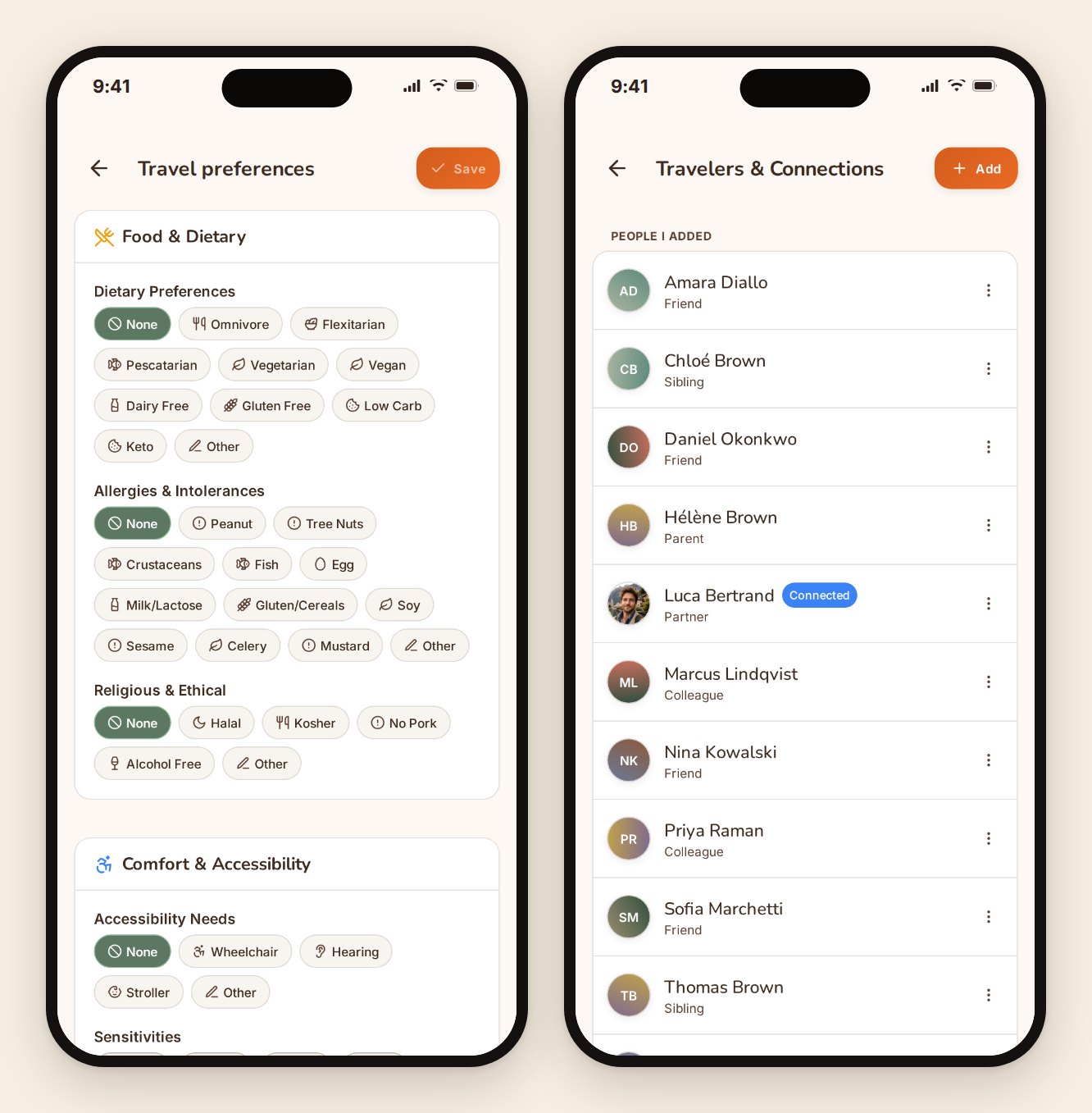
Personalized is doing real work in that sentence. The same city produces a different guide for a solo vegan traveler than for a family with a toddler and a grandparent, because the dietary sections, the walkability notes, the health notes, and the recommended activities all read the trip's traveler profiles before they get written.
Those profiles are yours to set once and reuse. Diet, allergies, religious and ethical requirements, accessibility needs, fitness, interests, languages spoken. Save the people you travel with and their details come along on every future trip instead of being retyped.
It covers the questions you'd otherwise ask a friend who lives there. What's the tipping norm and where does it not apply. Which taxi arrangement is the scam. What the pharmacy situation is on a Sunday. Which supermarket chain is the cheap one. Whether the tap water is fine. What a plug looks like. What people find rude. Which day trip is worth the train.
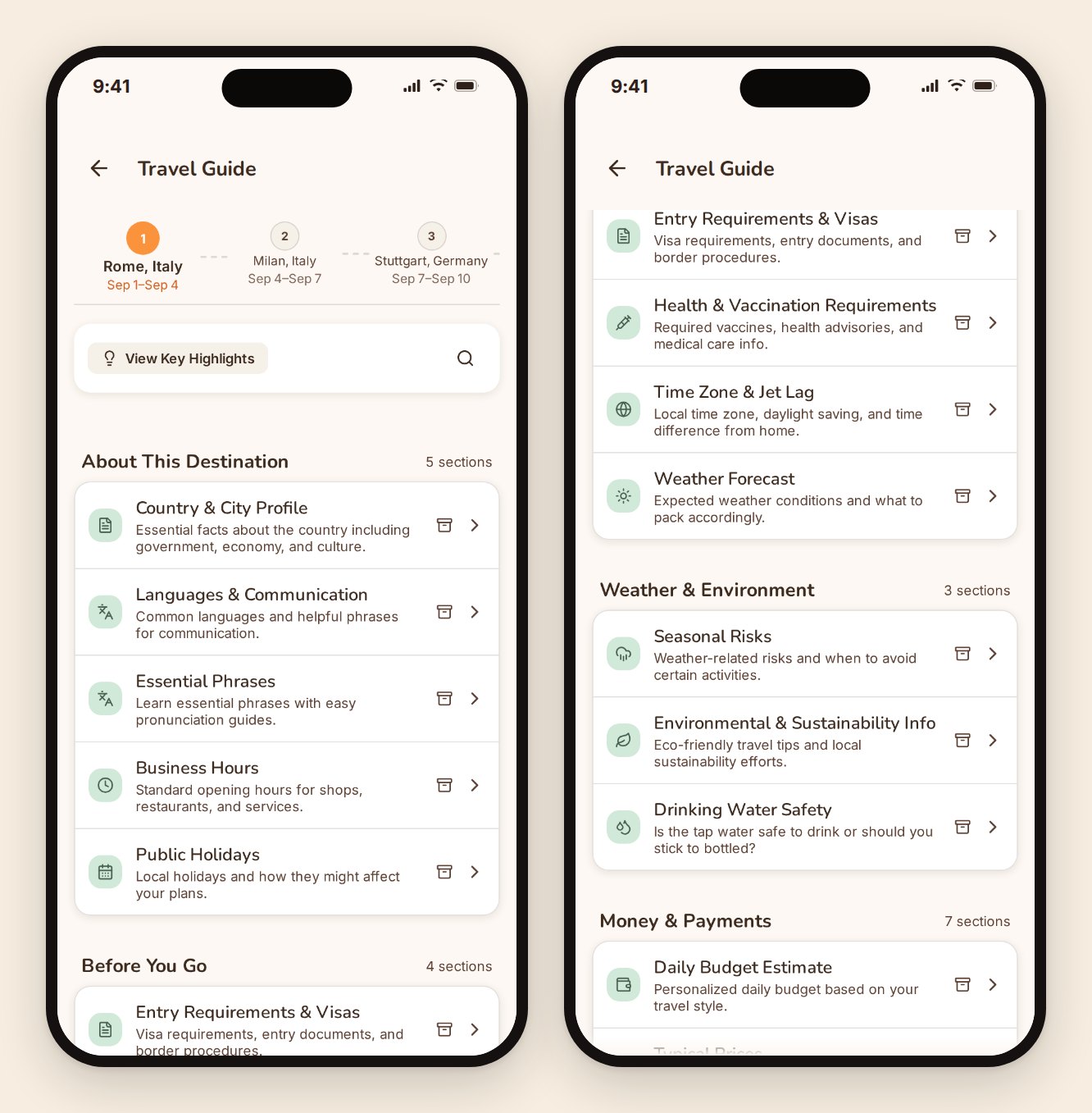
It's written to be read on a plane. Structured, section by section, and cached to your device, so the guide, your expenses, and your checklists all work with the phone in airplane mode. Documents and memory photos are stored files, so those need a connection to open.
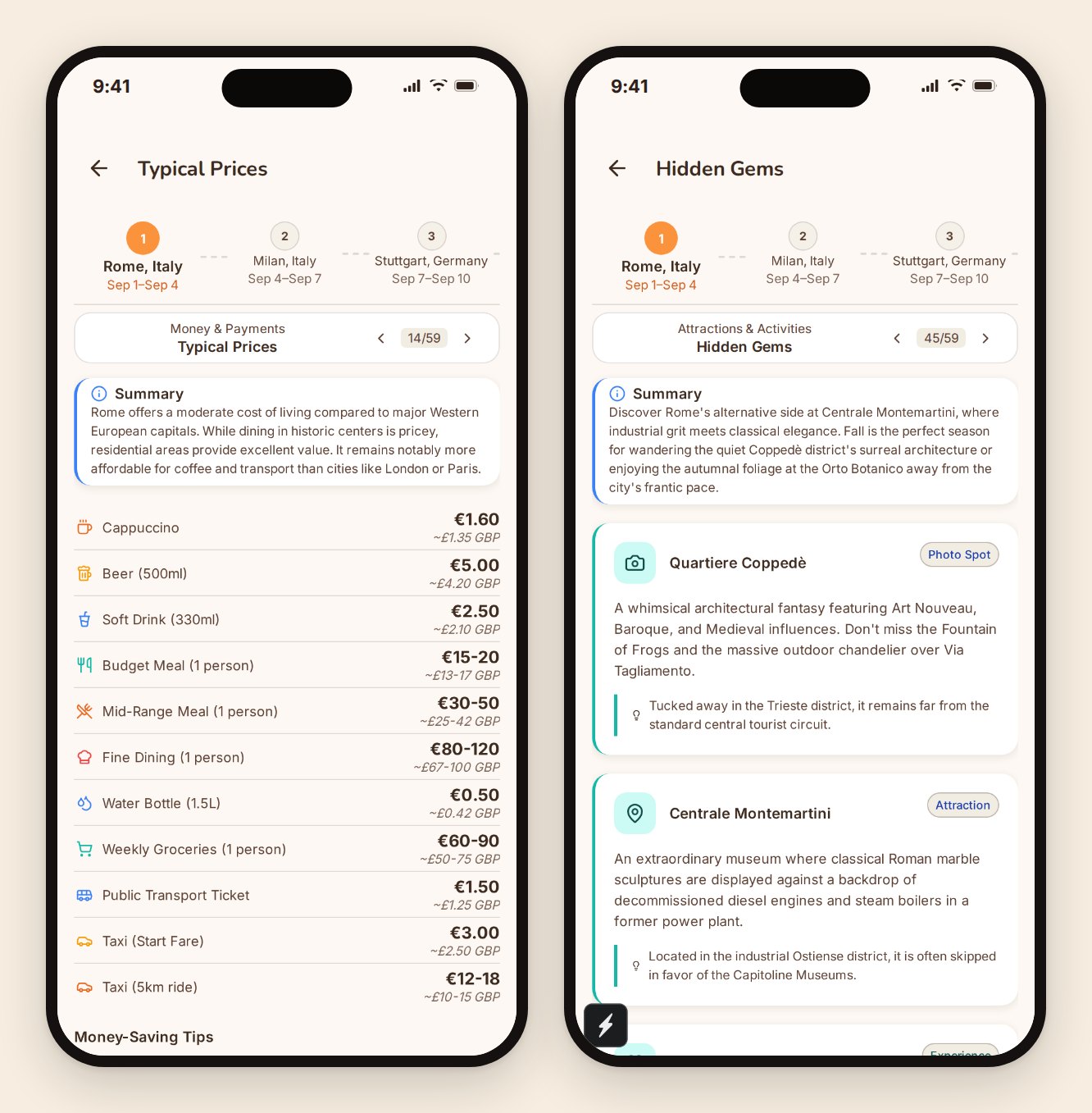
Thirteen sections are free on every trip, forever, including embassy and emergency contacts, the security brief, time zone, weather outlook, public holidays, a phrase sheet, and whether the place is cash or card. Those are the ones we decided nobody should have to pay for.
Documents: every booking in one place, including by email
Tickets, hotel confirmations, insurance, transfers, tour vouchers. All of it on the trip, all of it visible to everyone you've invited, so the person at the desk asking for the confirmation number isn't waiting while somebody scrolls their inbox on airport wifi.
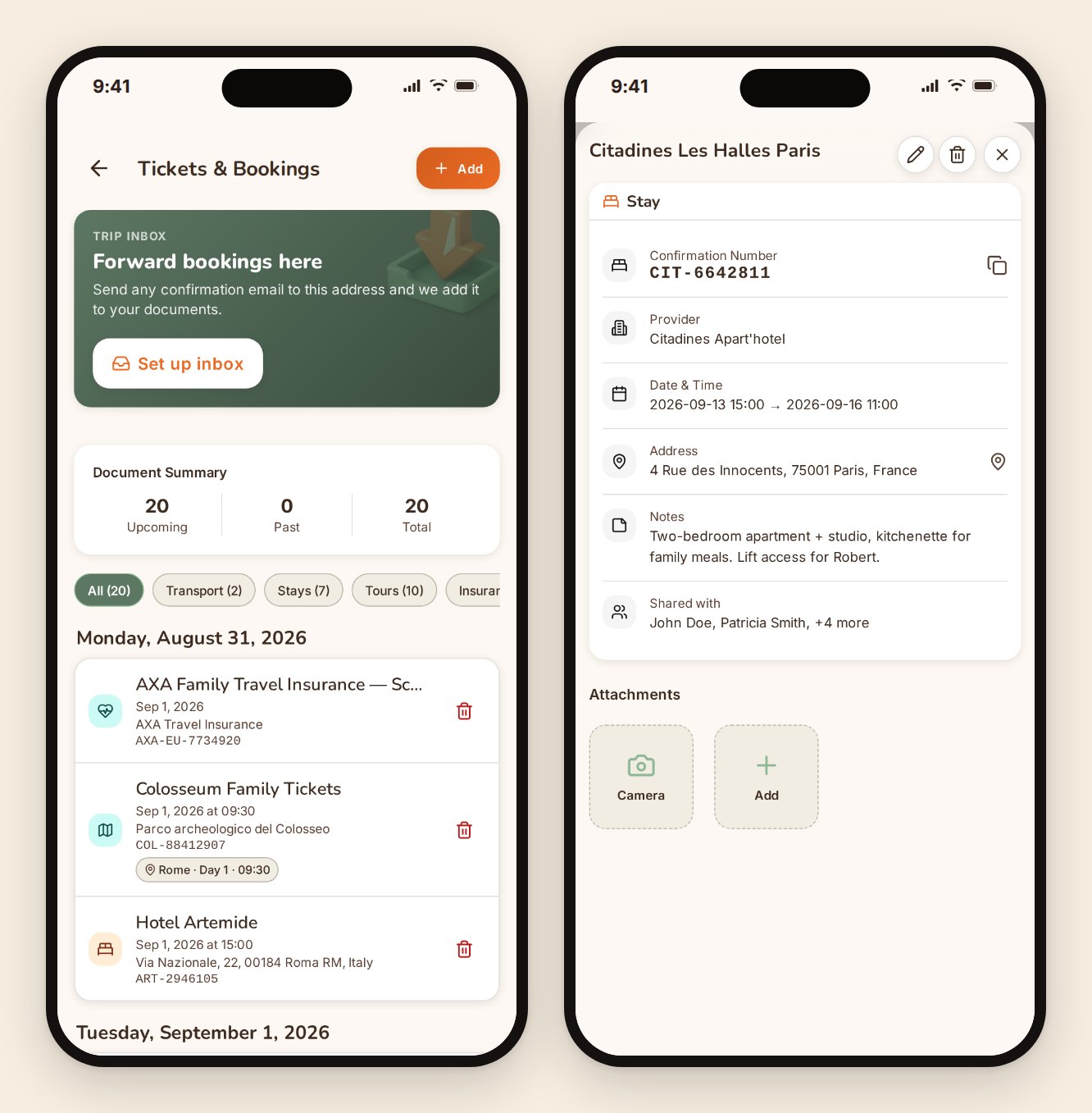
Forward the confirmation email and walk away
Every paid trip gets its own email address. Forward a booking confirmation to it and TripProf reads the email and its attachments, files them as a document on the trip, keeps the attachment, and offers to create the matching expense and itinerary entry from what it found.
Everyone on the trip sees it immediately. No download, no re-upload, no screenshot of a screenshot.
Or point the camera at it
Photograph or upload a ticket, or a stack of them, and TripProf pulls out the fields: dates, times, confirmation numbers, addresses, prices. You can always type it in by hand instead, and you can attach the original PDF or image either way, because sometimes the only thing that satisfies a border officer is the actual document.
Flights get read properly rather than as one blob of text. A connection is understood as separate legs, each with its own flight number, airports, date, and time, and stays are read with their check-in and check-out dates. That's what makes a document useful later instead of just stored.
Document files and memory photos live in storage, not on your phone. The rest of the trip works offline. Those two need a connection to open, and we'd rather say so here than have you find out on a plane.
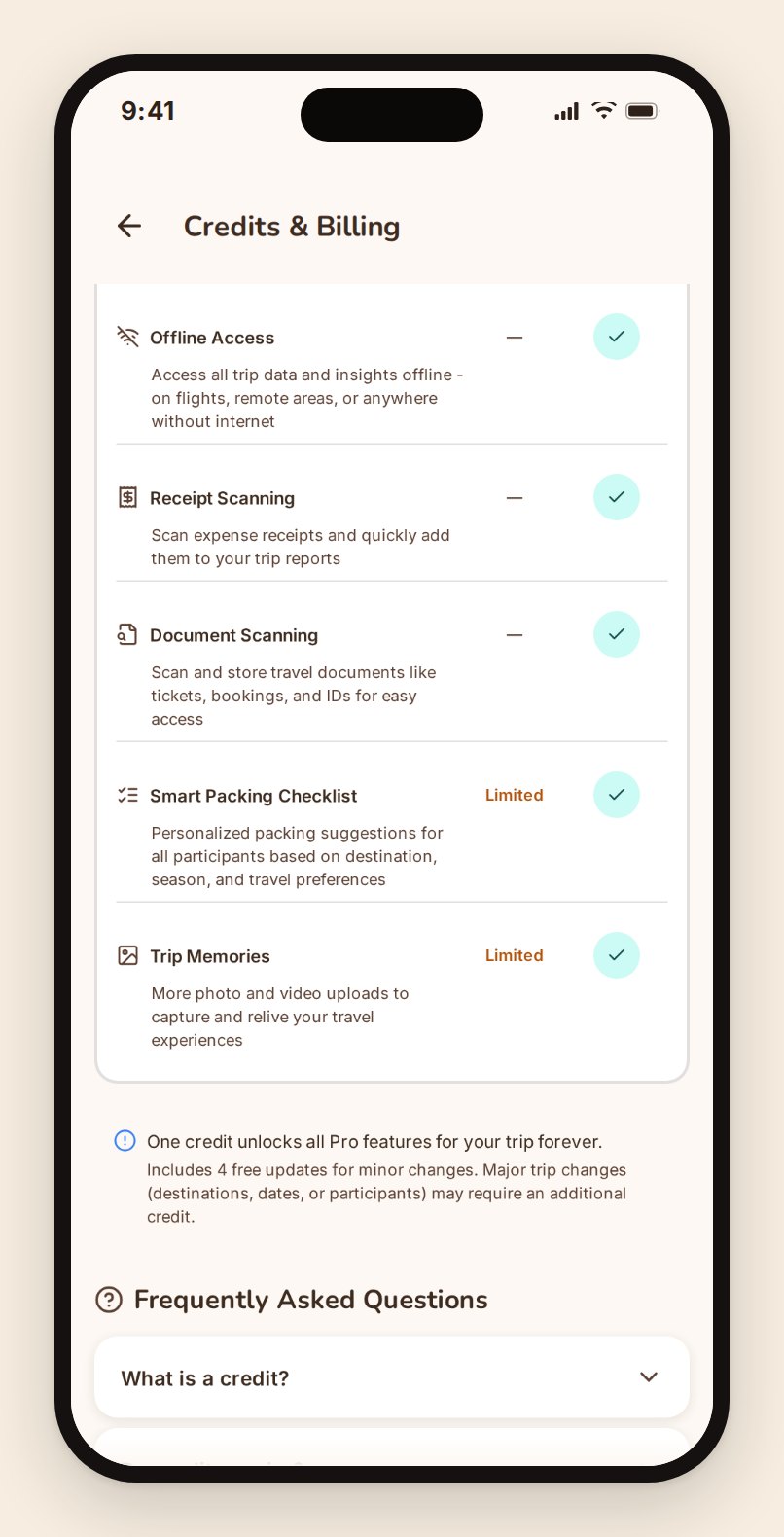
What one credit actually unlocks
Since we've mentioned it in several sections, here's the whole list in one place. One credit, one trip, permanently.
- The full personalized destination guide, 60+ tips for every destination on the trip, plus 5 regenerations if your dates or preferences change
- Shared editing, so co-travelers can add and change things instead of only reading
- Automatic itinerary drafting from your dates, pace, and interests
- The generated packing checklist built from your trip and travelers
- The trip's own email inbox for forwarding booking confirmations
- A generated trip cover built from your destinations
- Unlimited memories on that trip
- And more that keeps arriving, because this list grows with the product
Everything else stays free, on every trip, with no card on file.
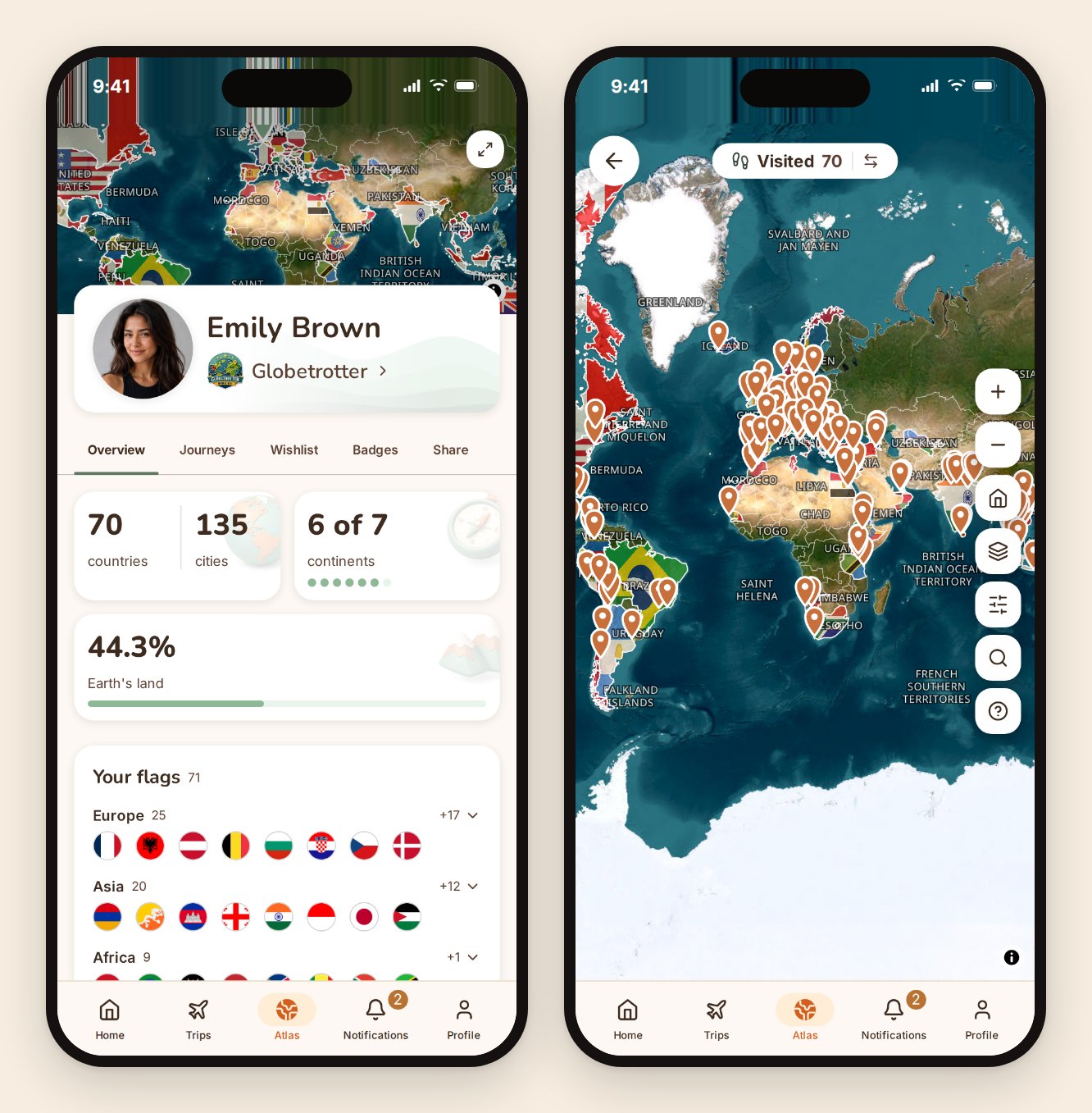
Atlas: the map of your whole travelling life
Everything above is about one trip. Atlas is about all of them, including the ones you took before you'd heard of us.
It's a world map you fill in. Countries you've been to get painted and flagged. Cities get pinned. Your TripProf trips add themselves the moment they finish, so the map maintains itself from here on.
Badges, ranks, and the logbook
You earn badges for what you've actually done: continents reached, countries counted, patterns in how you travel. There's a ladder of traveler tiers that moves as the map fills, and a logbook that collects the memories, notes and photos from every trip into one running record rather than leaving them stranded inside individual trips.
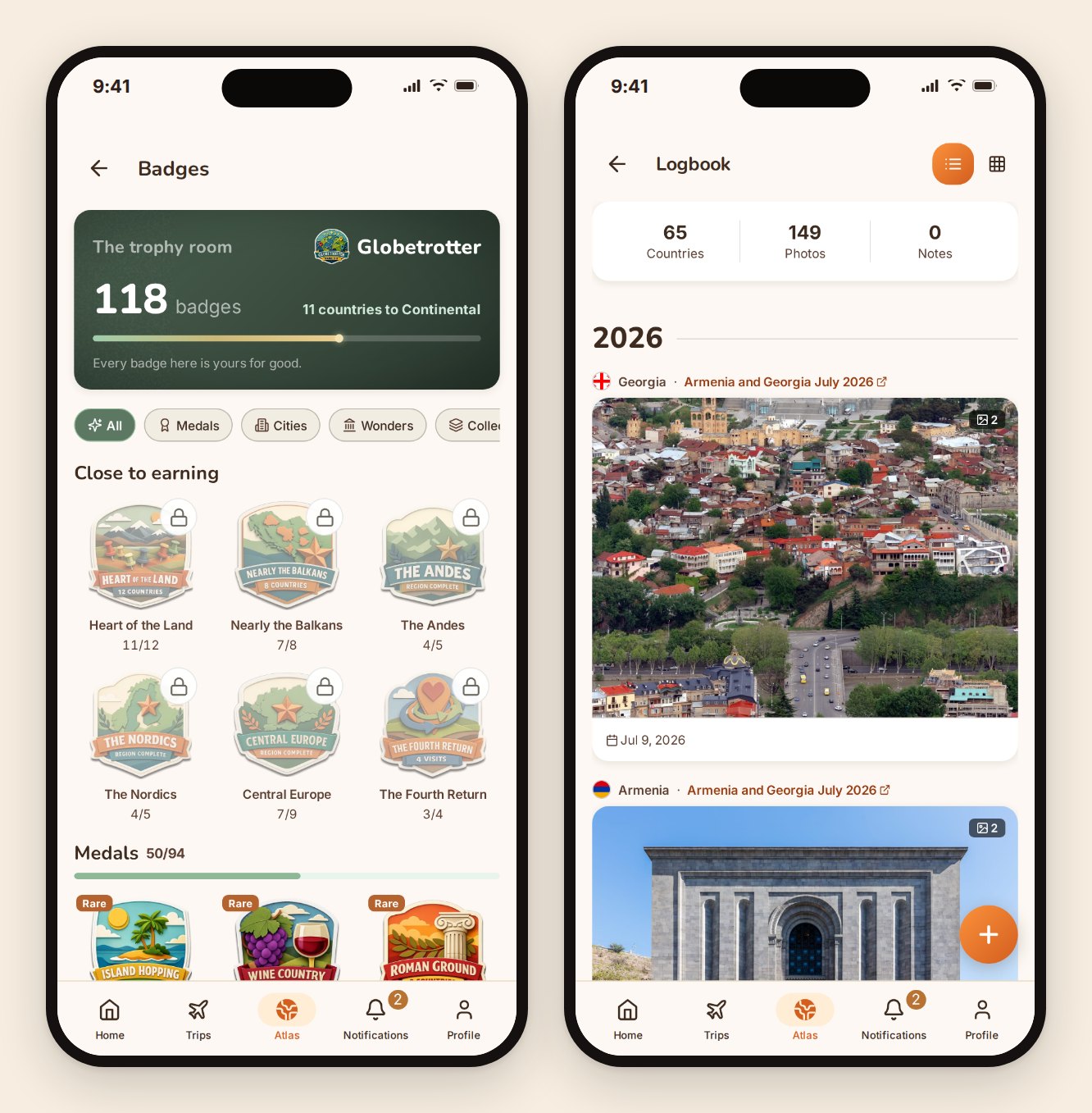
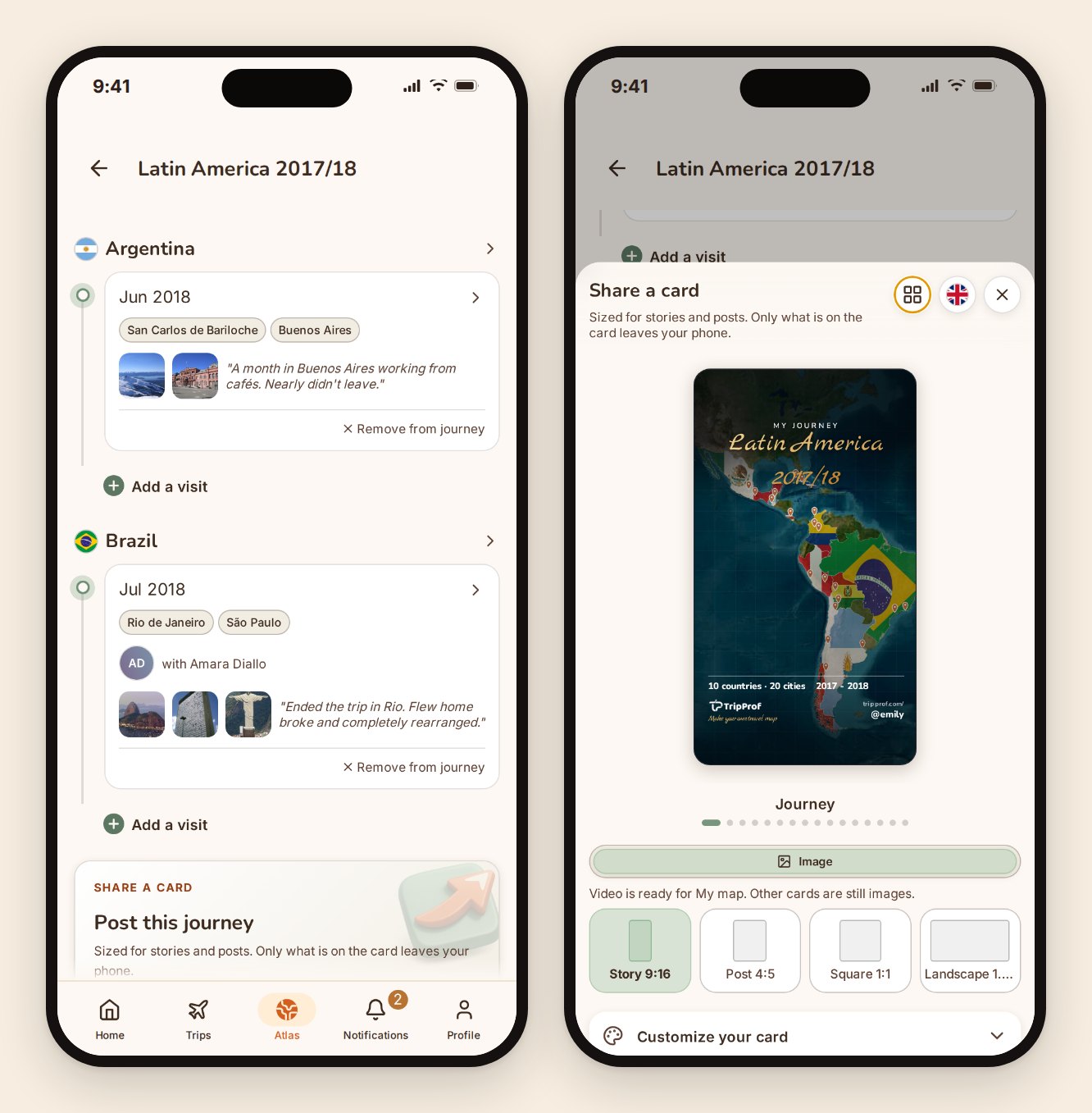
Trips also group into journeys: named chapters like a year in one region or a run of trips that belong together, each with its own map. It's the difference between a list of 72 visits and a story you can actually tell someone.
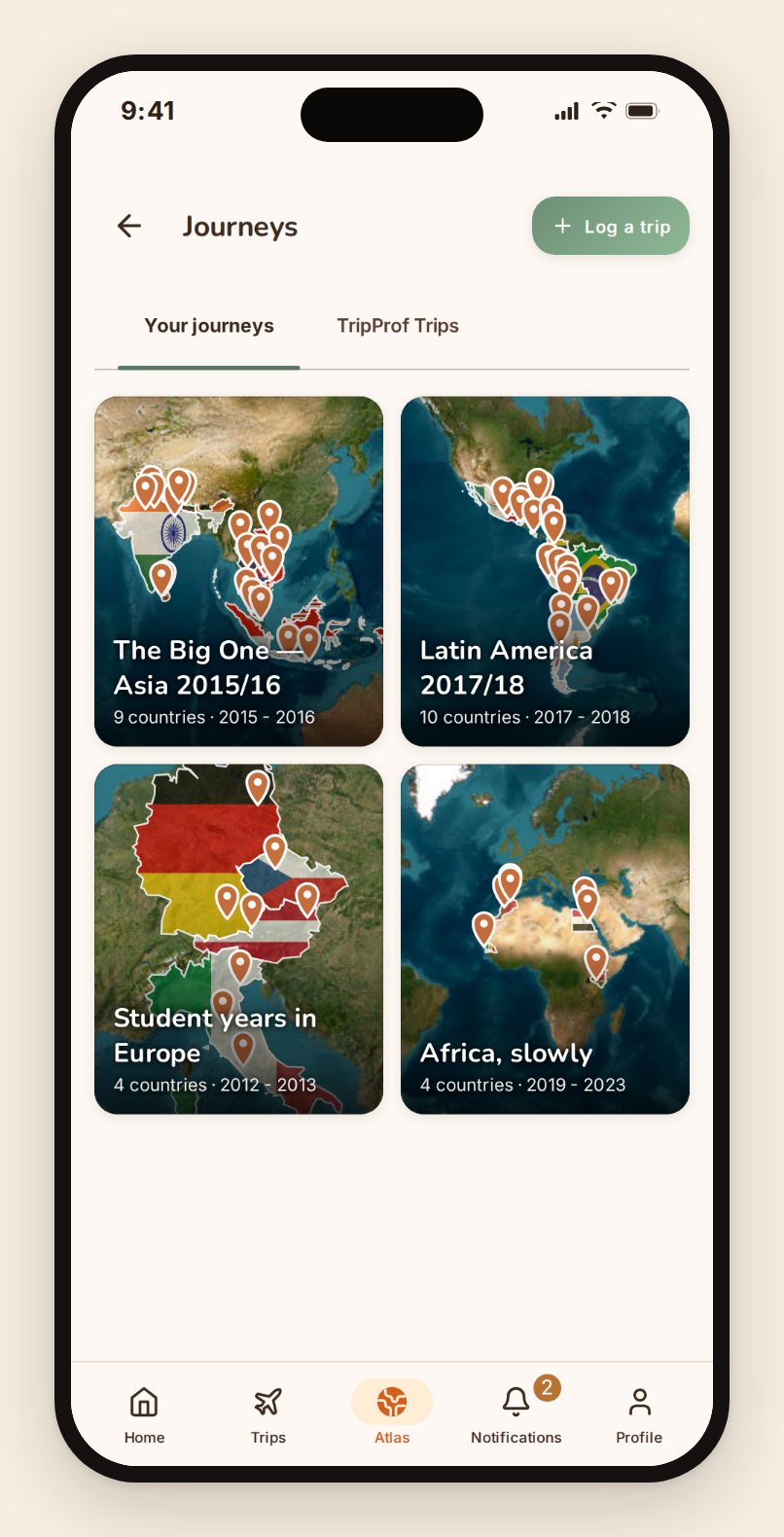
The wishlist, and the people you travel with
Countries and cities you want to reach go on a wishlist that shows up on the same map in a different state, so you can see the shape of what's left. And because most trips aren't solo, Atlas tracks your travelmates: who you've actually travelled with most, ranked by trips rather than by vibes.
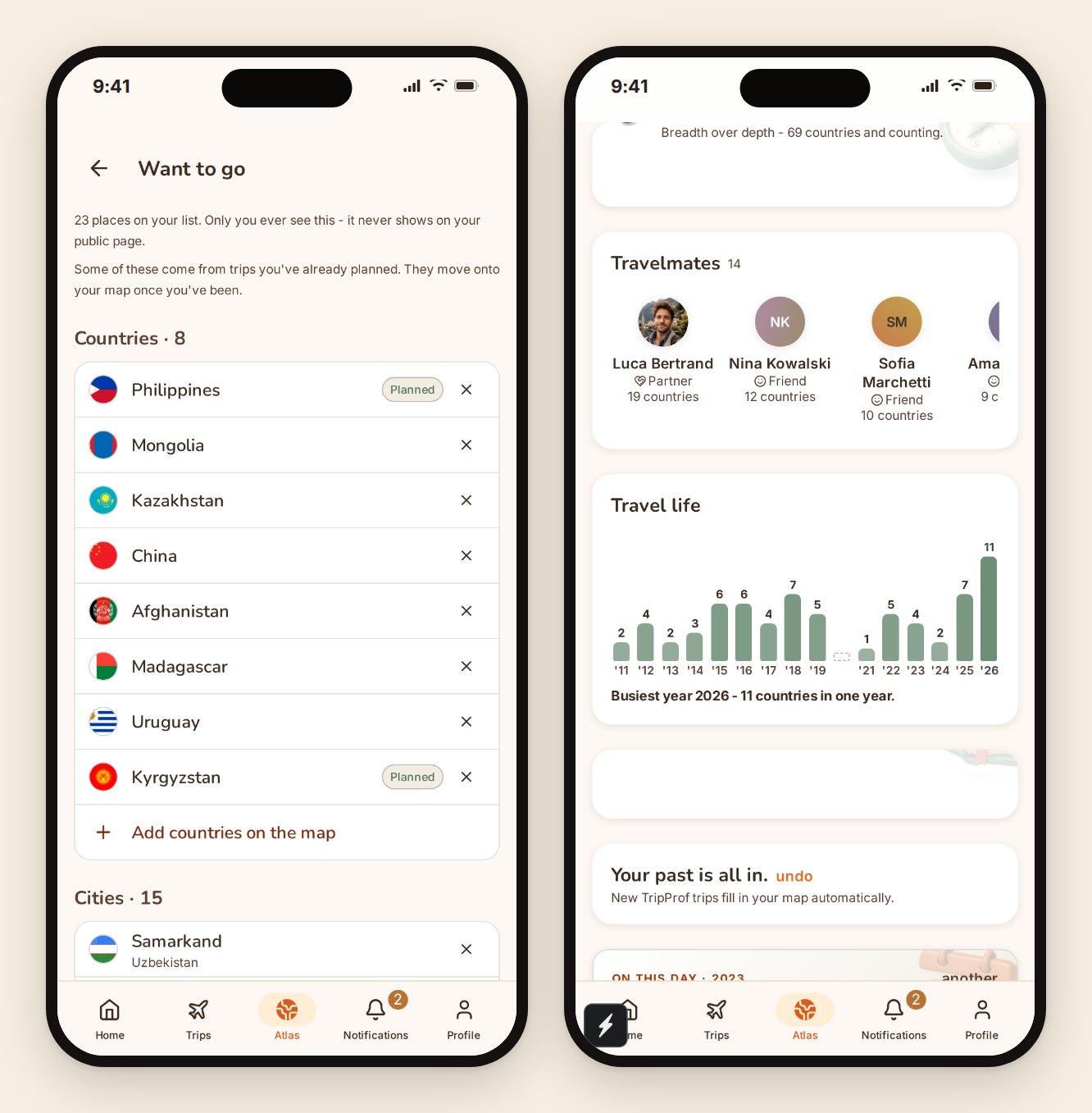
Backfilling fifteen years of trips without typing an essay
The obvious objection to any travel map is that filling it in is a chore. So the fast path is a tap-through: pick the countries you've been to and you're done. If you want more, you add it in layers, and only where you feel like it: a year, then a month, then cities, then the specific landmarks you actually saw. No trip has to be complete for the map to be right.
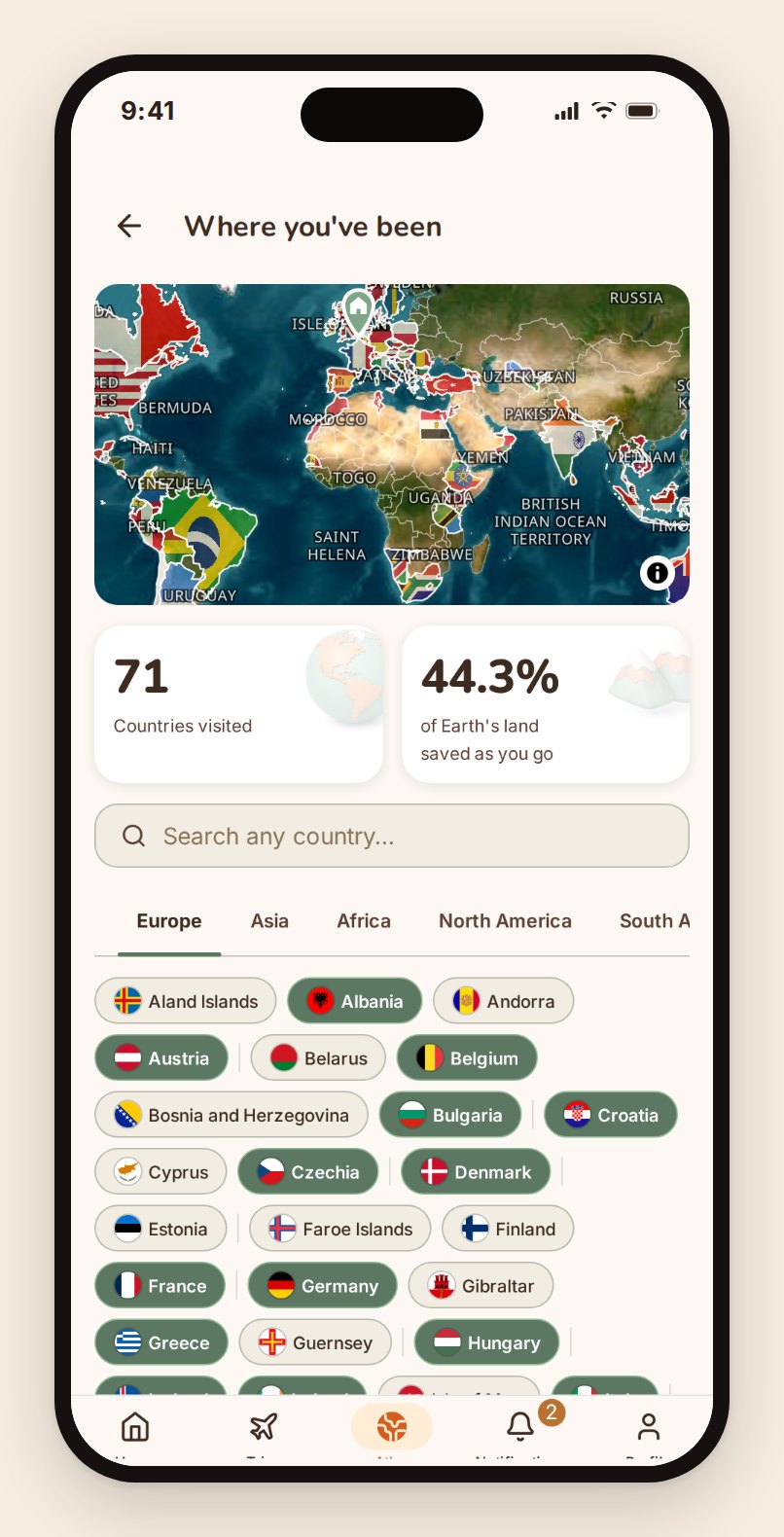
Your public traveler page, if you want one
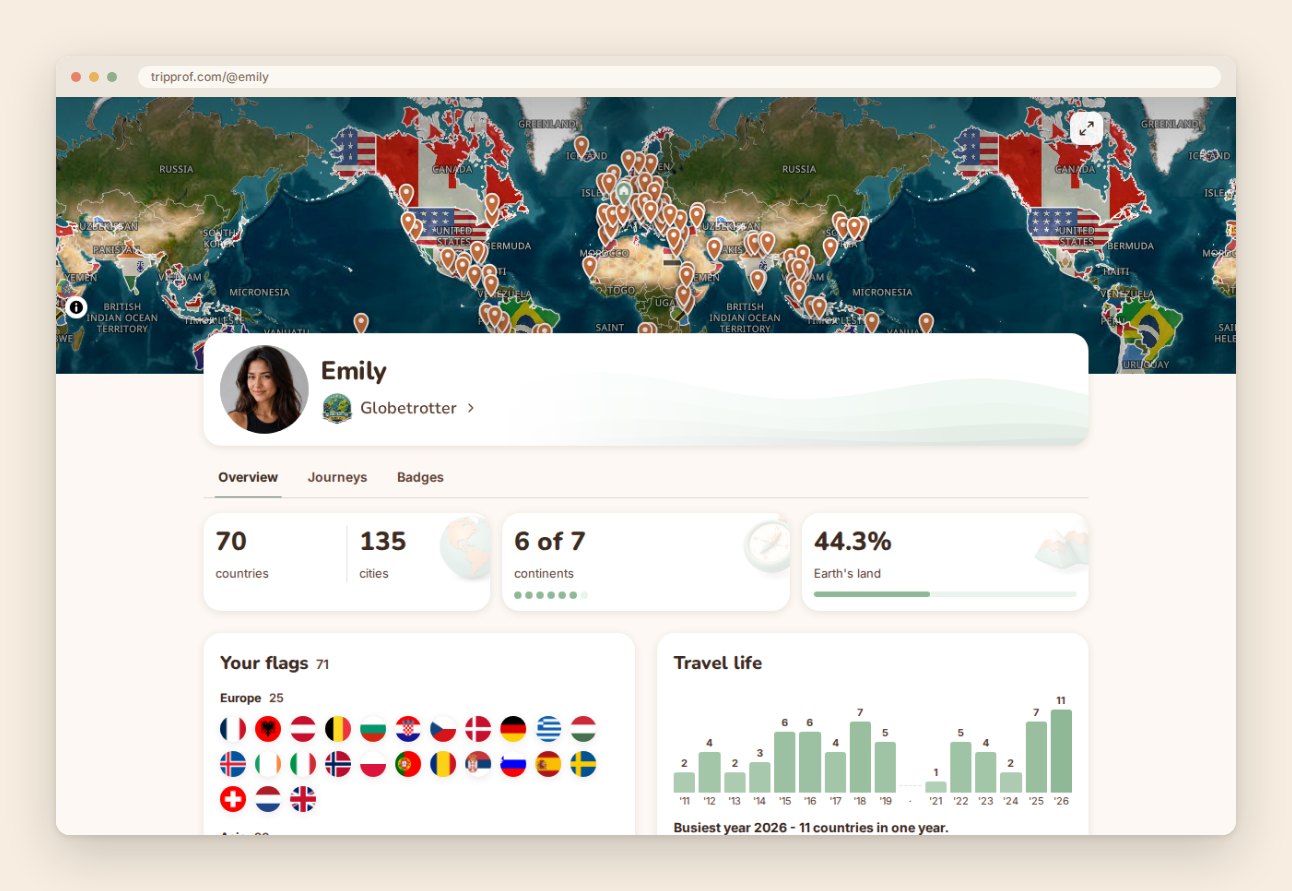
Atlas is private by default. If you'd rather it wasn't, you can turn on a public page at tripprof.com/@yourhandle: your map, your countries, your journeys, at a link you can put anywhere. It's opt-in, it's one switch, and you decide item by item what a visitor sees. Photos, exact dates and your want-to-go list are never shared at all.
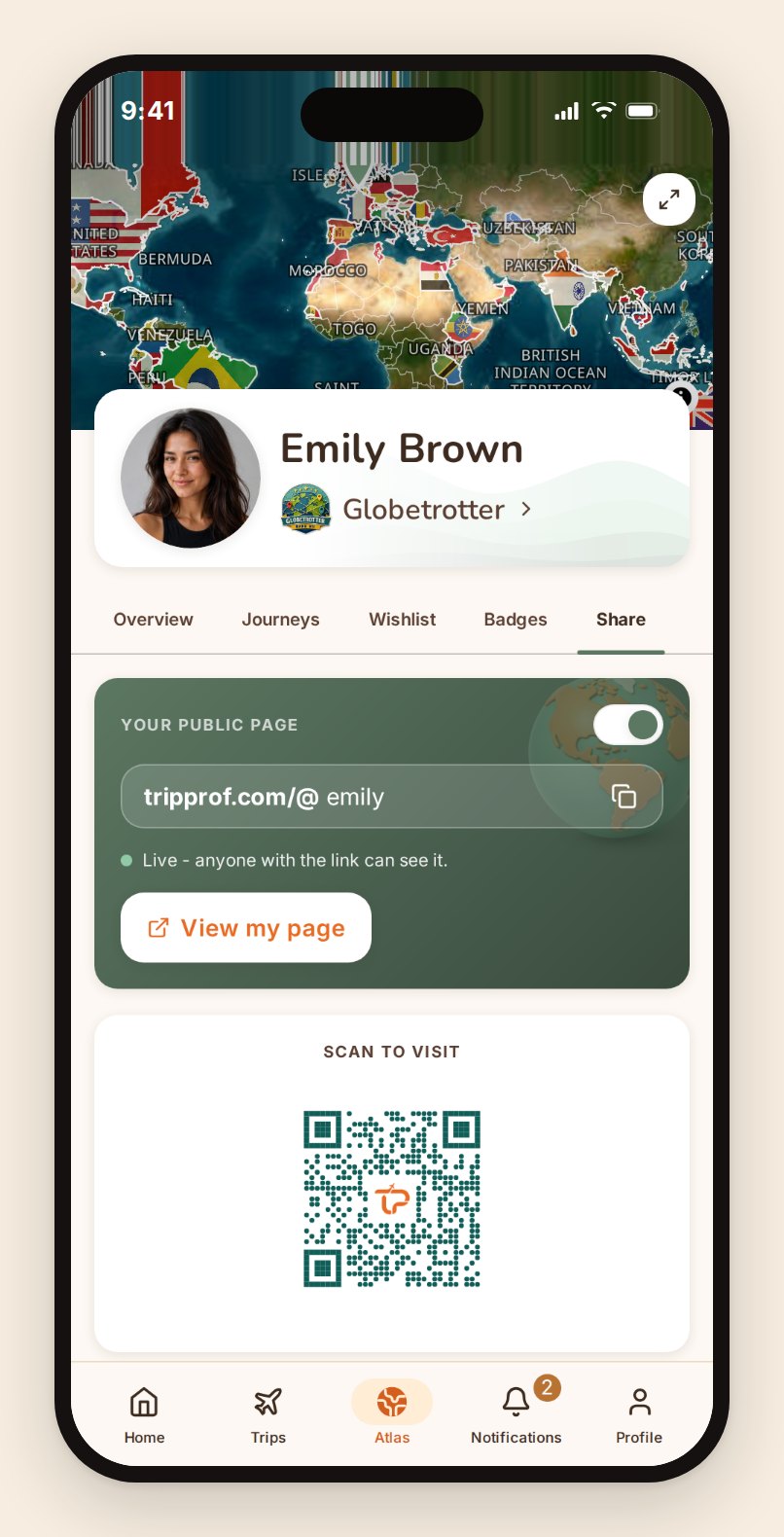
Here's what a real one looks like from the outside.
Cards and videos for the places you post things
At the bottom of any journey there's a card you can post. Tap it and TripProf builds one: your journey drawn on the map, the countries and cities counted, your handle in the corner. Pick the size for wherever it's going, story, post, square or landscape, and customize it if you want. Your whole-world map can go out as a short video too; the rest are stills.
It's the one part of TripProf that exists purely because it's satisfying, and we're at peace with that.
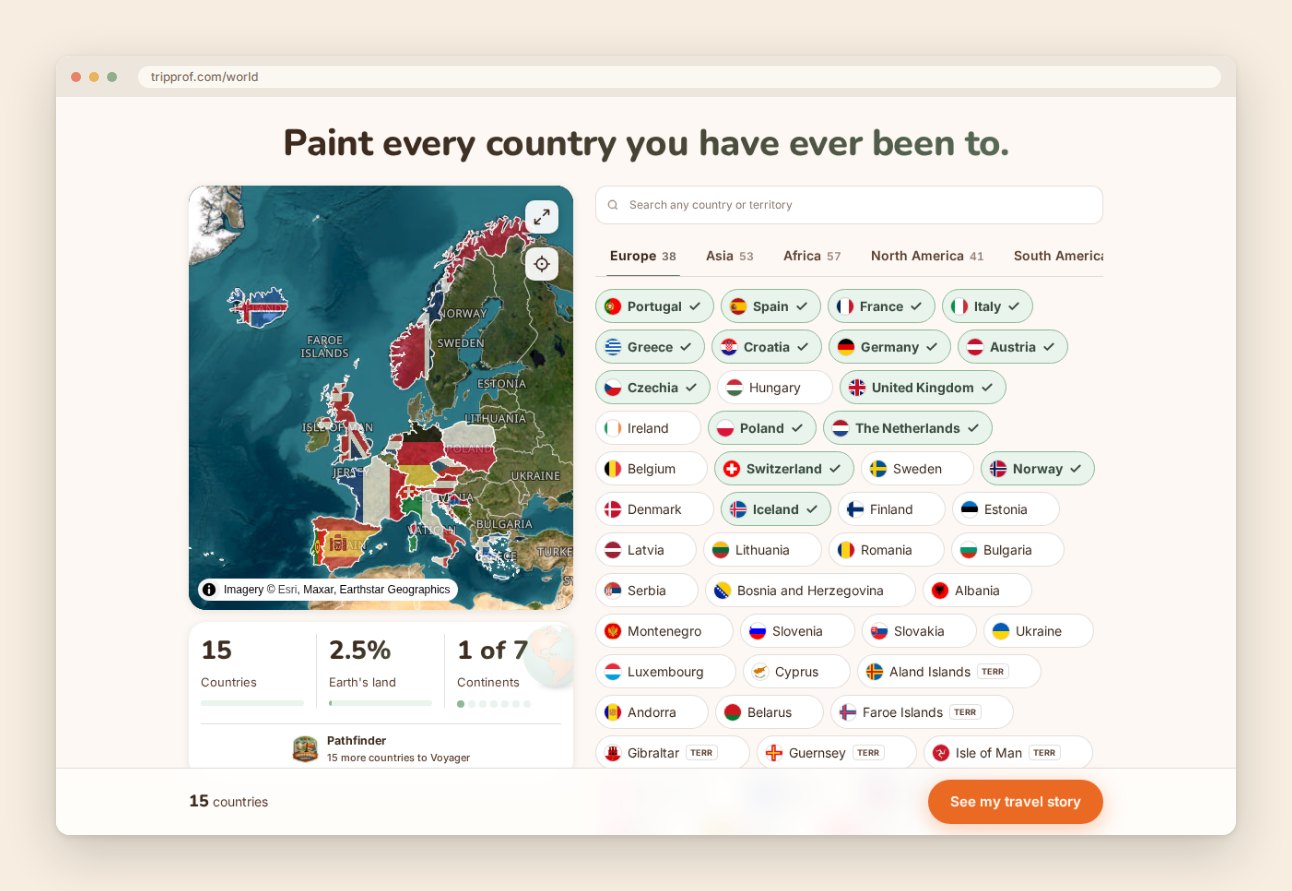
And a version that needs no account at all
world.tripprof.com is a free public tool: click the countries you've been to, get your map and your numbers, share it. No signup, no app, no email box. It's the two-minute version of Atlas, and it stays free and open whether or not you ever open the app.
What we're working on now
The honest state of things, since a feature list without one is marketing.
- Translation quality, in a continuous pass across all 12 languages.
- Per-traveler checklists, so items can be assigned to a specific person rather than the group.
- A trip assistant you can ask questions of, answered from your own guide rather than from the open internet.
- Trip ideation, to help decide where to go next based on where you've already been.
- Wider place coverage, extending the depth we have in major cities out to smaller destinations.
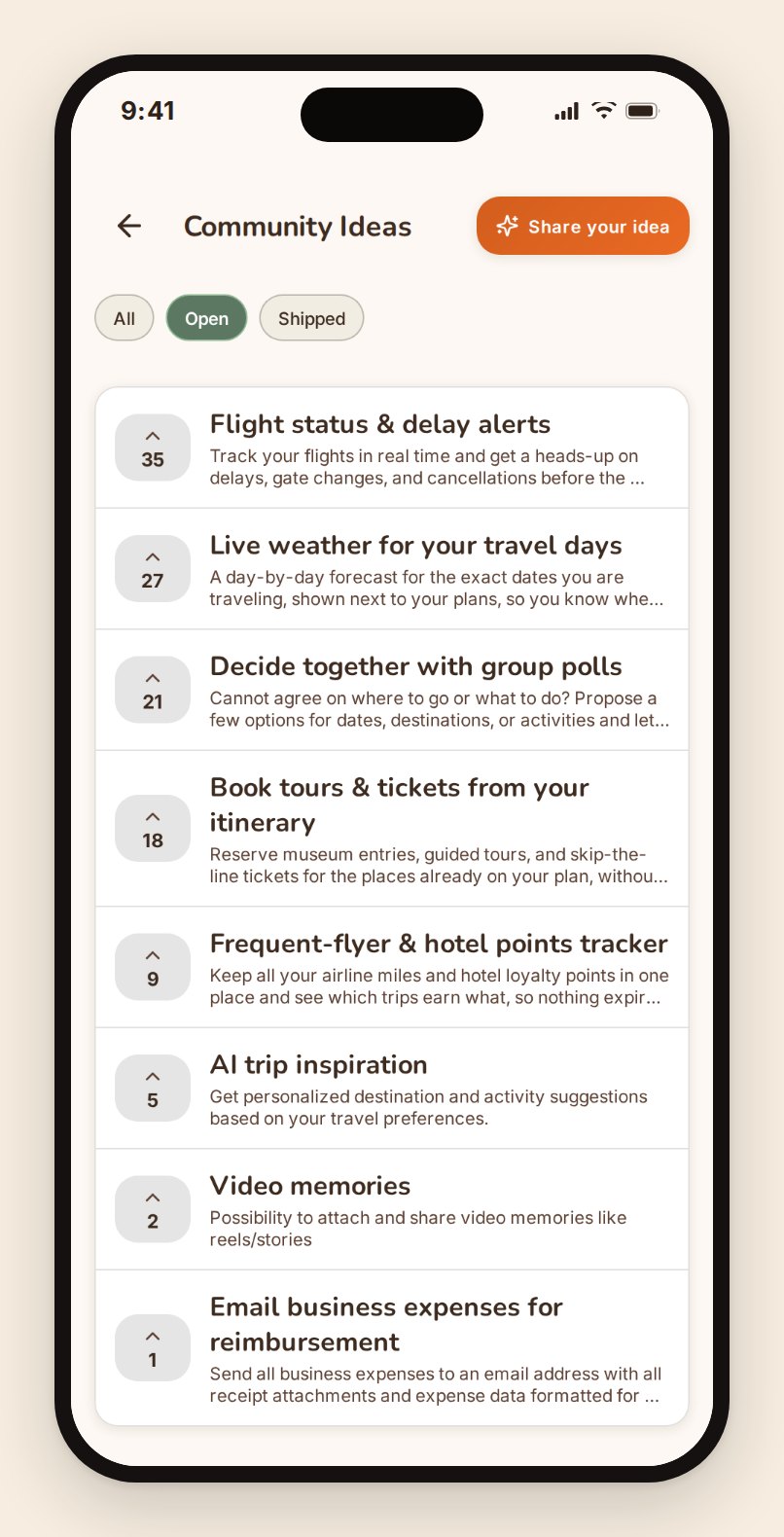
The ideas boards inside the app are where these get prioritized, and they're public to our users. If the thing you need isn't here, that's the fastest way to make it exist.
This page is the one we keep current. When something on that list ships, it moves up into the sections above and the screenshots get retaken, so what you're reading is the product as it stands rather than as it stood at launch. Reviewed August 2026.
Frequently Asked Questions
Is TripProf free?
Yes, for trip creation and management. Unlimited trips, itinerary planning, expense tracking and splitting, checklists, documents, memories, and Atlas cost nothing and need no card. The personalized destination guide costs one credit per trip, starting at EUR 3.99, and unlocks shared editing and automatic planning on that trip along with it.
Does everyone in the group have to pay?
No. There are no per-person charges. One person unlocks the trip and everyone invited gets full access to it.
Can people join without installing an app?
Yes. The full product runs in a browser, so a shared trip link works on any device with nothing to install.
Does it handle several currencies in one trip?
Yes. Log expenses in whatever currency they were paid in, and TripProf converts each one at the rate from the day it was logged, into the currency you set for the trip. That's the currency the settlement is calculated in, and you can view every amount through a different one without changing what anyone owes.
Does it work offline?
The destination guide, expenses, and checklists are cached to your device and work with no connection, and edits you make offline sync when you're back online. Document files and memory photos are stored remotely and need a connection to open.
What languages does TripProf support?
Twelve: English, German, Spanish, French, Portuguese, Italian, Dutch, Swedish, Norwegian, Danish, Polish, and Russian.
What happens to my trip after it ends?
It stays. The itinerary, the expenses, the documents, and the memories all remain, and the trip adds itself to your Atlas map automatically.
Key Takeaways
- Planning, money, documents, packing, and memories live in one trip, shared with the people on it, instead of across four apps and a group chat.
- The free tier is the product, not a demo. Unlimited trips, full itinerary building, multi-currency expenses and settlement, checklists, documents, memories, and Atlas, with no card required.
- One credit per trip unlocks the guide, shared editing, automatic planning, the generated checklist, and the trip's email inbox. EUR 3.99 for one, down to EUR 1.53 a trip on the yearly plan. Credits never expire.
- Group cost is flat. No per-seat pricing, so a trip with nine people costs what a trip with one costs.
- No ads, no marketing email, no data selling. The only revenue is people choosing to pay for guides.
- It's not finished. Translation quality, per-traveler checklists, and wider place coverage are all in progress, and the ideas board is where users decide what comes next.
If you want the wider view first, we also keep a running comparison of group travel planning apps in 2026, written to be useful even if you pick a different one. And if you'd rather just look at it: tripprof.com, free, no card, nothing to cancel.
Keep Reading
More travel tips and guides picked for you

What a Friendsgiving trip actually costs, and how to split it fairly
Eight friends, one cabin, one long weekend before Thanksgiving: here's what a real Friendsgiving getaway costs per person, and a simple way to split it before anyone starts keeping score.

The Group Trip Questionnaire: 16 Questions to Ask Before Anyone Books
Most group trips break on four answers: flexible, easygoing, whatever works, and around $2k. Here are 16 questions that make all four impossible to give, what each answer is really for, and a copy-paste template to send before anyone books.

How Many States Have You Visited? One Retiree's Real Answer (And How to Find Yours)
A 58-year-old retiree paints his USA map for the first time and finds a very different number than he guessed. The real YouGov stats, the honest limits, and how to track your own states visited checklist.